Arquitetura do aplicativo BNA
The BNA Application is built on architecture that eases the user interactions by having a design concept that promotes the user to follow their intuition complemented with high performance that considers the lowest internet connection scenarios with descriptive notification messages if the user misses a step along the way.
Conceitos de design de aplicativos BNA
Faça mais com menos etapas
Most of the operations in the application can be achieved in three steps or less. The BNA App gives a district user or any user at any level with no administrative privilege the ability to perform operations without a need to switch between modules or drop ongoing activities. Users can bookmark interventions, filter interventions by organization unit or period and more with everything being just a click away.
Confie na sua intuição
The BNA App has been built from the ground app, to make functionalities more accessible, more intuitive and most importantly more capable. The App follows a minimalistic design that minimizes any chances of the user getting lost in the middle of performing their usual operations.
Layout do aplicativo BNA
The BNA App is flexible to adapt to any number of user journeys depending on the country's implementations. The primary two users are:
- Administrators: can manage interventions with operations such as creating interventions, applying data filters for interventions, making legend definitions and many more administrative operations.
- District users: analyzing the bottlenecks can switch through their interventions, bookmark their favorite interventions and perform root cause analysis through the root cause analysis widget.
Other bottleneck App users can be national, and regional/counties users who can only analyse bottlenecks, sub-nation analysis, route causes for each bottleneck and their solutions.
Menu DHIS2 global
To browse the BNA app, access the DHIS2 demo server with the login credentials provided on the page. Once logged in, search for Bottleneck Analysis App on the Search bar.

Search for Bottleneck Analysis application and click on it 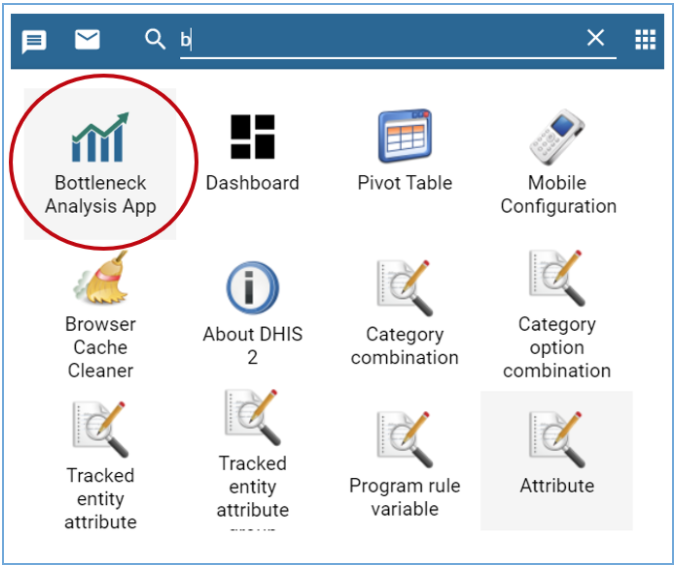
Lista de intervenções
Ao carregar a App do BNA, o utilizador terá acesso às intervenções disponíveis e opção de procurar mais intervenções que poderão não ser apresentadas no carregamento. O acesso às intervenções partilhadas é limitado ao nível de acesso em que são partilhadas.
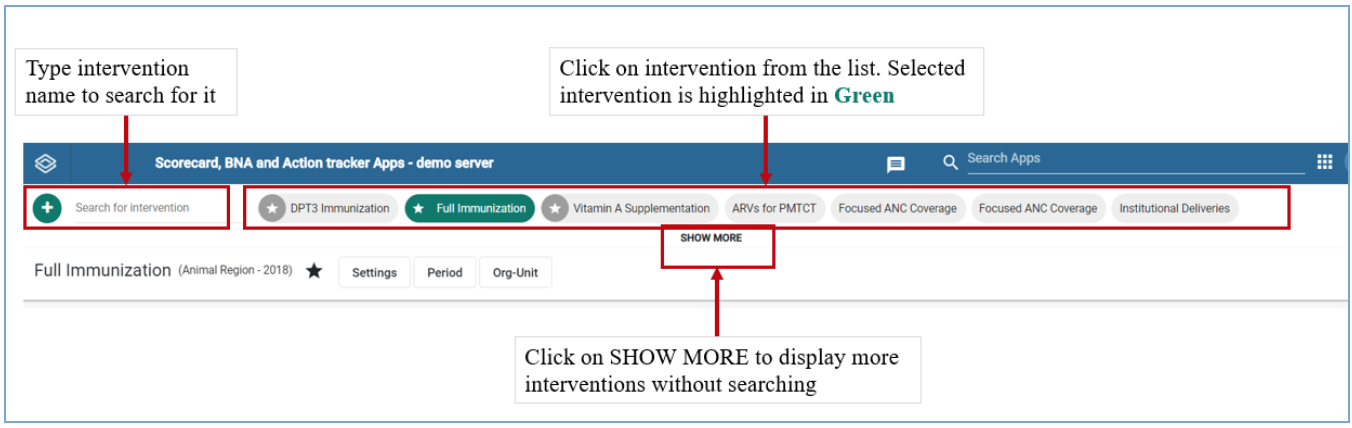
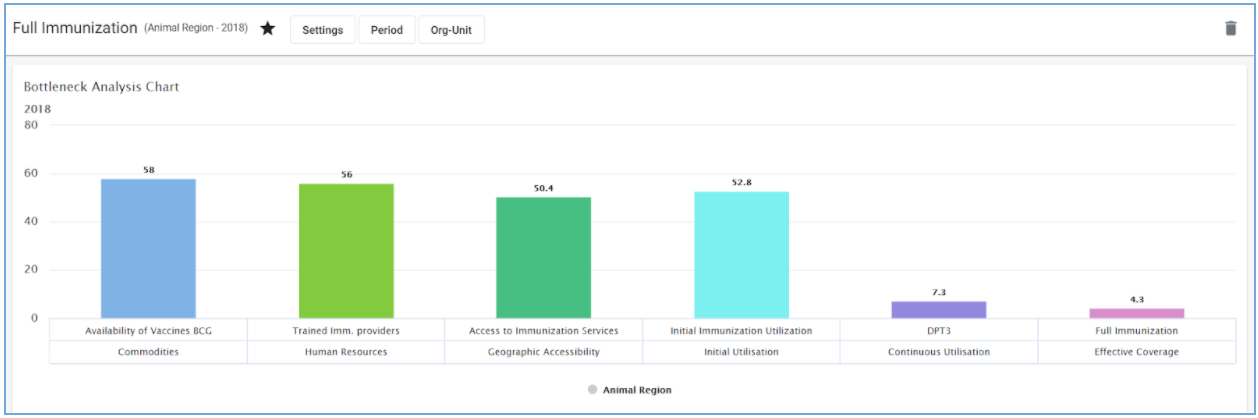
Filtros globais de intervenções
Right under the interventions list there are controls for the active interventions. The filter control when clicked expands to offer the user an ability to make data selections, period selections, organisation unit selections, and legend configurations. However, all users except administrators have access to Period Organisation unit filters only. More details on these operations can be found on chapter 4 section 4.
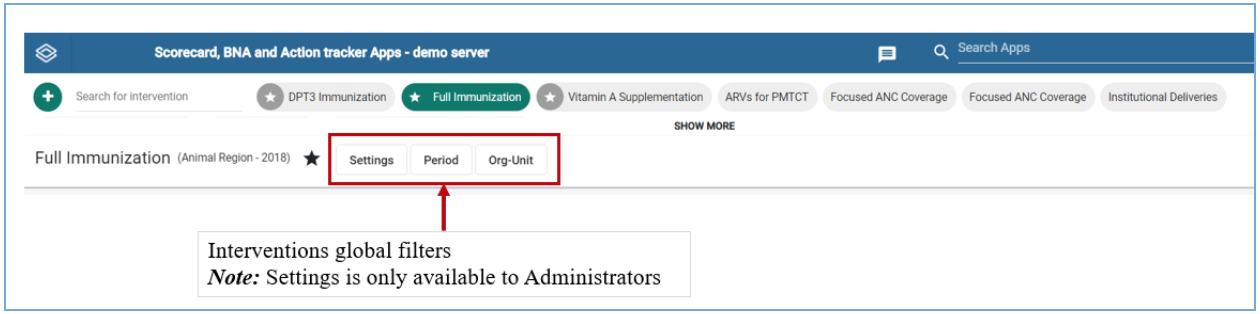
Itens de intervenção
Todas as intervenções na App BNA contêm três itens, a saber:
- O Gráfico de Análise de Gargalo
- A Tabela de Análise de Subnível
- O widget de análise de causa raiz
These intervention items will be empty when an intervention is created. The administrator is expected to configure the intervention items by making selections on the global filters. More details on how to configure interventions can be found on Chapter 4 Section 5. The district user is expected to enter data into the root cause analysis widget as explained in the next chapters.