DHIS2 Android App version 2.5 Release Notes
LOCAL ANALYTICS
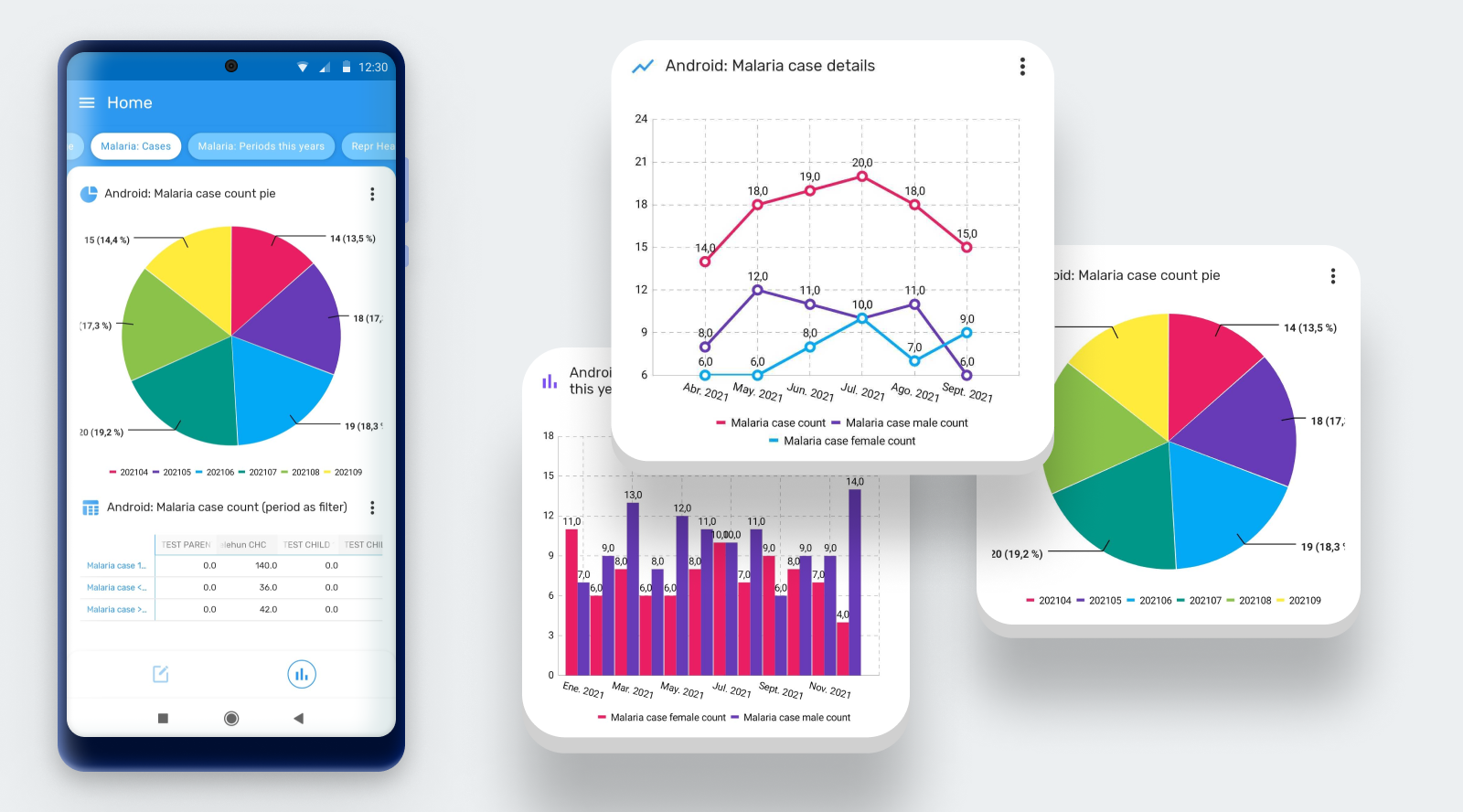
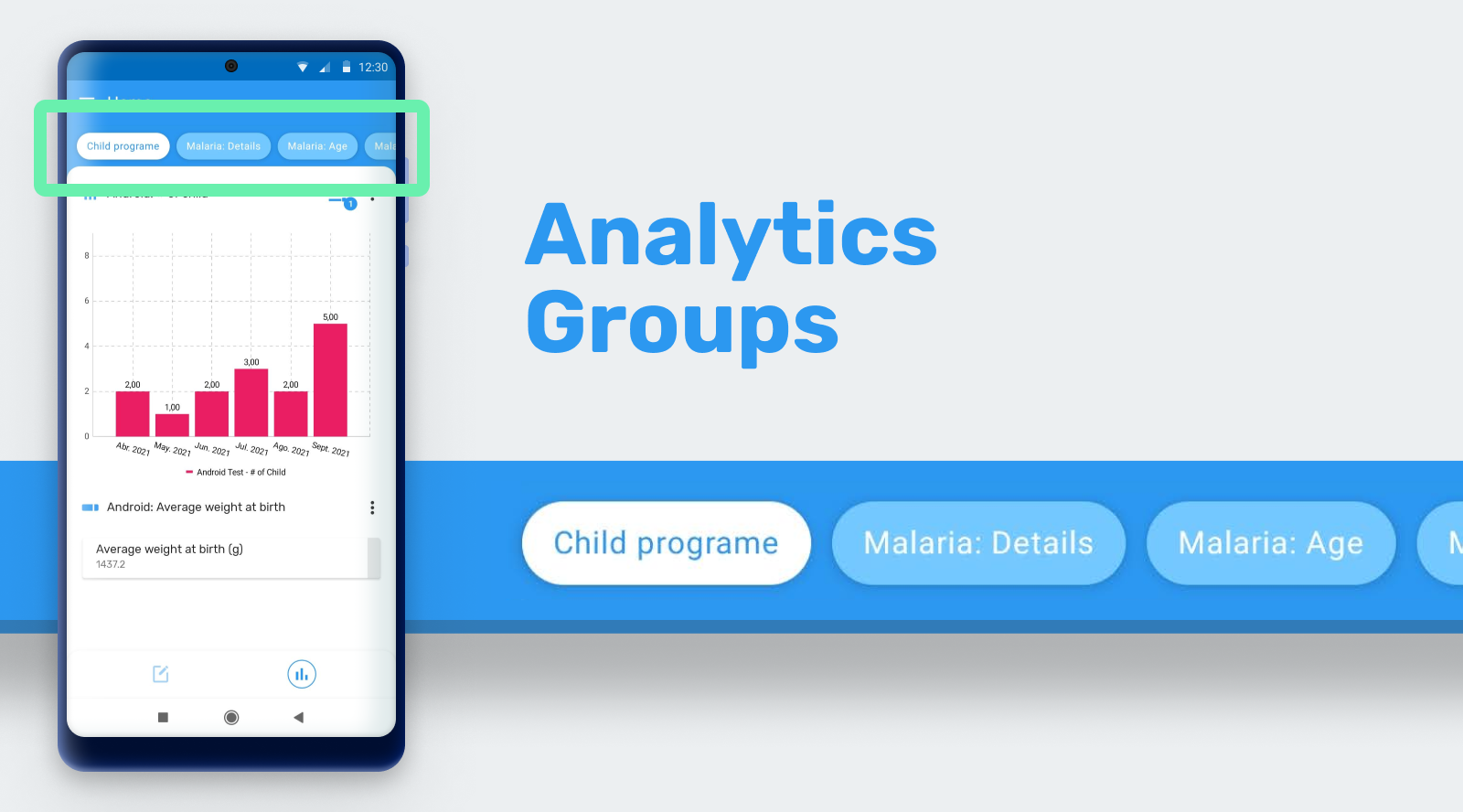
Offline In-App Program/Dataset Analytics: The Android app can now render analytics that have been created in the Data Visualizer app in DHIS2. Analytics to be displayed require configuration using the Android Settings Web App, where administrators will be able to select the charts and tables to be displayed for end users. These visualizations can be rendered on the home screen of the App, on the dataset screen and at the programs level. All analytics are aggregated in the device using local data. The Analyticis feature is 100% functional offline.
As análises com suporte no aplicativo Android são: - Tabelas Dinâmicas - Gráfico de colunas - Gráfico de linha - Gráfico de pizza - Gráfico de radar - Valor unico
Todas essas visualizações podem ser organizadas e exibidas em grupos. Os grupos também são configurados usando o Android Settings Web App. Para cada objeto de visualização, o utilizador poderá filtrar no aplicativo por:
- Período: Diário, Semanal, Mensal, Anual, Este Trimestre, Último Trimestre, Últimos 4 Trimestres e Trimestre deste ano.
- OrgUnit: selecione "Todos" para exibir todas as unidades organizacionais disponíveis para o utilizador ou "Seleção" para especificar uma ou várias unidades organizacionais.
[Jira] (https://jira.dhis2.org/browse/ANDROAPP-2557) | Screenshot | [Captura de tela 2] (https://s3.eu-west-1.amazonaws.com/content.dhis2.org/dhis2-android/release+notes+2.5/Android-2-5-Local+Analytics+-+Filtering.png) | [Captura de tela 3] (https://s3.eu-west-1.amazonaws.com/content.dhis2.org/dhis2-android/release+notes+2.5/Android-2-5-Local+Analytics+-+Groups.png) | [Captura de tela 4] (https://s3.eu-west-1.amazonaws.com/content.dhis2.org/dhis2-android/release+notes+2.5/Android-2-5-Local+Analytics+-+Android+Settings+Webapp.png) | Documentação


DATA ENTRY USER EXPERIENCE
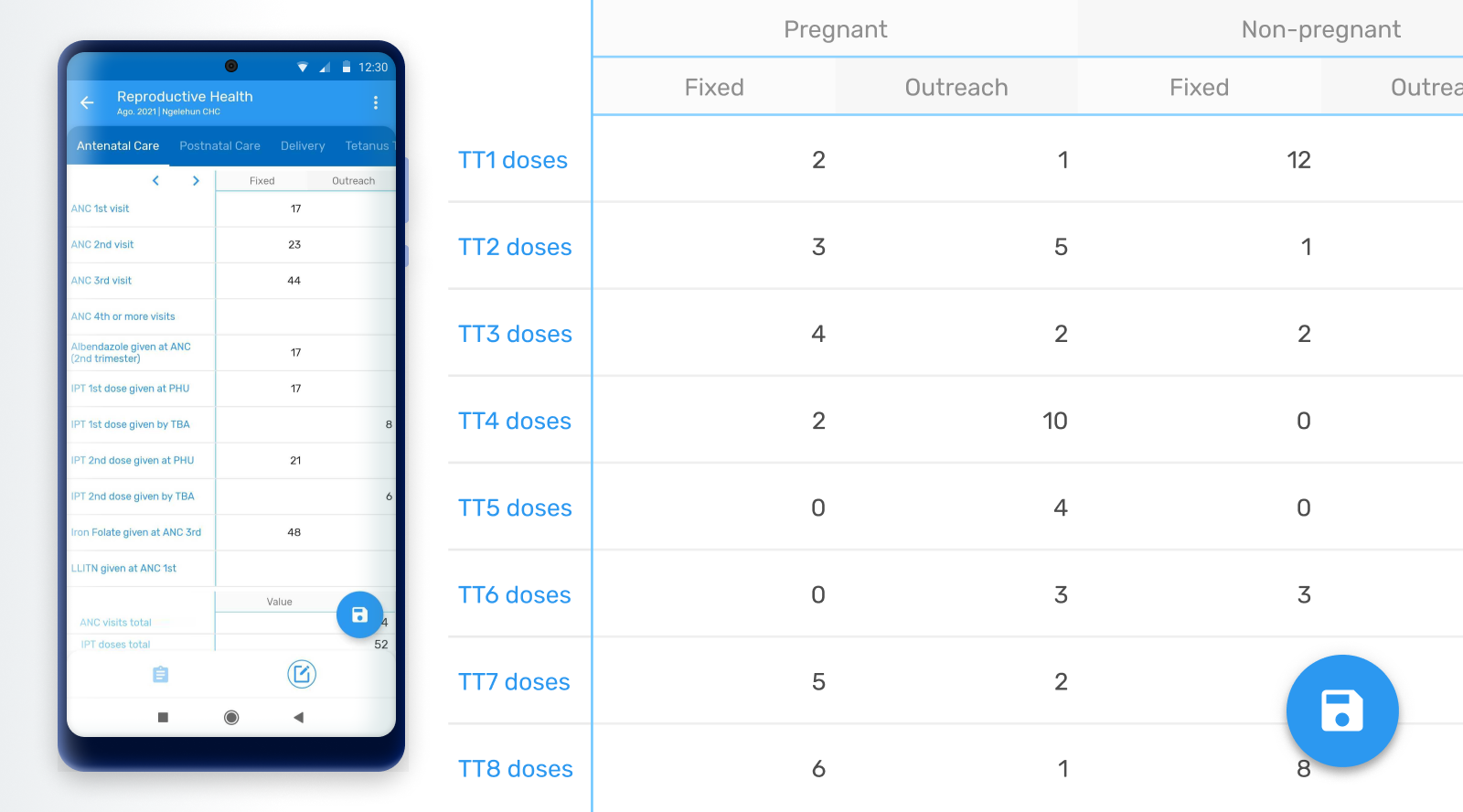
Dataset redesign The layout for datasets data entry has been redesigned for a more integrated user experience and clean user interface.
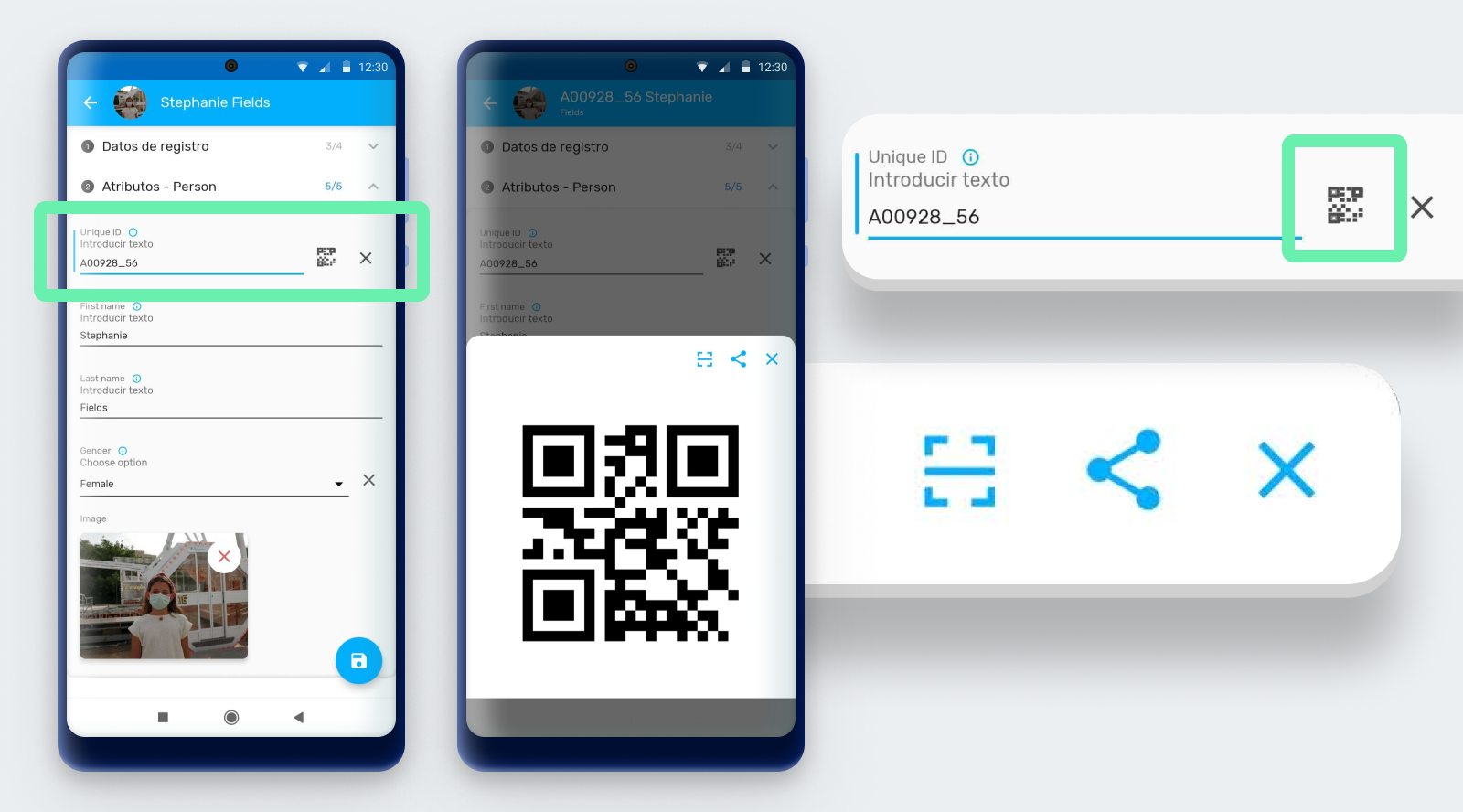
Export/Share QR and Bar codes: Data elements or attributes type text can be configured as QR or barcodes. With the new export/share option, users will be able to display a bar or QR code in an image so that it can be shared it for printing, take a screenshot or show it on the screen for scanning.
Jira | Screenshot | Documentation
Improved render for icon-based data entry: When program sections rendering type is used in combination with icons, a section with a single data element and associated Option Set renders the assigned icons next the options to simplify data entry. The layout and design of this screen has been redesigned and improved for a better user experience.
Jira | Screenshot | Documentation

Personalized Calendar View: In the DHIS2 Android Capture App users can switch date selection from spinner to calendar view. In this version, the app will remember the last visualization selected by the user and use it the next time the user needs to select a date.
Jira | Screenshot | Documentation

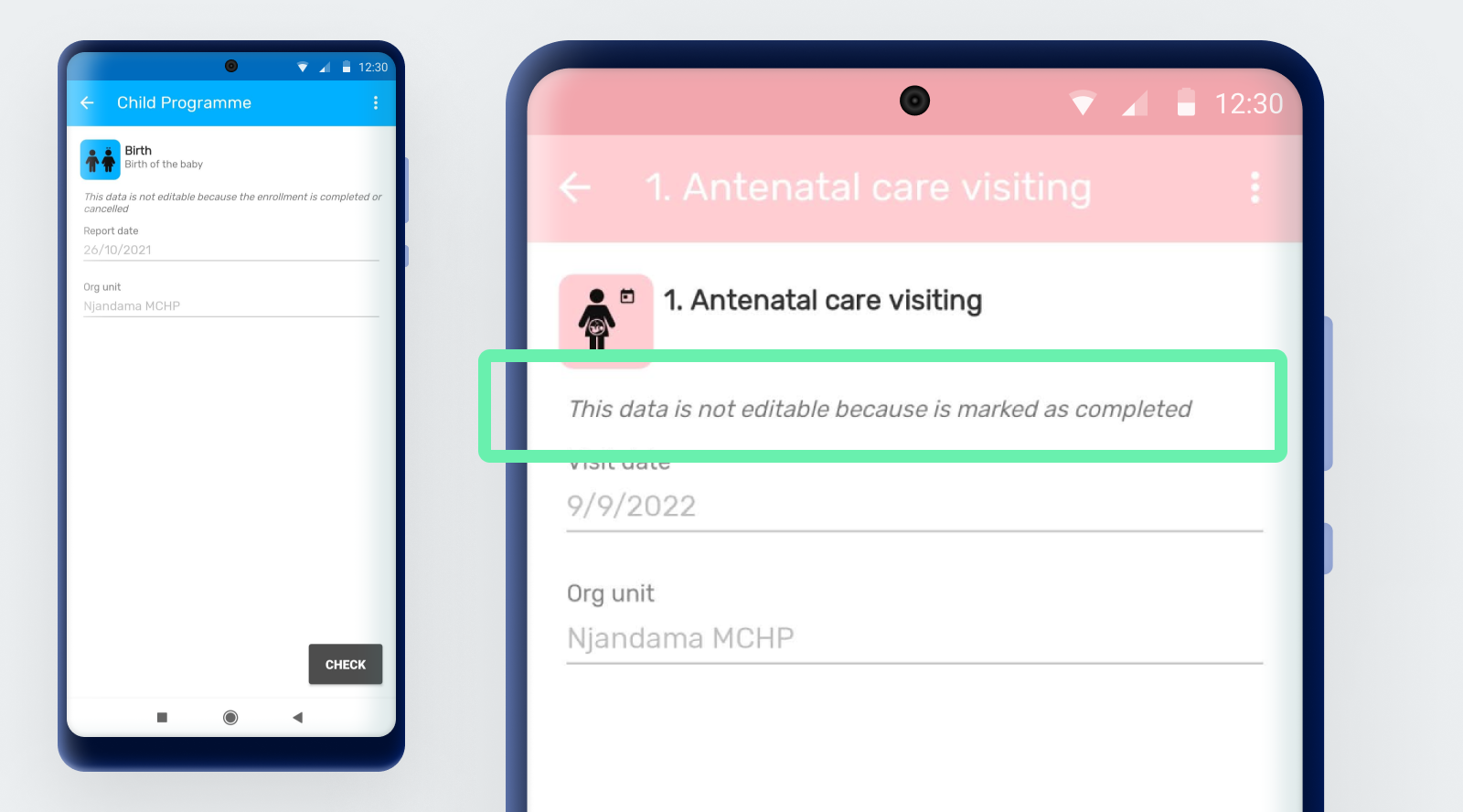
Display reason for data non-editable: Data can be blocked for many reasons in DHIS2, because of access restrictions or expiration among others. When an Event, TEI or Data Set are not editable the user will be able to find the reason in the "Details" section. The possible reasons are: - Conclusão do evento - Conclusão da inscrição - Evento expirado - Unidade de organização fechada - Unidade organizacional fora do escopo de captura - Sem acesso para capturar dados no programa ou conjunto de dados - No access to a category option in the program or data set
Jira | Screenshot | Documentation
Ajuste as opções do painel TEI para a configuração do programa: As opções oferecidas no painel TEI serão adaptadas à configuração específica do programa. - A guia Relacionamentos não estará visível se os relacionamentos do programa não estiverem configurados. - O botão Criar evento ficará oculto quando o utilizador não puder criar mais eventos com base na configuração do rastreador. - A guia Indicadores não estará visível se o programa não tiver indicadores de programa configurados. - Organisation Unit filter will not be visible if the user has only one Organisation Unit configured.
Jira | Jira 2 | Jira 3 | Documentation
MAPS
General Maps User experience: After three versions since maps were included in the DHIS2 Android App, we have reviewed and improved the user experience based on community feedback.
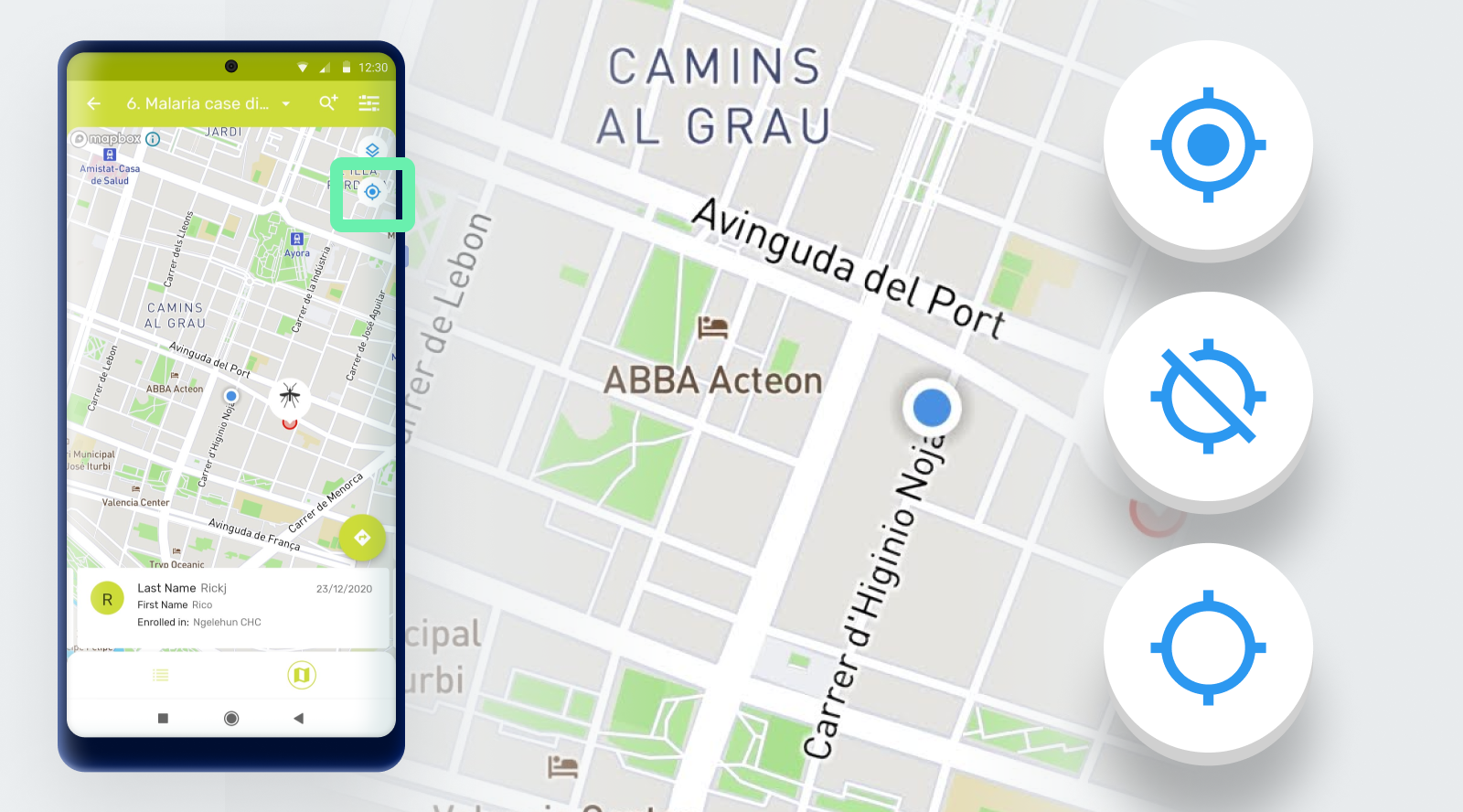
Center to user postion: If the user grants location permissions to the App, the map will show the current location represented as a blue color dot. The maps in the DHIS2 Android Capture App now include the possibility to center the map on the user location.
RECURSOS DO TRACKER
Add support for Event - TEI relationships: The app now allows users to add relationships from single events (Event programs) to TEIs. There is a new tab in the event dashboard, named relationships, that is active when it is configured in the server. This version does not allow relationships from TEIs to events or using events that belong to an enrollment.
Jira | Screenshot | Documentation

NEW filter for TEIs marked as follow-up: In Tracker pograms, the 'Follow Up' filter allows the user to filter out the TEIs that have been marked as 'Follow-up'. TEIs can be marked to be followed up in the TEI Dashbaord.
Jira | Screenshot | Documentation

OTHER FEATURES
Interface language based on DHIS2 user language: The language of the interface will correspond to the language set in the DHIS2 user configuration. If the language is not available in the app, it will pick the language of the device. If none of the language configurations are available, the app will default to English. Translations set up in DHIS2 for metadata will also be shown according to the language in the user configuration.
MAINTENANCE
Qualidade / Segurança / Desempenho: Pode encontrar uma lista de questões relacionadas à qualidade, segurança e desempenho abrindo este filtro jira.
Correção de bugs: Pode encontrar uma lista dos bugs corrigidos nesta versão abrindo este [filtro jira] (https://jira.dhis2.org/issues/?filter=12203).
DIVULGAÇÃO DE INFORMAÇÃO
| Informação de Lançamento | Link |
|---|---|
| Baixe o aplicativo do Google Play ou Github | Google Play - Github |
| Documentação | https://www.dhis2.org/android-documentation |
| Detalhes sobre cada recurso no JIRA (requer login) | 2.5 Recursos |
| Visão geral dos bugs corrigidos no JIRA (requer login) | [2.5 Bugs] (https://jira.dhis2.org/issues/?filter=12203) |
| Instância de demonstração (utilizador / senha) | https://play.dhis2.org/demo/ Credenciais: android / Android123 |
| Comunidade DHIS 2 | [https://community.dhis2.org Mobile Community] (https://community.dhis2.org/c/subcommunities/mobile/16) |
| Código fonte no Github | https://github.com/dhis2/dhis2-android-capture-app |
| Código fonte do SDK no Github | https://github.com/dhis2/dhis2-android-sdk |