Používání JIRA pro problémy DHIS2
Zaregistrujte se do JIRA - je otevřený pro každého!
-
Jděte na: https://jira.dhis2.org.
-
Vytvořte si účet se svým jménem a e-mailovou adresou.
Nahlásit problém
Tip
Uncertain whether something is a missing feature, a bug or deprecated? We'd really appreciate that you ask on the developer list before reporting a bug directly. Thanks!
-
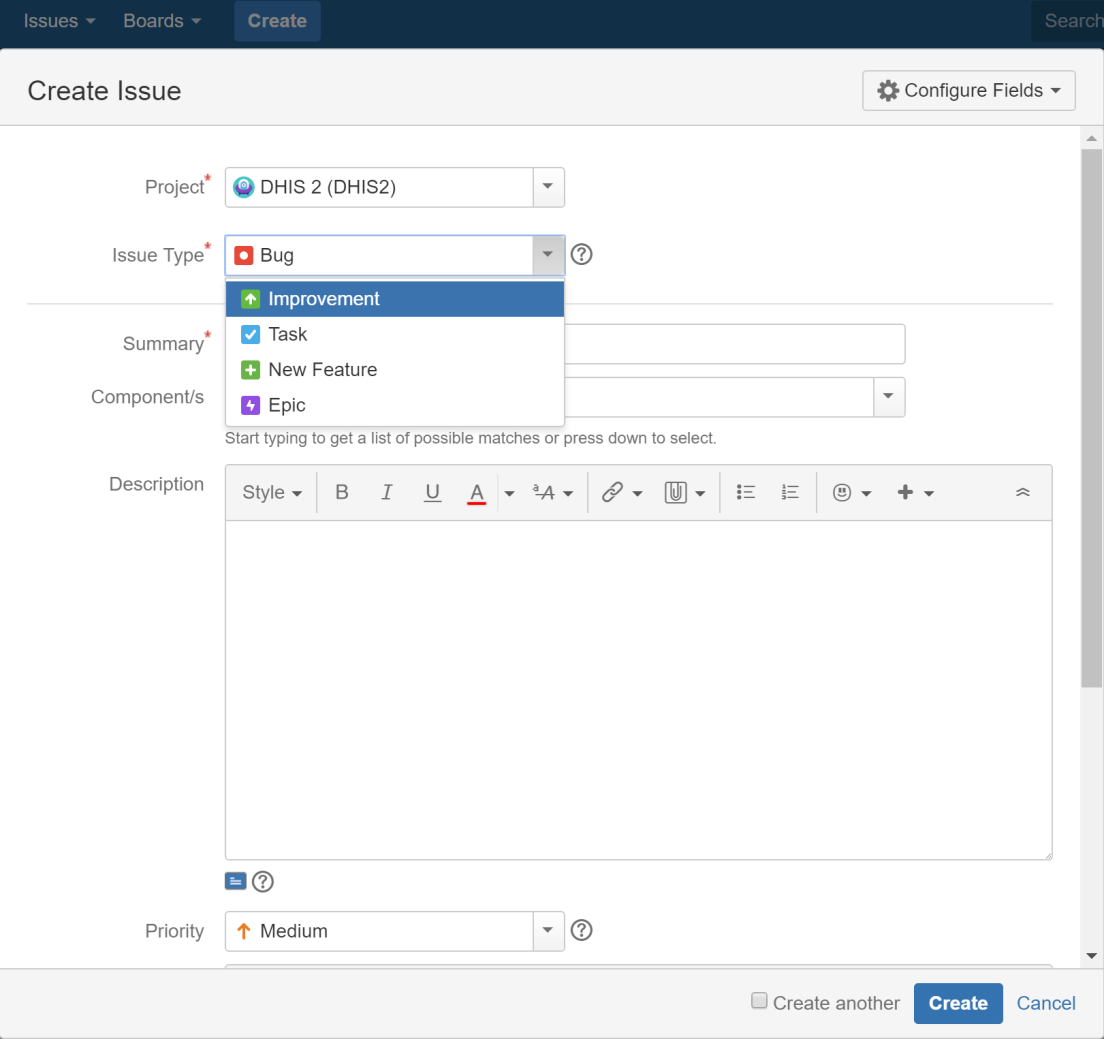
V horním menu klikněte na Vytvořit.
-
Vyberte projekt ze seznamu.
-
Vyberte typ problému:
-
Improvement - if you’d like to tell us about something that could be better such as usability or design suggestions.
-
Nová funkce - pokud chcete navrhnout funkci.
-
Úkol - pokud jste byli požádáni, abyste pracovali na úkolu DHIS2.
-
Bug - pokud jste našli něco, co je třeba opravit.
-
Epic - if you’d like to submit an idea for a new DHIS2 area such as an app. Epic is used for issues more complex than new features.
-
-
Klikněte na Vytvořit.
Tip
To create several issues in one go, select Create another.
-
Fill out the issue form. Please give us plenty of context! Include server logs, JavaScript console logs, the DHIS2 version and the web browser you’re using.
Vyhledejte problémy
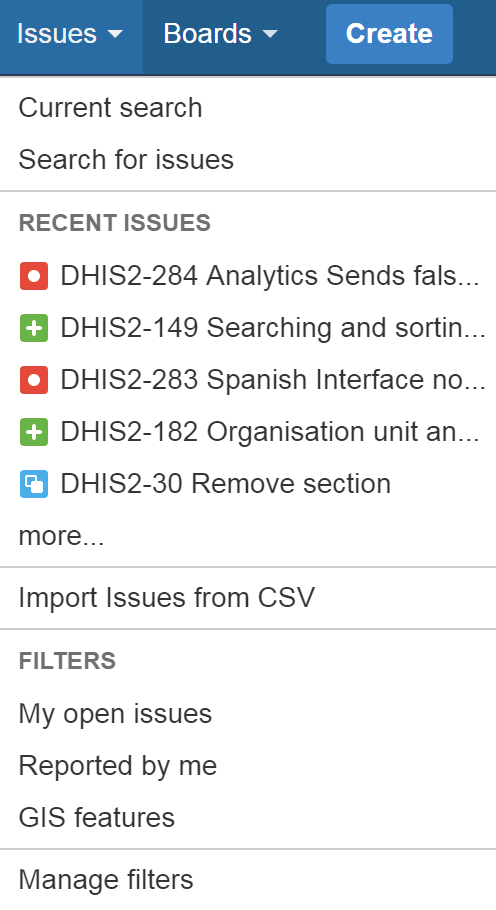
Klikněte na Problémy > Vyhledat problémy.
If you click Advanced, you can order your search criteria using the predefined fields. You can also enter search terms in the search field. See also: Search syntax for text fields.
O filtrech
You can save your search results as filters to get back to them faster. A filter is very similar to a favorite. We’ve created filters for features intended for release numbers 2.26, 2.27 and 2.28 and for all open bugs.
Vytvořte filtr
-
Chcete-li vytvořit filtr, přejděte do části Problémy > Vyhledat problémy.
-
Přidejte do vyhledávání filtry, například:
-
Projekt - hlavním softwarovým projektem je DHIS 2.
-
Type – you can filter by Standard Issue Types such as New Features, Improvements, Bugs or Epic or Sub-Task Issue Types.
-
Status – filter by To Do (not started) and Done, for example.
-
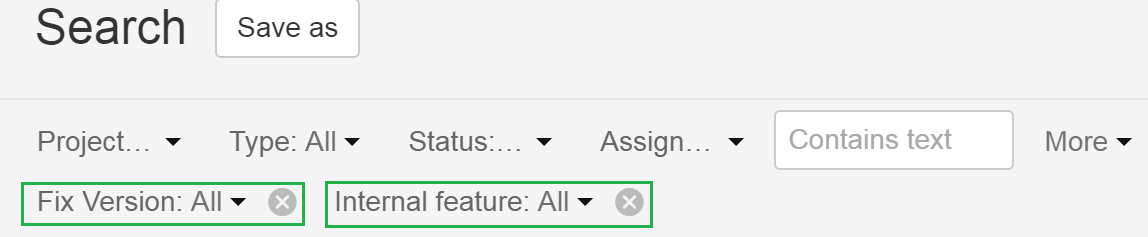
Version - click More > All Criteria > Fix version to filter by DHIS2 release number.
-
Internal- click More > Internal feature to exclude low-level (back end) features from your search.
-
-
Klikněte na Uložit jako. Toto tlačítko je v horní části podokna Hledat.

-
Enter a name for your search filter and click Submit. Your filter is now available in Favorite Filters. Use the arrow to modify your filter. Your filter is also available on the System Dashboard.

Přidejte do svého profilu filtr
To add a filter to your profile, click Issues > Manage filters and click the star icon next to each filter.

Odeberte výrazy vyhledávacího filtru z vyhledávání
Click the cross to remove search filter terms you previously added from your search.
Komunikujte s námi
To share information, clarify requirements, or discuss details about an issue, do this using issue comments.
-
Vyberte problém, který chcete komentovat.
-
V zobrazení Detail problému klikněte na Komentovat a zadejte svůj text.
To email others about your comment, simply enter @User's Name in the comment field. An email will be sent to the users' email addresses that are registered with their JIRA accounts.
-
Klikněte na Přidat.