DHIS2 Android App version 2.8 Release Notes
USER EXPERIENCE
Resized dataset tables: This feature allows users to resize the columns in datasets, making it easier to view and work with larger tables. Now it is possible to resize all columns by clicking on the header of the column. The resizing can be done through drag and drop. A maximum and minimum size limit is given for the columns that can be resized to ensure a good layout. Users can resize all columns at once by clicking on the top left of the table. Jira | Screenshot

New sync error navigation: This version of the app improves the navigation of sync errors on the user interface. The app will display the sync errors in a simple and clean manner allowing the user to navigate from the home screen to the exact field that is causing the error inside the event or data set. Jira | Screenshot
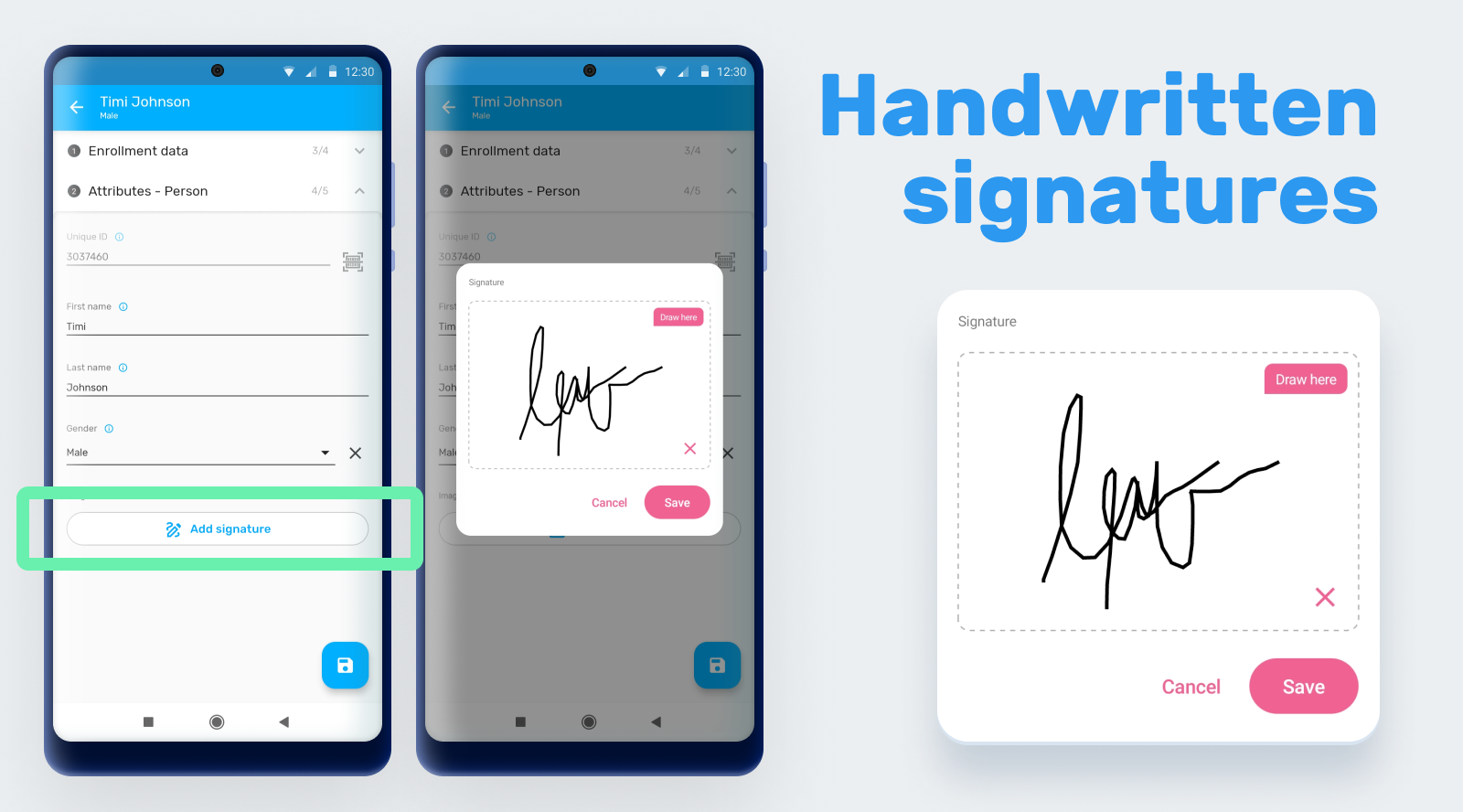
Collected handwritten signatures for image Data Elements: This feature allows users to collect handwritten signatures from the device. The signatures will be saved as an image data elements in the app. Jira | Screenshot
Made phone number and email Data Elements actionable in the form and allowed external actions for phone number, email and URL value types: This feature enables users to take action on phone numbers, email addresses, and URLs directly from the app, such as dialing a phone number or opening a web page from the event or enrollment data entry form. Jira | Screenshot

Improved visual configuration and rendering of option sets: This feature improves the way option sets are displayed and configured when configured visualy by enabling render option sets with any value type as Radio buttons or check box and supporting other value types for visual data entry. Jira | Jira2 | Screenshot

Added loading banners when actions take a long time to improve user experience: This feature provides visual annimations to users when they perform actions that take longer than usual to complete, such loading maps or searching, so that they know that the system is processing their request. Jira | Screenshot

Improved user experience for better functionality when offline: This feature enhances the functionality of the app when it is used offline, ensuring that menus are disabled when the online actions are not available. Jira
Improved management of long texts: This feature enables users to view long text in fields that are limited in size, such as a stage names or datasets headers. Jira | Jira
SUPPORT MOBILE IMPLEMENTATIONS
Provided support for Android app version control from DHIS2 user interface: This feature enables implementation administrators to manage and control the version of the Android app from the DHIS2 user web interface, making it easier to manage app updates and ensure compatibility with the DHIS2 system. Managers will be able to upload the desired version and users will get a prompt message to update when they are not in the last updated version. The management of versions is made through a new Web App. Jira | Screenshot

Removed the maximum number of offline accounts: This feature removes the limitation on the number of offline accounts that users can create, allowing them to work with as many offline accounts as needed. Jira
WEB PARITY
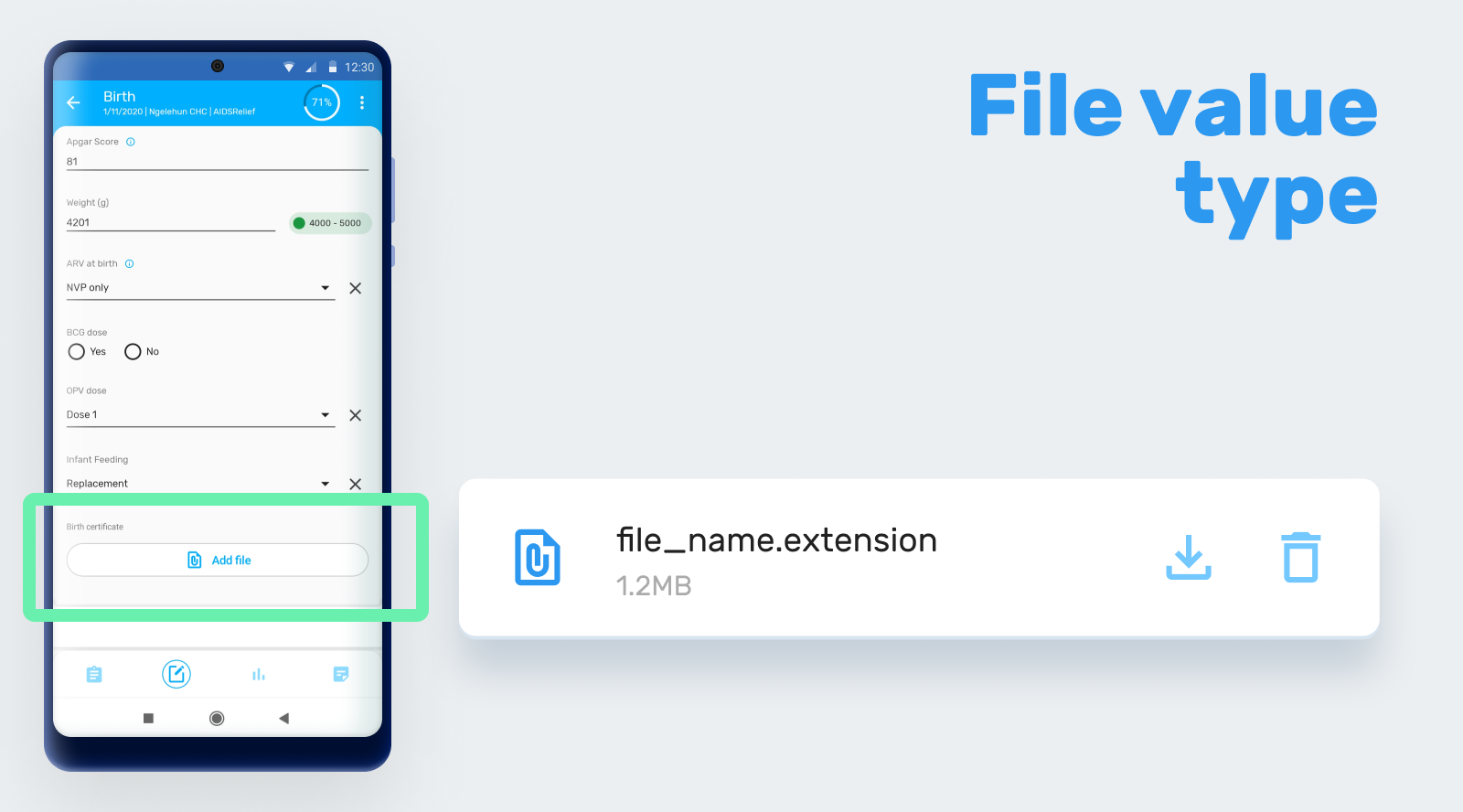
Supported file value type: This feature adds support for file value type in the Android app, allowing users to attach files to their data elements or attributes. Jira | Screenshot
Supported new tracker working lists (filter by DE): This feature adds support for new tracker working lists that allow users to filter by data elements. The working lists need to be configured in web using the web Capture App. The Android app will download the working lists that are configured and saved on the server side. Jira
LMIS
Integrated a new module for real stock monitoring use case: This feature adds a new module for real stock monitoring use case to the app, enabling users to manage and monitor their stock levels in real-time. Integrating a module implies that the app will open a completely new and different user interface and experience to respond to a different data entry flow. To use this modules the program will need to be configured using the new web app for program use case configuration. Jira | Screenshot

MAINTENANCE
Bug fixing: You can find the list of bugs fixed here.