DHIS2 Android App version 2.3 Release Note
DHIS2 Android Capture App 2.3 is out with many improvements and bug fixes! This release we have focussed mainly on improving the user interface and data entry user experience.
This version is fully compatible with the DHIS2 2.35 and you can find the detailed new features and fixes below.
GENERIC FEATURES
Add option to clear URL in login screen: In the previous version the user could easily clear the username or password, but not the URL. A button to clear the text from the URL text box has been added to facilitate the login process.

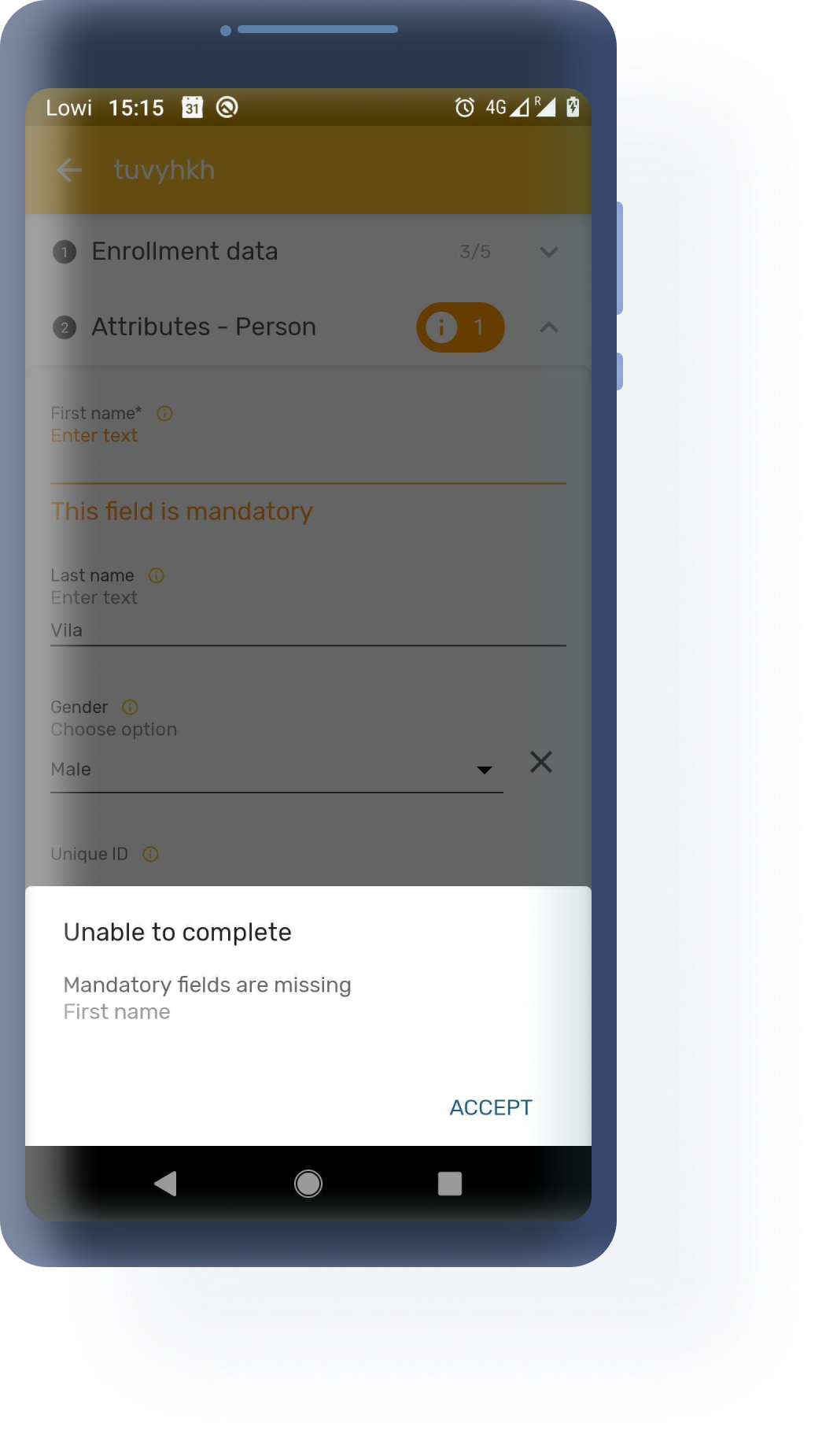
Improve error information to the user: In this version the app renders the name of the data elements or attributes which fail in the synchronization process and replace it in the error message by the name of the data element or the attribute. In addition, the app displays an error message also inside the data entry form, next to the affected field. This helps the user identify the source of error and fix the problem.
Jira | Jira 2 | Screenshot
Improve feedback when form rendering is slow: A loading bar has been added in the data entry forms when form or section are loading and when programs rules are executed
Open Image clicking on it: When the user taps on an image, the image is opened and displayed on the screen taking the whole screen.

USER EXPERIENCE AND USER INTERFACE
New Event Cards in Event and Tracker programs: The event and TEI cards have been improved and made more intuitive and informative in the last version. We have harmonised our user interface and brought this design to the lists of events in event programs and in the TEI dashboard. The cards display the name of the attribute or data element next to the value for the first three marked to be displayed. It is also possible to expand the card to display the rest of the attributes or data elements, which are shown following the same format.

New Fields for Data Entry form: All value types rendering has been redefined. The images are fully displayed now with an adjusted size, the icons on the left side have been removed and the clear buttons have been added to all value types as well.

DATA ENTRY
Barcode/QR code to also accept keyboard data entry: Barcode and QR code rendered fields will also accept manual data entry of the codified text.
Non-editable fields have different display: Fields where the value is auto-complete, either because it is auto-generated or assigned by a program rule, are rendered greyed out giving information to the user about the field not being editable.

QUALITY / SECURITY / PERFORMANCE
[Functional Test][Event] Delete Event Jira
[Functional Test][Event] Details Event Jira
[Functional Test][Event] Share QR Event Jira
[Functional Test][Sync] Datasets Jira
[Functional Test][Sync] Event Jira
[Functional Test][Sync] Tei Jira
[Functional Test][Tei Dashboard] Enrollment Jira
[Test] Flow ui test Jira
[Performance][OrgUnitTree] Review list/adapter when loading org units Jira
Disable ADB in production version Jira
Enable Acra in Prod and Debug Jira
Track socketTimeOut in firebase and show message Jira
Update crash activity texts Jira
RELEASE INFO
| Release Information | Link |
|---|---|
| Download app from Google Play or Github | https://www.dhis2.org/app-store |
| Documentation and Javadocs | https://www.dhis2.org/android-documentation |
| Details about each feature on JIRA (requires login) | 2.3 Features |
| Overview of bugs fixed on JIRA (requires login) | 2.3 Bugs |
| Demo instance (user/password) | https://play.dhis2.org/demo/ android / Android123 |
| DHIS 2 community | https://community.dhis2.org Mobile Community |
| Source code on Github | https://github.com/dhis2/dhis2-android-capture-app |
| Source code of SDK on Github | SDK 1.2.1 |