Metadata
Identifier schemes
This section provides an explanation of the identifier scheme concept. Identifier schemes are used to map metadata objects to other metadata during import, and to render metadata as part of exports. Note that not all schemes work for all API calls, and not all schemes can be used for both input and output. This is outlined in the sections explaining the various API endpoints.
The full set of identifier scheme object types available are listed below, using the name of the property to use in queries:
- idScheme
- dataElementIdScheme
- categoryOptionComboIdScheme
- orgUnitIdScheme
- programIdScheme
- programStageIdScheme
- trackedEntityIdScheme
- trackedEntityAttributeIdScheme
The general idScheme applies to all types of objects. It can be overridden by specific object types.
The default scheme for all parameters is UID (stable DHIS2 identifiers). The supported identifier schemes are described in the table below.
| Scheme | Description |
|---|---|
| ID, UID | Match on DHIS2 stable Identifier, this is the default id scheme. |
| CODE | Match on DHIS2 Code, mainly used to exchange data with an external system. |
| NAME | Match on DHIS2 Name, please note that this uses what is available as object.name, and not the translated name. Also note that names are not always unique, and in that case, they can not be used. |
| ATTRIBUTE:ID | Match on metadata attribute, this attribute needs to be assigned to the type you are matching on, and also that the unique property is set to true. The main usage of this is also to exchange data with external systems, it has some advantages over CODE since multiple attributes can be added, so it can be used to synchronize with more than one system. |
Note that identifier schemes is not an independent feature but needs to be used in combination with resources such as data value import, metadata import and GeoJson import.
As an example, to specify CODE as the general id scheme and override with UID for organisation unit id scheme you can use these query parameters:
?idScheme=CODE&orgUnitIdScheme=UID
As another example, to specify an attribute for the organisation unit id scheme, code for the data element id scheme and use the default UID id scheme for all other objects you can use these parameters:
?orgUnitIdScheme=ATTRIBUTE:j38fk2dKFsG&dataElementIdScheme=CODE
Browsing the Web API
The entry point for browsing the Web API is /api. This resource provides links to all available resources. Four resource representation formats are consistently available for all resources: HTML, XML, JSON, and JSONP. Some resources will have other formats available, like MS Excel, PDF, CSV, and PNG. To explore the API from a web browser, navigate to the /api entry point and follow the links to your desired resource, for instance /api/dataElements. For all resources which return a list of elements certain query parameters can be used to modify the response:
| Parameter | Option values | Default option | Description |
|---|---|---|---|
| paging | true | false | true | Indicates whether to return lists of elements in pages. |
| page | number | 1 | Defines which page number to return. |
| pageSize | number | 50 | Defines the number of elements to return for each page. |
| order | property:asc/iasc/desc/idesc | Order the output using a specified order, only properties that are both persisted and simple (no collections, idObjects etc) are supported. iasc and idesc are case insensitive sorting. If it is wanted to sort for more than one property, separate them using a comma. |
An example of how these parameters can be used to get a full list of data element groups in XML response format is:
/api/dataElementGroups.xml?links=false&paging=false
You can query for elements on the name property instead of returning a full list of elements using the query query variable. In this example we query for all data elements with the word "anaemia" in the name:
/api/dataElements?query=anaemia
You can get specific pages and page sizes of objects like this:
/api/dataElements.json?page=2&pageSize=20
You can completely disable paging like this:
/api/indicatorGroups.json?paging=false
To order the result based on a specific property:
/api/indicators.json?order=shortName:desc
To order the result based on created datetime property first (descending order) and then by name property (ascending order):
/api/indicators.json?order=created:desc,name:asc
You can find an object based on its ID across all object types through the identifiableObjects resource:
/api/identifiableObjects/<id>
Translation
DHIS2 supports translations of database content, such as data elements, indicators, and programs. All metadata objects in the Web API have properties meant to be used for display / UI purposes, which include displayName, displayShortName, displayDescription and displayFormName (for data elements and tracked entity attributes).
| Parameter | Values | Description |
|---|---|---|
| translate | true | false | Translate display* properties in metadata output (displayName, displayShortName, displayDescription, and displayFormName for data elements and tracked entity attributes). Default value is true. |
| locale | Locale to use | Translate metadata output using a specified locale (requires translate=true). |
Translation API
The translations for an object is rendered as part of the object itself in the translations array. Note that the translations array in the JSON/XML payloads is normally pre-filtered for you, which means they can not directly be used to import/export translations (as that would normally overwrite locales other than current users).
Example of data element with translation array filtered on user locale:
{
  "id": "FTRrcoaog83",
  "displayName": "Accute French",
  "translations": [
    {
      "property": "SHORT_NAME",
      "locale": "fr",
      "value": "Accute French"
    },
    {
      "property": "NAME",
      "locale": "fr",
      "value": "Accute French"
    }
  ]
}
Example of data element with translations turned off:
{
  "id": "FTRrcoaog83",
  "displayName": "Accute Flaccid Paralysis (Deaths < 5 yrs)",
  "translations": [
    {
      "property": "FORM_NAME",
      "locale": "en_FK",
      "value": "aa"
    },
    {
      "property": "SHORT_NAME",
      "locale": "en_GB",
      "value": "Accute Flaccid Paral"
    },
    {
      "property": "SHORT_NAME",
      "locale": "fr",
      "value": "Accute French"
    },
    {
      "property": "NAME",
      "locale": "fr",
      "value": "Accute French"
    },
    {
      "property": "NAME",
      "locale": "en_FK",
      "value": "aa"
    },
    {
      "property": "DESCRIPTION",
      "locale": "en_FK",
      "value": "aa"
    }
  ]
}
Note that even if you get the unfiltered result, and are using the appropriate type endpoint i..e /api/dataElements we do not allow updates, as it would be too easy to make mistakes and overwrite the other available locales.
To read and update translations you can use the special translations endpoint for each object resource. These can be accessed by GET or PUT on the appropriate /api/<object-type>/<object-id>/translations endpoint.
As an example, for a data element with identifier FTRrcoaog83, you could use /api/dataElements/FTRrcoaog83/translations to get and update translations. The fields available are property with options NAME, SHORT_NAME, FORM_NAME, DESCRIPTION, locale which supports any valid locale ID and the translated property value.
Example of NAME property for French locale:
{
  "property": "NAME",
  "locale": "fr",
  "value": "Paralysie Flasque Aiguë (Décès <5 ans)"
}
This payload would then be added to a translation array, and sent back to the appropriate endpoint:
{
  "translations": [
    {
      "property": "NAME",
      "locale": "fr",
      "value": "Paralysie Flasque Aiguë (Décès <5 ans)"
    }
  ]
}
For a data element with ID FTRrcoaog83 you can PUT this to /api/dataElements/FTRrcoaog83/translations. Make sure to send all translations for the specific object and not just for a single locale (if not you will potentially overwrite existing locales for other locales).
The status code will be 204 No Content if the translations were successfully saved or updated, or 409 Conflict if there was a validation error (e.g. more than one SHORT_NAME for the same locale).
Web API versions
The Web API /api can be used with a DHIS2 version number, example:
/api/42/dataElements
Versions 28-43 are supported. Calling an endpoint with or without a version does not change the behaviour of the API. The behaviour is the same no matter which approach is used. We aim to remove supporting API calls with versions, so please use API calls without the use of a version number.
The support for using versions is due to legacy design, which didn't evolve as originally envisioned.
Metadata object filter
To filter the metadata there are several filter operations that can be applied to the returned list of metadata. The format of the filter itself is straight-forward and follows the pattern property:operator:value, where property is the property on the metadata you want to filter on, operator is the comparison operator you want to perform and value is the value to check against (not all operators require value).
Please see the schema section to discover which properties are available. In addition to the listed properties filters can apply to custom attribute values by using the attribute's ID as property name.
Recursive filtering, ie. filtering on associated objects or collection of objects, is supported as well.
| Operator | Types | Value required | Description |
|---|---|---|---|
| eq | string | boolean | integer | float | enum | collection (checks for size) | date | true | Equality |
| !eq | string | boolean | integer | float | enum | collection (checks for size) | date | true | Inequality |
| ieq | string | true | Case insensitive string, match exact |
| ne | string | boolean | integer | float | enum | collection (checks for size) | date | true | Inequality |
| like | string | true | Case sensitive string, match anywhere |
| !like | string | true | Case sensitive string, not match anywhere |
| $like | string | true | Case sensitive string, match start |
| !$like | string | true | Case sensitive string, not match start |
| like$ | string | true | Case sensitive string, match end |
| !like$ | string | true | Case sensitive string, not match end |
| ilike | string | true | Case insensitive string, match anywhere |
| !ilike | string | true | Case insensitive string, not match anywhere |
| $ilike | string | true | Case insensitive string, match start |
| !$ilike | string | true | Case insensitive string, not match start |
| ilike$ | string | true | Case insensitive string, match end |
| !ilike$ | string | true | Case insensitive string, not match end |
| gt | string | boolean | integer | float | collection (checks for size) | date | true | Greater than |
| ge | string | boolean | integer | float | collection (checks for size) | date | true | Greater than or equal |
| lt | string | boolean | integer | float | collection (checks for size) | date | true | Less than |
| le | string | boolean | integer | float | collection (checks for size) | date | true | Less than or equal |
| null | all | false | Property is null |
| !null | all | false | Property is not null |
| empty | collection | false | Collection is empty |
| token | string | true | Match on multiple tokens in search property |
| !token | string | true | Not match on multiple tokens in search property |
| in | string | boolean | integer | float | date | true | Find objects matching 1 or more values |
| !in | string | boolean | integer | float | date | true | Find objects not matching 1 or more values |
Operators will be applied as logical and query. If you need a or query, you can have a look at the in filter and the section below. The filtering mechanism allows for recursion. See below for some examples.
Get data elements with id property ID1 or ID2:
/api/dataElements?filter=id:eq:ID1&filter=id:eq:ID2
Get data elements, ignoring case, with name property MyDataElement:
/api/dataElements?filter=name:ieq:mydataelement
Get all data elements which have a data set with id ID1:
/api/dataElements?filter=dataSetElements.dataSet.id:eq:ID1
Get all data elements with aggregation operator sum and value type int:
/api/dataElements.json?filter=aggregationOperator:eq:sum&filter=type:eq:int
You can do filtering within collections, e.g. to get data elements which are members of the ANC data element group you can use the following query using the id property of the associated data element groups:
/api/dataElements.json?filter=dataElementGroups.id:eq:qfxEYY9xAl6
To get data elements with a particular value for a metadata attribute, use the attribute's ID as the property name in the filter:
/api/dataElements.json?filter=n2xYlNbsfko:eq:AFP
To get data elements which have any value for a metadata attribute, use the !null operator with the attribute's ID as the property name:
/api/dataElements.json?filter=n2xYlNbsfko:!null
Get data elements which have any option set:
/api/dataElements?filter=optionSet:!null
Since all operators are and by default, you can't find a data element matching more than one id, for that purpose you can use the in operator.
/api/dataElements.json?filter=id:in:[fbfJHSPpUQD,cYeuwXTCPkU]
Logical operators
As mentioned in the section before, the default logical operator applied to the filters is AND which means that all object filters must be matched. There are however cases where you want to match on one of several filters (maybe id and code field) and in those cases, it is possible to switch the root logical operator from AND to OR using the rootJunction parameter.
Example: Normal filtering where both id and code must match to have a result returned
/api/dataElements.json?filter=id:in:[id1,id2]&filter=code:eq:code1
Example: Filtering where the logical operator has been switched to OR and now only one of the filters must match to have a result returned
/api/dataElements.json?filter=id:in:[id1,id2]&filter=code:eq:code1&rootJunction=OR
Identifiable token filter
In addition to the specific property based filtering mentioned above, we also have token based AND filtering across a set of properties: id, code, and name (also shortName if available). These properties are commonly referred to as identifiable. The idea is to filter metadata whose id, name, code or short name containing something.
Example: Filter all data elements containing 2nd in any of the following: id,name,code, shortName
/api/dataElements.json?filter=identifiable:token:2nd
It is also possible to specify multiple filtering values.
Example: Get all data elements where ANC visit is found in any of the identifiable properties. The system returns all data elements where both tokens (ANC and visit) are found anywhere in identifiable properties.
/api/dataElements.json?filter=identifiable:token:ANC visit
It is also possible to combine the identifiable filter with property-based filter and expect the rootJunction to be applied.
/api/dataElements.json?filter=identifiable:token:ANC visit&filter=displayName:ilike:tt1

/api/dataElements.json?filter=identifiable:token:ANC visit
  &filter=displayName:ilike:tt1&rootJunction=OR
Metadata field filter
In many situations, the default views of the metadata can be too verbose. A client might only need a few fields from each object and want to remove unnecessary fields from the response. To discover which fields are available for each object please see the schema section. In addition to the listed properties custom attributes can be included for top level objects by using the attribute's ID as property name.
The format for include/exclude allows for infinite recursion. To filter at the "root" level you can just use the name of the field, i.e. ?fields=id,name which would only display the id and name fields for every object. For objects that are either collections or complex objects with properties on their own, you can use the format ?fields=id,name,dataSets[id,name] which would return id, name of the root, and the id and name of every data set on that object. Negation can be done with the exclamation operator, and we have a set of presets of field select. Both XML and JSON formats are supported.
Example: Get id and name on the indicators resource:
/api/indicators?fields=id,name
Example: Get id and name from data elements, and id and name from the associated data sets:
/api/dataElements?fields=id,name,dataSets[id,name]
Example: Get id, name and the value of a user defined attribute with ID DnrLSdo4hMl for organisation units:
/api/organisationUnits?fields=id,name,DnrLSdo4hMl
The attribute is then included as property DnrLSdo4hMl of each matching object in the response. This can be renamed using the rename transformer as shown in the next section.
To exclude a field from the output you can use the exclamation ! operator. This is allowed anywhere in the query and will simply not include that property as it might have been inserted in some of the presets.
A few presets (selected fields groups) are available and can be applied using the : operator.
| Operator | Description |
|---|---|
| <field-name> | Include property with name, if it exists. |
| <object>[<field-name>, ...] | Includes a field within either a collection (will be applied to every object in that collection), or just on a single object. |
| !<field-name>, <object>[!<field-name> | Do not include this field name, it also works inside objects/collections. Useful when you use a preset to include fields. |
| *, <object>[*] | Include all fields on a certain object, if applied to a collection, it will include all fields on all objects on that collection. |
| :<preset> | Alias to select multiple fields. Three presets are currently available, see the table below for descriptions. |
| Preset | Description |
|---|---|
| all | All fields of the object |
| * | Alias for all |
| identifiable | Includes id, name, code, created, lastUpdated and lastUpdatedBy fields |
| nameable | Includes id, name, shortName, code, description, created and lastUpdated fields |
| persisted | Returns all persisted property on an object, does not take into consideration if the object is the owner of the relation. |
| owner | Returns all persisted property on an object where the object is the owner of all properties, this payload can be used to update through the API. |
Example: Include all fields from data sets except organisation units:
/api/dataSets?fields=:all,!organisationUnits
Example: Include only id, name and the collection of organisation units from a data set, but exclude the id from organisation units:
/api/dataSets/BfMAe6Itzgt?fields=id,name,organisationUnits[:all,!id]
Example: Include nameable properties from all indicators:
/api/indicators.json?fields=:nameable
Field transformers
Field transforms can be used to transform properties. The syntax is described below.
/api/dataElements/ID?fields=id~rename(i),name~rename(n)
This will rename the id property to i and name property to n.
Multiple transformers can be applied to a single property by repeating the transformer operator:
/api/dataElementGroups.json?fields=id,displayName,dataElements~isNotEmpty~rename(haveDataElements)
The supported transformer operators are described in the table below.
| Name | Arguments | Description |
|---|---|---|
| size | Gives sizes of strings (length) and collections | |
| isEmpty | Is string or collection empty | |
| isNotEmpty | Is string or collection not empty | |
| rename | Arg1: name | Renames the property name |
| paging | Arg1: page,Arg2: pageSize | Pages a collection, default pageSize is 50. |
| pluck | Optional Arg1: fieldName | Converts an array of objects to an array of a selected field of that object. By default, the first field that is returned by the collection is used (normally the ID). |
| keyBy | Optional Arg1: fieldName | Converts an array of objects to an object where the fieldName (default id) is used as the key. This can be useful for quick lookups in JavaScript for example |
Examples
Examples of transformer usage are found below.
Get the size of a collection:
/api/dataElements?fields=dataSets~size
Test if a collection is empty:
/api/dataElements?fields=dataSets~isEmpty
Test if a collection is not empty:
/api/dataElements?fields=dataSets~isNotEmpty
Rename properties:
/api/dataElements/ID?fields=id~rename(i),name~rename(n)
Apply paging to a collection:
/api/dataElementGroups?fields=id,displayName,dataElements~paging(1;20)
Get array with IDs of organisation units:
/api/categoryOptions.json?fields=id,organisationUnits~pluck
Get array with names of organisation units:
/api/categoryOptions.json?fields=id,organisationUnits~pluck[name]
Key the dataElements array by the id field:
/api/dataElementGroups.json?fields=id,name,dataElements~keyBy[id,name,valueType]
Key the dataElements array by the valueType field, since multiple hits this will results in arrays (of data elements):
/api/dataElementGroups.json?fields=id,name,dataElements~keyBy(valueType)[id,name,valueType]
Metadata create, read, update, delete, validate
All metadata entities in DHIS2 have their own API endpoint which supports CRUD operations (create, read, update and delete). The endpoint URLs follows this format:
/api/<entityName>
The entityName uses the camel-case notation. As an example, the endpoint for data elements is:
/api/dataElements
NOTE: When updating objects, all existing property values will be overwritten, even if the new value is null. Please use JSON Patch API in case you want do partial update to an object.
Create / update parameters
The following request query parameters are available across all metadata endpoints.
| Param | Type | Required | Options (default first) | Description |
|---|---|---|---|---|
| preheatCache | boolean | false | true | false | Turn cache-map preheating on/off. This is on by default, turning this off will make initial load time for importer much shorter (but will make the import itself slower). This is mostly used for cases where you have a small XML/JSON file you want to import, and don't want to wait for cache-map preheating. |
| importStrategy | enum | false | CREATE_AND_UPDATE | CREATE | UPDATE | DELETE | Import strategy to use, see below for more information. |
Creating and updating objects
For creating new objects you will need to know the endpoint, the type format, and make sure that you have the required authorities. As an example, we will create and update a constant. To figure out the format, we can use the new schema endpoint for getting format description. So we will start with getting that info:
http://<server>/api/schemas/constant.json
From the output, you can see that the required authorities for create are F_CONSTANT_ADD, and the important properties are: name and value. From this, we can create a JSON payload and save it as a file called constant.json:
{
  "name": "PI",
  "value": "3.14159265359"
}
The same content as an XML payload:
<constant name="PI" xmlns="http://dhis2.org/schema/dxf/2.0">
  <value>3.14159265359</value>
</constant>
We are now ready to create the new constant by sending a POST request to the constants endpoint with the JSON payload using curl:
curl -d @constant.json "http://server/api/constants" -X POST
  -H "Content-Type: application/json" -u user:password
A specific example of posting the constant to the demo server:
curl -d @constant.json "https://play.dhis2.org/api/constants" -X POST
  -H "Content-Type: application/json" -u admin:district
If everything went well, you should see an output similar to:
{
  "status": "SUCCESS",
  "importCount": {
    "imported": 1,
    "updated": 0,
    "ignored": 0,
    "deleted": 0
  },
  "type": "Constant"
}
The process will be exactly the same for updating, you make your changes to the JSON/XML payload, find out the ID of the constant, and then send a PUT request to the endpoint including ID:
curl -X PUT -d @pi.json -H "Content-Type: application/json"
  -u user:password "http://server/api/constants/ID"
Deleting objects
Deleting objects is very straight forward, you will need to know the ID and the endpoint of the type you want to delete, let's continue our example from the last section and use a constant. Let's assume that the id is abc123, then all you need to do is the send the DELETE request to the endpoint + id:
curl -X DELETE -u user:password "http://server/api/constants/ID"
A successful delete returns HTTP status 200 OK with a WebMessage response body wrapping an ObjectReport for the deleted object, for example:
{
  "httpStatus": "OK",
  "httpStatusCode": 200,
  "status": "OK",
  "response": {
    "responseType": "ObjectReport",
    "uid": "abc123",
    "klass": "org.hisp.dhis.constant.Constant",
    "errorReports": []
  }
}
Adding and removing objects in collections
The collections resource lets you modify collections of objects.
Adding or removing single objects
In order to add or remove objects to or from a collection of objects you can use the following pattern:
/api/{collection-object}/{collection-object-id}/{collection-name}/{object-id}
You should use the POST method to add, and the DELETE method to remove an object. When there is a many-to-many relationship between objects, you must first determine which object owns the relationship. If it isn't clear which object this is, try the call both ways to see which works.
The components of the pattern are:
-
collection object: The type of objects that owns the collection you want to modify.
-
collection object id: The identifier of the object that owns the collection you want to modify.
-
collection name: The name of the collection you want to modify.
-
object id: The identifier of the object you want to add or remove from the collection.
As an example, in order to remove a data element with identifier IDB from a data element group with identifier IDA you can do a DELETE request:
DELETE /api/dataElementGroups/IDA/dataElements/IDB
To add a category option with identifier IDB to a category with identifier IDA you can do a POST request:
POST /api/categories/IDA/categoryOptions/IDB
Adding or removing multiple objects
You can add or remove multiple objects from a collection in one request with a payload like this:
{
  "identifiableObjects": [{
      "id": "IDA"
    }, {
      "id": "IDB"
    }, {
      "id": "IDC"
    }
  ]
}
Using this payload you can add, replace or delete items:
Adding Items:
POST /api/categories/IDA/categoryOptions
Replacing Items:
PUT /api/categories/IDA/categoryOptions
Delete Items:
DELETE /api/categories/IDA/categoryOptions
Adding and removing objects in a single request
You can both add and remove objects from a collection in a single POST request to the following URL:
POST /api/categories/IDA/categoryOptions
The payload format is:
{
  "additions": [{
      "id": "IDA"
    }, {
      "id": "IDB"
    }, {
      "id": "IDC"
    }
  ],
  "deletions": [{
      "id": "IDD"
    }, {
      "id": "IDE"
    }, {
      "id": "IDF"
    }
  ]
}
Validating payloads
DHIS 2 supports system wide validation of metadata payloads, which means that create and update operations on the API endpoints will be checked for valid payload before allowing changes to be made. To find out what validations are in place for a specific endpoint, have a look at the /api/schemas endpoint, i.e. to figure out which constraints a data element have, you would go to /api/schemas/dataElement.
You can also validate your payload manually by sending it to the proper schema endpoint. If you wanted to validate the constant from the create section before, you would send it like this:
POST /api/schemas/constant
A simple (non-validating) example would be:
curl -X POST -d "{\"name\": \"some name\"}" -H "Content-Type: application/json"
  -u admin:district "https://play.dhis2.org/dev/api/schemas/dataElement"
Which will yield the result:
[
   {
      "message" : "Required property missing.",
      "property" : "type"
   },
   {
      "property" : "aggregationOperator",
      "message" : "Required property missing."
   },
   {
      "property" : "domainType",
      "message" : "Required property missing."
   },
   {
      "property" : "shortName",
      "message" : "Required property missing."
   }
]
Partial updates
For our API endpoints that deal with metadata, we support partial updates (PATCH) using the JSON patch standard. The payload basically outlines a set of operation you want applied to a existing metadata object. For JSON patch details and examples, see jsonpatch.com. Three operators are supported: add, remove and replace.
Below is a few examples relevant to DHIS2. Note that any update to a payload should be thought of as a HTTP PUT operation, i.e. any mutation must result in a valid PUT metadata payload.
The default importReportMode for JSON patch is ERRORS_NOT_OWNER which implies that when updating any property which is not owned by that particular object (for example trying to add a indicator group directly to an indicator) you will get an error.
As per the JSON patch specification you must always use the mimetype application/json-patch+json when sending patches.
Examples
Update name and value type of data element
PATCH /api/dataElements/{id}
[
  {"op": "add", "path": "/name", "value": "New Name"},
  {"op": "add", "path": "/valueType", "value": "INTEGER"}
]
Add new data element to a data element group
PATCH /api/dataElementGroups/{id}
[
  {"op": "add", "path": "/dataElements/-", "value": {"id": "data-element-id"}}
]
Remove all data element associations from a data element group
PATCH /api/dataElementGroups/{id}
[
  {"op": "remove", "path": "/dataElements"}
]
Change domain and value type of a data element
PATCH /api/dataElements/{id}
[
    {"op": "add", "path": "/domainType", "value": "TRACKER"},
    {"op": "add", "path": "/valueType", "value": "INTEGER"}
]
Remove a specific orgUnit from an orgUnit group
PATCH /api/organisationUnitGroups/{id}
[
  {"op": "remove", "path": "/organisationUnits/1"}
]
Blocked add dataElementGroup to dataElement
PATCH /api/dataElements/{id}?importReportMode=ERRORS_NOT_OWNER
[
    {"op": "add", "path": "/dataElementGroups/-", "value": {"id": "data-element-group-id"}}
]
Blocked update name of dataElementGroup in dataElement
PATCH /api/dataElements/{id}?importReportMode=ERRORS_NOT_OWNER
[
    {"op": "add", "path": "/dataElementGroups/0", "value": {"name": "new-name"}}
]
Remove collection item by id
PATCH /api/dataSets/{id}?importReportMode=ERRORS_NOT_OWNER
[
    {"op": "remove-by-id", "path": "/organisationUnits", "id": "u6CvKyF0Db5"}
]
Patch request with invalid path
If path property is invalid or does not exist the patch service will return an error as below
PATCH /api/dataSets/{id}?importReportMode=ERRORS_NOT_OWNER
[
    {"op": "remove-by-id", "path": "/test", "id": "u6CvKyF0Db5"}
]
{
    "httpStatus": "Bad Request",
    "httpStatusCode": 400,
    "status": "ERROR",
    "message": "Invalid path /test"
}
Metadata CSV export
Field filtering works almost the same for CSV (please note that using CSV on the /api/metadata endpoint is not supported), but not that field fransformations are not yet supported.
For endpoints that support CSV (our metadata endpoints like /api/dataElements /api/organisationUnits) you can either use the Accept header with value text/csv or you can use the extension .csv. Be aware that complex objects are not supported, and we only support id-object collections (so a list of UIDs will be returned).
| Name | خيارات | Description |
|---|---|---|
| fields | Same as metadata field filter (with the caveats mentioned above) | Default filter is id,displayName |
| skipHeader | false/true | Should the header (with column names) be included or not |
| separator | Default: . | Column separator |
| arraySeparator | Default: ; | If one of the field is a collection of id-objects this separator will separate all the UIDs |
Examples
Get all data elements including their group associations
/api/dataElements.csv?fields=id,displayName,dataElementGroups
Get all org units including geometry (which will get ignored)
/api/organisationUnits.csv?fields=id,displayName,organisationUnitGroups,geometry
Metadata export
This section explains the metatada API which is available at /api/metadata. XML and JSON resource representations are supported.
/api/metadata
The most common parameters are described below in the "Export Parameter" table. You can also apply this to all available types by using type:fields=<filter> and type:filter=<filter>. You can also enable/disable the export of certain types by setting type=true|false.
| Name | خيارات | Description |
|---|---|---|
| fields | Same as metadata field filter | Default field filter to apply for all types, default is :owner. |
| filter | Same as metadata object filter | Default object filter to apply for all types, default is none. |
| order | Same as metadata order | Default order to apply to all types, default is name if available, or created if not. |
| translate | false/true | Enable translations. Be aware that this is turned off by default (in other endpoints this is on by default). |
| locale | <locale> | Change from user locale, to your own custom locale. |
| defaults | INCLUDE/EXCLUDE | Should auto-generated category object be included or not in the payload. If you are moving metadata between 2 non-synced instances, it might make sense to set this to EXCLUDE to ease the handling of these generated objects. |
| skipSharing | false/true | Enabling this will strip the sharing properties from the exported objects. This includes user, publicAccess, userGroupAccesses, userAccesses, and externalAccess. |
| skipCreatedAndLastUpdated | false/true | Enabling this will strip the created, lastUpdated, createdBy and lastUpdatedBy properties from the exported objects. These are stripped at every level of the exported object graph, including from embedded objects such as the program stage data elements of a program stage. This takes precedence over the fields parameter, so a property named here is omitted even if fields asks for it. |
| inclusionStrategy | NON_NULL, ALWAYS, NON_EMPTY | NON_NULL includes properties which are not null, ALWAYS includes all properties, NON_EMPTY includes non empty properties (will not include strings of 0 length or empty collections) |
| download | false/true | Enabling this will add HTTP header Content-Disposition that specifies that the data should be handled as an attachment and will be offered by web browsers as a download. |
Metadata export examples
Export all metadata. Be careful as the response might be very large depending on your metadata configuration:
/api/metadata
Export all metadata ordered by lastUpdated descending:
/api/metadata?defaultOrder=lastUpdated:desc
Export metadata only including indicators and indicator groups:
/api/metadata?indicators=true&indicatorGroups=true
Export id and displayName for all data elements, ordered by displayName:
/api/metadata?dataElements:fields=id,name&dataElements:order=displayName:desc
Export data elements and indicators where name starts with "ANC":
/api/metadata?filter=name:^like:ANC&dataElements=true&indicators=true
Export all metadata without the created, lastUpdated, createdBy and lastUpdatedBy properties. This is useful when comparing metadata between instances, as these properties differ between instances even when the metadata is otherwise identical:
/api/metadata?skipCreatedAndLastUpdated=true
Metadata export with dependencies
When you want to exchange metadata for a data set, program, category combo, dashboard, option set or data element group from one DHIS2 instance to another instance there are six dedicated endpoints available:
/api/dataSets/{id}/metadata.json

/api/programs/{id}/metadata.json

/api/categoryCombos/{id}/metadata.json

/api/dashboards/{id}/metadata.json

/api/optionSets/{id}/metadata.json

/api/dataElementGroups/{id}/metadata.json
These exports can then be imported using /api/metadata.
These endpoints also support the following parameters:
| Name | خيارات | Description |
|---|---|---|
| skipSharing | false/true | Enabling this will strip the sharing properties from the exported objects. This includes user, publicAccess, userGroupAccesses, userAccesses, and externalAccess. |
| skipCreatedAndLastUpdated | false/true | Enabling this will strip the created, lastUpdated, createdBy and lastUpdatedBy properties from the exported objects. These are stripped at every level of the exported object graph, including from embedded objects such as the program stage data elements of a program stage. |
| download | false/true | Enabling this will add HTTP header Content-Disposition that specifies that the data should be handled as an attachment and will be offered by web browsers as a download. |
Multi-object metadata export with dependencies
To export several objects with their dependencies in a single request, use the following endpoint:
GET /api/metadata/dependencies?objects={type}:{id}
The dependencies of every requested object are combined into one payload. An object that is a dependency of more than one requested object, such as an attribute shared by two option sets, appears only once in the payload. The result can be imported using /api/metadata.
The objects parameter takes a type followed by a colon and one or more comma-separated object identifiers. The type can be given in its singular or plural form, for example optionSet or optionSets. The parameter can be repeated. Requesting the same object more than once exports it once.
Note
Only option sets are supported by this endpoint currently. To export any of the other object types with dependencies, use the single-object endpoint for that type, described above.
Export a single option set with its dependencies:
/api/metadata/dependencies?objects=optionSet:Tbv6XPHOGd0
Export two option sets with their dependencies:
/api/metadata/dependencies?objects=optionSet:Tbv6XPHOGd0,cBRlOSzx8Id
This is equivalent to repeating the parameter:
/api/metadata/dependencies?objects=optionSet:Tbv6XPHOGd0&objects=optionSet:cBRlOSzx8Id
The endpoint supports the skipSharing, skipCreatedAndLastUpdated and download parameters described in the table above. The response can also be compressed by using the .json.zip or .json.gz extension:
/api/metadata/dependencies.json.zip?objects=optionSet:Tbv6XPHOGd0,cBRlOSzx8Id&download=true
The F_METADATA_EXPORT authority is required to use this endpoint. Objects which the user does not have access to are treated as not found.
All requested objects are validated before anything is exported. If any object cannot be resolved, the request fails with 409 Conflict, nothing is exported, and the response contains an error report for every invalid object. The mainId of each error report is the type:id value which caused it. An object cannot be resolved when:
- the
objectsparameter is missing (E6028) - a value is not of the form
type:id(E6024) - the type is unknown (
E6002) - the type is not supported for export with dependencies (
E6026) - the type is supported for single-object export with dependencies, but not yet by this endpoint (
E6029) - the identifier is not a valid UID, or the object does not exist or is not accessible to the user (
E1113)
Metadata import
This section explains the metadata import API. XML and JSON resource representations are supported. Metadata can be imported using a POST request.
/api/metadata
The importer allows you to import metadata payloads which may include many different entities and any number of objects per entity. The metadata export generated by the metadata export API can be imported directly.
The metadata import endpoint support a variety of parameters, which are listed below.
| Name | Options (first is default) | Description |
|---|---|---|
| importMode | COMMIT, VALIDATE | Sets overall import mode, decides whether or not to only VALIDATE or also COMMIT the metadata, this has similar functionality as our old dryRun flag. |
| identifier | UID, CODE, AUTO | Sets the identifier scheme to use for reference matching. AUTO means try UID first, then CODE. |
| importReportMode | ERRORS, FULL, DEBUG | Sets the ImportReport mode, controls how much is reported back after the import is done. ERRORS only includes ObjectReports for object which has errors. FULL returns an ObjectReport for all objects imported, and DEBUG returns the same plus a name for the object (if available). |
| preheatMode | REFERENCE, ALL, NONE | Sets the preheater mode, used to signal if preheating should be done for ALL (as it was before with preheatCache=true) or do a more intelligent scan of the objects to see what to preheat (now the default), setting this to NONE is not recommended. |
| importStrategy | CREATE_AND_UPDATE, CREATE, UPDATE, DELETE | Sets import strategy, CREATE_AND_UPDATE will try and match on identifier, if it doesn't exist, it will create the object. |
| atomicMode | ALL, NONE | Sets atomic mode, in the old importer we always did a best effort import, which means that even if some references did not exist, we would still import (i.e. missing data elements on a data element group import). Default for new importer is to not allow this, and similar reject any validation errors. Setting the NONE mode emulated the old behavior. |
| flushMode | AUTO, OBJECT | Sets the flush mode, which controls when to flush the internal cache. It is strongly recommended to keep this to AUTO (which is the default). Only use OBJECT for debugging purposes, where you are seeing hibernate exceptions and want to pinpoint the exact place where the stack happens (hibernate will only throw when flushing, so it can be hard to know which object had issues). |
| skipSharing | false, true | Skip sharing properties, does not merge sharing when doing updates, and does not add user group access when creating new objects. |
| skipValidation | false, true | Skip validation for import. NOT RECOMMENDED. |
| async | false, true | Asynchronous import, returns immediately with a Location header pointing to the location of the importReport. The payload also contains a json object of the job created. |
| userOverrideMode | NONE, CURRENT, SELECTED | Allows you to override the user property of every object you are importing, the options are NONE (do nothing), CURRENT (use import user), SELECTED (select a specific user using overrideUser=X) |
| overrideUser | User ID | If userOverrideMode is SELECTED, use this parameter to select the user you want override with. |
NOTE When updating objects, all property values will be overwritten even if the new values are
null. Please use JSON Patch API in case you want do partial update to an object.
An example of a metadata payload to be imported looks like this. Note how each entity type have their own property with an array of objects:
{
  "dataElements": [
    {
      "name": "EPI - IPV 3 doses given",
      "shortName": "EPI - IPV 3 doses given",
      "aggregationType": "SUM",
      "domainType": "AGGREGATE",
      "valueType": "INTEGER_ZERO_OR_POSITIVE"
    },
    {
      "name": "EPI - IPV 4 doses given",
      "shortName": "EPI - IPV 4 doses given",
      "aggregationType": "SUM",
      "domainType": "AGGREGATE",
      "valueType": "INTEGER_ZERO_OR_POSITIVE"
    }
  ],
  "indicators": [
    {
      "name": "EPI - ADS stock used",
      "shortName": "ADS stock used",
      "numerator": "#{LTb8XeeqeqI}+#{Fs28ZQJET6V}-#{A3mHIZd2tPg}",
      "numeratorDescription": "ADS 0.05 ml used",
      "denominator": "1",
      "denominatorDescription": "1",
      "annualized": false,
      "indicatorType": {
        "id": "kHy61PbChXr"
      }
    }
  ]
}
When posting this payload to the metadata endpoint, the response will contain information about the parameters used during the import and a summary per entity type including how many objects were created, updated, deleted and ignored:
{
  "importParams": {
    "userOverrideMode": "NONE",
    "importMode": "COMMIT",
    "identifier": "UID",
    "preheatMode": "REFERENCE",
    "importStrategy": "CREATE_AND_UPDATE",
    "atomicMode": "ALL",
    "flushMode": "AUTO",
    "skipSharing": false,
    "skipTranslation": false,
    "skipValidation": false,
    "metadataSyncImport": false,
    "firstRowIsHeader": true,
    "username": "UNICEF_admin"
  },
  "status": "OK",
  "typeReports": [
    {
      "klass": "org.hisp.dhis.dataelement.DataElement",
      "stats": {
        "created": 2,
        "updated": 0,
        "deleted": 0,
        "ignored": 0,
        "total": 2
      }
    },
    {
      "klass": "org.hisp.dhis.indicator.Indicator",
      "stats": {
        "created": 1,
        "updated": 0,
        "deleted": 0,
        "ignored": 0,
        "total": 1
      }
    }
  ],
  "stats": {
    "created": 3,
    "updated": 0,
    "deleted": 0,
    "ignored": 0,
    "total": 3
  }
}
GeoJSON import
The GeoJSON import is used to attach geometry data to organisation units.
For a bulk import a GeoJSON file with a feature collection is expected. Each feature in the collection requires a reference to the organisation unit it should be linked to.
By default, the geometry from the file is stored as the geometry property of an organisation unit. To store additional geometries attributes of type GEOJSON can be created. When attributes are use all geometries from a file are stored for the same attribute which is provided with an additional parameter attributeId.
GeoJSON Bulk Data Import
| Name | Type | Default | Description |
|---|---|---|---|
geoJsonId | boolean | true | When true the id property of the GeoJSON features is expected to hold the organisation unit identifier |
geoJsonProperty | String | undefined | If geoJsonId is false this parameter names the property in the GeoJSON feature's properties that holds the organisation unit identifier |
orgUnitProperty | enum: [id, code, name] | id | The property of the organisation unit that is referred to by the identifiers used in the GeoJSON file |
attributeId | String | undefined | When set the geometry is stored as value of the attribute referenced by ID |
dryRun | boolean | false | When true the import is processed without actually updating the organisation units |
async | boolean | false | When true the import is processed asnychronously |
Uasge:
POST /api/organisationUnits/geometry
The post body is the GeoJSON file. Content type should be application/json or application/geo+json. The file may be .zip or .gzip compressed.
For example, a default file where id is used to refer to an organisation unit id has this structure:
{
  "type": "FeatureCollection",
  "features": [
    {
      "type": "Feature",
      "id": "O6uvpzGd5pu",
      "geometry": { ... }
    },
    ...
  ]
}
A file where a feature property is used to refer to the organisation unit code would have this structure:
{
  "type": "FeatureCollection",
  "features": [
    {
      "type": "Feature",
      "properties": { "code": "OU1_CODE" },
      "geometry": { ... }
    },
    ...
  ]
}
coordinates in a geometry may be pairs or triplets. If a third dimension is present it is stripped during the import. A geometry may also be null to effectively clear or delete the geometry for specific organisation units. There is a special bulk deletion API that is described in the next section.
When run synchronously an import report is returned directly. The HTTP status code is always OK, the status in the message payload indicates if all rows were imported successfully. The import counts statistics contained in the report give further information:
imported: number of organisation units that were successfully updated with a geometry that did not have one before for the updated propertyupdated: number of organisation units that were successfully updated with a geometry that did have value for the updated property alreadyignored: number of organisation units that failed to updatedeleted: number of organisation units that where successfully update with a empty geometry
When the import is run asynchronous the request returns immediately with status OK and job configuration response that contains a relative reference to the task endpoint that allows to track the status of the asynchronous import. For example:
/api/system/tasks/GEOJSON_IMPORT/{job-id}
The summary that is returned directly for synchronous execution is available at
/api/system/taskSummaries/GEOJSON_IMPORT/{job-id}
once the import is finished.
GeoJSON Bulk Data Deletion
To clear or unset the geometry data for all organisation units use:
DELETE /api/organisationUnits/geometry
To clear or unset the geometry data for a specific GEOJSON attribute for all organisation units use:
DELETE /api/organisationUnits/geometry?attributeId={attr-id}
Clearing is always synchronous and returns a similar report as the bulk import. It does not support any other parameters. No dry-run can be performed. Bulk clearing requires the F_PERFORM_MAINTENANCE authority.
GeoJSON Single Data Import
The single import allows to update the geometry of a single organisation unit.
POST /api/organisationUnits/{id}/geometry
The post body only contains the GeoJSON geometry value, for example:
{
  "type": "Polygon",
  "coordinates": [...]
}
attributeId and dryRun parameters. GeoJSON Single Data Deletion
To clear the geometry GeoJSON data of an individual organisation unit use:
DELETE /api/organisationUnits/{id}/geometry
Similarly to clear a GEOJSON attribute value for an individual organisation unit use:
DELETE /api/organisationUnits/{id}/geometry?attributeId={attr-id}
Clearing is always synchronous returns a similar report as single import. The dry-run parameter is supported as well. The performing user requires authority to modify the target organisation unit.
Schema
A resource which can be used to introspect all available DXF 2 objects can be found on /api/schemas. For specific resources you can have a look at /api/schemas/<type>.
To get all available schemas in XML:
GET /api/schemas.xml
To get all available schemas in JSON:
GET /api/schemas.json
To get JSON schema for a specific class:
GET /api/schemas/dataElement.json
Icons
DHIS2 includes a collection of icons that can be used to give visual context to metadata. There are two different kind of icons: - Default icons: they are pre-installed in the application and are not possible to modify nor delete. - Custom icons: can be created, updated and deleted at will.
Both of them be accessed through the icons resource.
GET /api/icons
This endpoint returns a list of information about the available default and custom icons. By default key, description, keywords and href will be included in response. But fields parameter can be used to change this behaviour.
{
  key: "mosquito_outline",
  description: "Mosquito outline",
  keywords: [
    "malaria",
    "mosquito",
    "dengue"
  ],
  "created": "2024-02-12T09:50:11.794",
  "lastUpdated": "2024-02-12T09:50:11.794",
  href: "<dhis server>/api/icons/mosquito_outline/icon.svg"
}
It's also possible to get a particular icon directly by filtering by its key, in the example below, the key is mosquito_outline.
GET /api/icons/mosquito_outline
Custom icon operations
A list of custom icons can be fetched retrieved certain request parameters
GET /api/icons?type=CUSTOM
| Request parameter | Type | Allowed values | Description |
|---|---|---|---|
type | Text | DEFAULT,CUSTOM,ALL | What type of icons should be retrieved. Default is ALL |
keys | Text | List of keys custom icons should be retrieved for | |
keywords | Text | List of keywords custom icons should be retrieved for | |
search | Text | Search for a given text across icon keys and keywords, and retrieve all icons that contain this text in their key or keywords. | |
createdStartDate | Date | Starting point of created date | |
createdEndDate | Date | End point of created date | |
lastUpdatedStartDate | Date | Starting point of last updated date | |
lastUpdatedEndDate | Date | End point of last updated date |
Request parameters for pagination
| Request parameter | Type | Allowed values | Description |
|---|---|---|---|
page | Integer | Any positive integer | Page number to return. Defaults to 1 if missing |
pageSize | Integer | Any positive integer | Page size. Defaults to 50. |
paging | Boolean | true|false | Indicates whether paging should be ignored and all rows should be returned. Defaults to true, meaning that by default all requests are paginated, unless paging=false |
Request parameters for ordering
| Request parameter | Type | Allowed values | Description |
|---|---|---|---|
order | Text | created:desc | Comma-separated list of property name and sort direction pairs in format propName:sortDirection. By default icons will be ordered based on key:asc |
Request parameter to filter responses
The endpoints accept a fields parameter which controls which fields will be returned in the JSON response. fields parameter accepts a comma separated list of field names. If nothing is specified, default fields will be used and those are
key,keywords,description,fileResourceUid,createdByUserUid,href
A custom icon resource can be downloaded by providing the icon key:
GET /api/icons/{key}/icon
Custom icons can be created, modified and deleted. To create a custom icon, use the resource below.
POST /api/icons
It expects a payload containing the icon key, description, list of keywords and the file resource uid to be linked to the data.
{
    "key": "iconKey",
    "description": "description",
    "keywords": ["keyword 1","keyword 2"],
    "fileResourceUid": "ARsqBjfB2cf"
}
Only custom icons can be updated using below resource.
PUT /api/icons
With the following payload, the icon's description and keywords would be updated.
{
    "key": "iconKey",
    "description": "new description",
    "keywords": ["new keyword 1", "new keyword 2"]
}
Please notice that's also possible to just update one of the two. That means in case we would like to update the description while keeping the keywords, we would just need to provide the icon key and the descripton json field. Same would work the other way around, to update the keywords and leave the original description untouched.
Only custom icon can be deleted using below resource.
DELETE /api/icons/{icon_key}
Render type
Some metadata types have a property named renderType. The render type property is a map between a device and a renderingType. Applications can use this information as a hint on how the object should be rendered on a specific device. For example, a mobile device might want to render a data element differently than a desktop computer.
There is currently two different kinds of renderingTypes available:
-
Value type rendering
-
Program stage section rendering
There is also 2 device types available:
-
MOBILE
-
DESKTOP
The following table lists the metadata and rendering types available. The value type rendering has addition constraints based on the metadata configuration, which will be shown in a second table.
| Metadata type | Available RenderingTypes |
|---|---|
| Program Stage Section | * LISTING (default) * SEQUENTIAL * MATRIX |
| عنصر البيانات | * DEFAULT * DROPDOWN * VERTICAL_RADIOBUTTONS * HORIZONTAL_RADIOBUTTONS * VERTICAL_CHECKBOXES * HORIZONTAL_CHECKBOXES * SHARED_HEADER_RADIOBUTTONS * ICONS_AS_BUTTONS * SPINNER * ICON * TOGGLE * VALUE * SLIDER * LINEAR_SCALE * AUTOCOMPLETE * QR_CODE * BAR_CODE * GS1_DATAMATRIX |
Since handling the default rendering of data elements and tracked entity attributes are depending on the value type of the object, there is also a DEFAULT type to tell the client it should be handled as normal. Program Stage Section is LISTING as default.
| Value type | Is object an optionset? | RenderingTypes allowed |
|---|---|---|
| TRUE_ONLY | No | DEFAULT, VERTICAL_RADIOBUTTONS, HORIZONTAL_RADIOBUTTONS, VERTICAL_CHECKBOXES, HORIZONTAL_CHECKBOXES, TOGGLE |
| BOOLEAN | No | |
| - | Yes | DEFAULT, DROPDOWN, VERTICAL_RADIOBUTTONS, HORIZONTAL_RADIOBUTTONS, VERTICAL_CHECKBOXES, HORIZONTAL_CHECKBOXES, SHARED_HEADER_RADIOBUTTONS, ICONS_AS_BUTTONS, SPINNER, ICON |
| INTEGER | No | DEFAULT, VALUE, SLIDER, LINEAR_SCALE, SPINNER |
| TEXT | No | DEFAULT, VALUE, AUTOCOMPLETE, QR_CODE, BAR_CODE, GS1_DATAMATRIX |
| INTEGER_POSITIVE | No | |
| INTEGER_NEGATIVE | No | |
| INTEGER_ZERO_OR_POSITIVE | No | |
| NUMBER | No | |
| UNIT_INTERVAL | No | |
| PERCENTAGE | No |
A complete reference of the previous table can also be retrieved using the following endpoint:
GET /api/staticConfiguration/renderingOptions
Value type rendering also has some additional properties that can be set, which is usually needed when rendering some of the specific types:
| Property | Description | Type |
|---|---|---|
| type | The RenderingType of the object, as seen in the first table. This property is the same for both value type and program stage section, but is the only property available for program stage section. | Enum (See list in the Metadata and Rendering Type table) |
| min | Only for value type rendering. Represents the minimum value this field can have. | Integer |
| max | Only for value type rendering. Represents the maximum value this field can have. | Integer |
| step | Only for value type rendering. Represents the size of the steps the value should increase, for example for SLIDER og LINEAR_SCALE | Integer |
| decimalPoints | Only for value type rendering. Represents the number of decimal points the value should use. | Integer |
The renderingType can be set when creating or updating the metadata listed in the first table. An example payload for the rendering type for program stage section looks like this:
{
  "renderingType": {
    "type": "MATRIX"
  }
}
For data element and tracked entity attribute:
{
  "renderingType": {
    "type": "SLIDER",
    "min": 0,
    "max": 1000,
    "step": 50,
    "decimalPoints": 0
  }
}
Object Style
Most metadata have a property names "style". This property can be used by clients to represent the object in a certain way. The properties currently supported by style is as follows:
| Property | Description | Type |
|---|---|---|
| color | A color, represented by a hexadecimal. | String (#000000) |
| icon | An icon, represented by a icon-name. | String |
Currently, there is no official list or support for icon-libraries, so this is currently up to the client to provide. The following list shows all objects that support style:
-
عنصر البيانات
-
Data element category option
-
Data set
-
Indicator
-
Option
-
Program
-
Program Indicator
-
Program Section
-
Program Stage
-
Program Stage Section
-
Relationship (Tracker)
-
Tracked Entity Attribute
-
Tracked Entity Type
When creating or updating any of these objects, you can include the following payload to change the style:
{
  "style": {
    "color": "#ffffff",
    "icon": "my-beautiful-icon"
  }
}
Category
Merge categories
The category merge endpoint allows you to merge a number of categories (sources) into a target category.
Note
Categories can only be merged when:
- they have identical category options
- source and target categories do not share category combos
- source categories do not share category combos with each other
These constraints ensure only duplicate Categories can be merged, and it helps to keep system integrity.
Authorisation
The main authority required to perform a category merge is F_CATEGORY_MERGE.
Request
Merge categories with a POST request:
POST /api/categories/merge
The payload in JSON format looks like the following:
{
  "sources": [
    "FbLZS3ueWbQ",
    "dPSWsKeAZNw"
  ],
  "target": "rEq3Hkd3XXH",
  "deleteSources": true
}
The JSON properties are described in the following table.
| Field | Required | Value |
|---|---|---|
| sources | Yes | Array of identifiers of the categories to merge (the source categories) |
| target | Yes | Identifier of the category to merge the sources into (the target category) |
| deleteSources | No | Whether to delete the source categories after the operation. Default is false. |
The merge operation will merge the source categories into the target category. One or many source categories can be specified. Only one target should be specified.
The merge operation will transfer all source category metadata associations to the target category. The following metadata get updated:
| Metadata | Property | Action taken |
|---|---|---|
| CategoryOption | categories | remove sources |
| CategoryCombo | categories | remove sources, add target |
| CategoryDimension | dimension | replace source with target |
| User | catDimensionConstraints | - User has one or more sources and target -> delete all source constraints - User has one or more sources, no target -> update one source to target, delete other source constraints |
Validation
The following constraints and error codes apply.
| Error code | Description |
|---|---|
| E1530 | At least one source Category must be specified |
| E1531 | Target Category must be specified |
| E1532 | Target Category cannot be a source category |
| E1533 | Source/Target Category does not exist: {uid} |
| E1535 | Source CategoryOptions do not match target CategoryOptions |
| E1536 | Source and target Categories cannot share a CategoryCombo |
| E1537 | Source Categories cannot share a CategoryCombo |
Response
Success
Sample success response looks like:
{
    "httpStatus": "OK",
    "httpStatusCode": 200,
    "status": "OK",
    "response": {
        "mergeReport": {
            "mergeErrors": [],
            "mergeType": "Category",
            "sourcesDeleted": [
                "FbLZS3ueWbQ", "dPSWsKeAZNw"
            ],
            "message": "Category merge complete"
        }
    }
}
Failure
Sample error response looks like:
{
    "httpStatus": "Conflict",
    "httpStatusCode": 409,
    "status": "WARNING",
    "message": "One or more errors occurred, please see full details in merge report.",
    "response": {
        "mergeReport": {
            "mergeErrors": [
                {
                    "message": "At least one source Category must be specified",
                    "errorCode": "E1530",
                    "args": []
                },
                {
                    "message": "Target Category does not exist: `abcdefg1221`",
                    "errorCode": "E1533",
                    "args": [
                        "Target",
                        "abcdefg1221"
                    ]
                }
            ],
            "mergeType": "Category",
            "sourcesDeleted": [],
            "message": "Category merge has errors"
        }
    }
}
Category Option
Merge category options
The category option merge endpoint allows you to merge a number of category options (sources) into a target category option.
Authorisation
The main authority required to perform a category option merge is F_CATEGORY_OPTION_MERGE.
Other authorities required relate to the general sharing and access of category options, F_CATEGORY_OPTION_PUBLIC_ADD and F_CATEGORY_OPTION_DELETE.
Request
Merge category options with a POST request:
POST /api/categoryOptions/merge
The payload in JSON format looks like the following:
{
  "sources": [
    "FbLZS3ueWbQ",
    "dPSWsKeAZNw"
  ],
  "target": "rEq3Hkd3XXH",
  "deleteSources": true
}
The JSON properties are described in the following table.
| Field | Required | Value |
|---|---|---|
| sources | Yes | Array of identifiers of the category options to merge (the source category options) |
| target | Yes | Identifier of the category option to merge the sources into (the target category option) |
| deleteSources | No | Whether to delete the source category options after the operation. Default is false. |
The merge operation will merge the source category options into the target category option. One or many source category options can be specified. Only one target should be specified.
The merge operation will transfer all source category option metadata associations to the target category option. The following metadata get updated:
| Metadata | Property | Action taken |
|---|---|---|
| Category | categoryOptions | remove sources, add target |
| CategoryDimension | items | remove sources, add target |
| CategoryOptionCombo | categoryOptions | remove sources, add target |
| CategoryOptionGroup | members | remove sources, add target |
| OrganisationUnit | categoryOptions | remove sources, add target |
Validation
The following constraints and error codes apply.
| Error code | Description |
|---|---|
| E1530 | At least one source CategoryOption must be specified |
| E1531 | Target CategoryOption must be specified |
| E1532 | Target CategoryOption cannot be a source category option |
| E1533 | Source/Target CategoryOption does not exist: {uid} |
Response
Success
Sample success response looks like:
{
    "httpStatus": "OK",
    "httpStatusCode": 200,
    "status": "OK",
    "response": {
        "mergeReport": {
            "mergeErrors": [],
            "mergeType": "CategoryOption",
            "sourcesDeleted": [
                "FbLZS3ueWbQ", "dPSWsKeAZNw"
            ],
            "message": "CategoryOption merge complete"
        }
    }
}
Failure
Sample error response looks like:
{
    "httpStatus": "Conflict",
    "httpStatusCode": 409,
    "status": "WARNING",
    "message": "One or more errors occurred, please see full details in merge report.",
    "response": {
        "mergeReport": {
            "mergeErrors": [
                {
                    "message": "At least one source CategoryOption must be specified",
                    "errorCode": "E1530",
                    "args": []
                },
                {
                    "message": "Target CategoryOption does not exist: `abcdefg1221`",
                    "errorCode": "E1533",
                    "args": [
                        "Target",
                        "abcdefg1221"
                    ]
                }
            ],
            "mergeType": "CategoryOption",
            "sourcesDeleted": [],
            "message": "CategoryOption merge has errors"
        }
    }
}
Category Option Combo
Import Validation
CategoryOptionCombos are unique in that they are auto-generated by the system, most of the time (imports are allowed with specific expectations, mentioned below). They are generated based on their category model:
- CategoryOption - Category (has category options) - CategoryCombo (has categories)
There will be a CategoryOptionCombo created for each combination of Category CategoryOption.
Generated CategoryOptionCombo Example
- There is 1
CategoryCombo[CC1] - CC1 has 2 Categories CC1=[C1, C2]
- Each
Categoryhas 2CategoryOptions C1=[CO1, CO2], C2=[CO3, CO4] - The Generated
CategoryOptionCombos from this category model would produce 4CategoryOptionCombos: - COC1=[CO1, CO3]
- COC2=[CO1, CO4]
- COC3=[CO2, CO3]
- COC4=[CO2, CO4]
This is important to understand when trying to import CategoryOptionCombos. Validation is performed when importing CategoryOptionCombos to ensure that the provided set of CategoryOptionCombos matches the expected generated set of CategoryOptionCombos. This is to ensure no invalid state/relationships can enter the system, which prevent all sorts of issues (orphaned data, hidden relationships in the DB not exposed in the API etc.).
Note
This validation is performed using the
UIDs of theCategoryOptionCombos. No otheridSchemeis supported.
Merge category option combos
The category option combo merge endpoint allows you to merge a number of category options (sources) into a target category option. This can be used to clean up the system, removing duplicates for instance.
Note
Only duplicate category option combos can be merged. There's more info about this in the validation section below.
Authorisation
The main authority required to perform a category option combo merge is F_CATEGORY_OPTION_COMBO_MERGE.
Request
Merge category option combos with a POST request:
POST /api/categoryOptionCombos/merge
The payload in JSON format looks like the following:
{
  "sources": [
    "FbLZS3ueWbQ",
    "dPSWsKeAZNw"
  ],
  "target": "rEq3Hkd3XXH",
  "dataMergeStrategy": "DISCARD"
}
The JSON properties are described in the following table.
| Field | Required | Value |
|---|---|---|
| sources | Yes | Array of identifiers of the category option combos to merge (the source category option combos) |
| target | Yes | Identifier of the category option combo to merge the sources into (the target category option combo) |
| dataMergeStrategy | Yes | How to handle merging of data values. Options are 'DISCARD' or 'LAST_UPDATED'. DISCARD will delete all source data values. LAST_UPDATED will merge all data values and use the last updated value where duplicates are met. |
The merge operation will merge the source category option combos into the target category option combo. One or many source category option combos can be specified. Only one target should be specified.
The merge operation will transfer all source category option combo metadata associations to the target category option combo.
Note
All source category option combos will always be deleted during a merge. The is because after all source references have been handled, empty category option combos are left. These are not seen as valid by the system.
The following metadata get updated:
| Metadata | Property | Action taken |
|---|---|---|
| CategoryOption | categoryOptionCombos | remove sources |
| CategoryCombo | optionCombos | remove sources |
| DataElementOperand | categoryOptionCombo | set as target |
| DataDimensionItem | dataelementoperand_categoryoptioncomboid | set as target |
| التعبير | expression | replace source with target |
| Indicator | numerator | replace source with target |
| Indicator | denominator | replace source with target |
| MinMaxDataElement | optionCombo | set as target |
| Predictor | outputCombo | set as target |
| SMSCode | optionId | set as target |
| Data | Property | Action taken |
|---|---|---|
| DataValue | categoryOptionCombo | merge strategy (DISCARD or LAST_UPDATED) |
| DataValue | attributeOptionCombo | merge strategy (DISCARD or LAST_UPDATED) |
| DataApproval | attributeOptionCombo | merge strategy (DISCARD or LAST_UPDATED) |
| DataApprovalAudit | attributeOptionCombo | DISCARD or leave depending if sources are deleted or not |
| Event | attributeOptionCombo | merge strategy (DISCARD or LAST_UPDATED) |
| DataValueAudit | categoryOptionCombo | DISCARD or leave depending if sources are deleted or not |
| DataValueAudit | attributeOptionCombo | DISCARD or leave depending if sources are deleted or not |
| CompleteDataSetRegistration | attributeOptionCombo | merge strategy (DISCARD or LAST_UPDATED) |
Note
The following properties haven been purposely excluded from the merge as these may use references for external systems. If you encounter issues with these fields, they may need to be updated.
Indicator: aggregateExportCategoryOptionCombo & aggregateExportAttributeOptionCombo
ProgramIndicator: aggregateExportCategoryOptionCombo & aggregateExportAttributeOptionCombo
Validation
The following constraints and error codes apply. One of the main validation points is regarding duplicate CategoryOptionCombos. A duplicate CategoryOptionCombo is one which satisfies the criteria: - has the same CategoryCombo - has the same CategoryOptions - has a different UID
| Error code | Description |
|---|---|
| E1530 | At least one source CategoryOptionCombo must be specified |
| E1531 | Target CategoryOptionCombo must be specified |
| E1532 | Target CategoryOptionCombo cannot be a source CategoryOptionCombo |
| E1533 | Source/Target CategoryOptionCombo does not exist: {uid} |
| E1534 | dataMergeStrategy field must be specified. With value DISCARD or LAST_UPDATED |
| E1540 | CategoryOptionCombos must be duplicates (same cat combo, same cat options, different UID) in order to merge |
Database constraints
There are unique constraints in place that can prevent a successful merge. These constraints are set by DHIS2 in order to maintain a logical domain model.
Below are a list of the known database unique key constraints at the time of writing. For example, you can only have 1 min max data element with the same org unit, data element and category option combo.
| Table | Unique key constraint |
|---|---|
| minmaxdataelement | orgunit, dataelement, categoryoptioncombo |
Response
Success
Sample success response looks like:
{
    "httpStatus": "OK",
    "httpStatusCode": 200,
    "status": "OK",
    "response": {
        "mergeReport": {
            "mergeErrors": [],
            "mergeType": "CategoryOptionCombo",
            "sourcesDeleted": [
                "FbLZS3ueWbQ", "dPSWsKeAZNw"
            ],
            "message": "CategoryOptionCombo merge complete"
        }
    }
}
Failure
Sample error response looks like:
{
    "httpStatus": "Conflict",
    "httpStatusCode": 409,
    "status": "WARNING",
    "message": "One or more errors occurred, please see full details in merge report.",
    "response": {
        "mergeReport": {
            "mergeErrors": [
                {
                    "message": "At least one source CategoryOptionCombo must be specified",
                    "errorCode": "E1530",
                    "args": []
                },
                {
                    "message": "Target CategoryOptionCombo does not exist: `abcdefg1221`",
                    "errorCode": "E1533",
                    "args": [
                        "Target",
                        "abcdefg1221"
                    ]
                }
            ],
            "mergeType": "CategoryOptionCombo",
            "sourcesDeleted": [],
            "message": "CategoryOptionCombo merge has errors"
        }
    }
}
A database constraint sample error response:
{
  "httpStatus": "Conflict",
  "httpStatusCode": 409,
  "status": "ERROR",
  "message": "ERROR: duplicate key value violates unique constraint \"minmaxdataelement_unique_key\"\n  Detail: Key (sourceid, dataelementid, categoryoptioncomboid)=(193236, 1148617, 167661) already exists."
}
Category Combo
Merge category combos
The category combo merge endpoint allows you to merge a number of category combos (sources) into a target category combo.
Note
Category combos can only be merged when:
- source and target category combos have identical categories
- all category option combos belonging to the involved category combos are valid (correct number of options, valid option membership)
- no pre-existing duplicate category option combos exist within the involved category combos
These constraints ensure only equivalent category combos can be merged and help maintain system integrity.
Warning
A category combo merge will result in duplicate category option combos. These should be merged immediately after the category combo merge to maintain system integrity. Duplicates can be found using the data integrity check
category_option_combos_have_duplicates.
Authorisation
The main authority required to perform a category combo merge is F_CATEGORY_COMBO_MERGE.
Request
Merge category combos with a POST request:
POST /api/categoryCombos/merge
The payload in JSON format looks like the following:
{
  "sources": [
    "FbLZS3ueWbQ",
    "dPSWsKeAZNw"
  ],
  "target": "rEq3Hkd3XXH",
  "deleteSources": true
}
The JSON properties are described in the following table.
| Field | Required | Value |
|---|---|---|
| sources | Yes | Array of identifiers of the category combos to merge (the source category combos) |
| target | Yes | Identifier of the category combo to merge the sources into (the target category combo) |
| deleteSources | No | Whether to delete the source category combos after the operation. Default is false. |
The merge operation will merge the source category combos into the target category combo. One or many source category combos can be specified. Only one target should be specified.
The merge operation will transfer all source category combo metadata associations to the target category combo. The following metadata get updated:
| Metadata | Property | Action taken |
|---|---|---|
| Category | categoryCombos | remove sources |
| CategoryOptionCombo | categoryCombo | set as target |
| DataElement | categoryCombo | set as target |
| DataSetElement | categoryCombo | set as target |
| DataSet | categoryCombo | set as target |
| Program | categoryCombo | set as target |
| Program | enrollmentCategoryCombo | set as target |
| ProgramIndicator | categoryCombo | set as target |
| ProgramIndicator | attributeCategoryCombo | set as target |
| DataApprovalWorkflow | categoryCombo | set as target |
Validation
The following constraints and error codes apply.
| Error code | Description |
|---|---|
| E1530 | At least one source CategoryCombo must be specified |
| E1531 | Target CategoryCombo must be specified |
| E1532 | Target CategoryCombo cannot be a source CategoryCombo |
| E1533 | Source/Target CategoryCombo does not exist: {uid} |
| E1545 | Source and target CategoryCombos must have identical Categories: source {uid} has {categories} |
| E1546 | CategoryOptionCombo has incorrect number of CategoryOptions. Expected {n} but found {m} for COC: {uid} |
| E1547 | CategoryOptionCombo has CategoryOptions that are not valid for the CategoryCombo categories: {uid} |
| E1548 | Duplicate CategoryOptionCombo {uid} found for CategoryCombo {uid}. Fix this before attempting the merge. |
Response
Success
Sample success response looks like:
{
    "httpStatus": "OK",
    "httpStatusCode": 200,
    "status": "OK",
    "response": {
        "mergeReport": {
            "mergeErrors": [],
            "mergeType": "CategoryCombo",
            "sourcesDeleted": [
                "FbLZS3ueWbQ", "dPSWsKeAZNw"
            ],
            "message": "CategoryCombo merge complete. There will be duplicate CategoryOptionCombos as a result of the merge. These should be merged immediately to help keep system integrity. Duplicates can be found using the data integrity check `category_option_combos_have_duplicates`"
        }
    }
}
Failure
Sample error response looks like:
{
    "httpStatus": "Conflict",
    "httpStatusCode": 409,
    "status": "WARNING",
    "message": "One or more errors occurred, please see full details in merge report.",
    "response": {
        "mergeReport": {
            "mergeErrors": [
                {
                    "message": "At least one source CategoryCombo must be specified",
                    "errorCode": "E1530",
                    "args": []
                },
                {
                    "message": "Target CategoryCombo does not exist: `abcdefg1221`",
                    "errorCode": "E1533",
                    "args": [
                        "Target",
                        "abcdefg1221"
                    ]
                }
            ],
            "mergeType": "CategoryCombo",
            "sourcesDeleted": [],
            "message": "CategoryCombo merge has errors"
        }
    }
}
Data Elements
Merge data elements
Caution
Merging DataElements should be carried out with the utmost care. Particular attention should be given to the merging of data values that have data element references involved in the merge. Knowing the potential side effects of a merge should be fully understood before performing the merge. The merging of DataElements has far-reaching effects. The information below will try to help show what's involved in a DataElement merge. A DataElement merge touches all the major parts of the system (metadata, data, tracker, analytics and audit).
System performance may be impacted if the source DataElements are linked to large amounts of Data/Audit records particularly.
The data element merge endpoint allows you to merge a number of data elements (sources) into a target data element.
Authorisation
The main authority required to perform a data element merge is F_DATA_ELEMENT_MERGE.
Other authorities required relate to the general sharing and access of data elements, F_DATAELEMENT_PUBLIC_ADD and F_DATAELEMENT_DELETE.
Request
Merge data elements with a POST request:
POST /api/dataElements/merge
The payload in JSON format looks like the following:
{
  "sources": [
    "jNb63DIHuwU",
    "WAjjFMDJKcx"
  ],
  "target": "V9rfpjwHbYg",
  "deleteSources": true,
  "dataMergeStrategy": "DISCARD"
}
The JSON properties are described in the following table.
| Field | Required | Value |
|---|---|---|
| sources | Yes | Array of identifiers of the data elements to merge (the source data elements) |
| target | Yes | Identifier of the data element to merge the sources into (the target data element) |
| deleteSources | No | Whether to delete the source data elements after the operation. Default is false. If true is chosen, then all source audit records will also be deleted. |
| dataMergeStrategy | Yes | How to handle merging of data values. Options are 'DISCARD' or 'LAST_UPDATED'. DISCARD will delete all source data values. LAST_UPDATED will merge all data values and use the last updated value where duplicates are met. |
The merge operation will merge the source data elements into the target data element. One or many source data elements can be specified. Only one target should be specified.
The merge operation will transfer all source data element metadata associations to the target data element. The following metadata get updated:
| Metadata | Property | Action taken |
|---|---|---|
| DataDimensionItem | dataElement | set to target |
| EventVisualization | dataElementValueDimension | set to target |
| ProgramStageDataElement | dataElement | set to target |
| ProgramNotificationTemplate | recipientDataElement | set to target |
| ProgramRuleVariable | dataElement | set to target |
| ProgramRuleAction | dataElement | set to target |
| TrackedEntityDataElementDimension | dataElement | set to target |
| MinMaxDataElement | dataElement | set to target |
| SMSCode | dataElement | set to target |
| SMSCode | dataElement | set to target |
| Predictor | output | set to target |
| DataSetElement | dataElement | set to target |
| DataElementOperand | dataElement | set to target |
| ProgramStageDataElement | dataElements | remove sources, add target |
| القسم | dataElements | remove sources, add target |
| DataElementGroup | members | remove sources, add target |
| Event | eventDataValues | remove sources, add target |
| Indicator | numerator | replace source with target |
| Indicator | denominator | replace source with target |
| Predictor | generator | replace source with target |
| Predictor | sampleSkipTest | replace source with target |
| DataEntryForm | htmlCode | replace source with target |
| ProgramIndicator | expression | replace source with target |
| ProgramIndicator | filter | replace source with target |
| DataValue | dataElement |
| Data | Property | Action taken |
|---|---|---|
| Event | eventDataValues | action based on merge strategy (DISCARD / LAST_UPDATED). DISCARD will delete all source event data values. LAST_UPDATED will use the event data value which was last updated, when more than one exists. |
| DataValue | dataElement | action based on merge strategy (DISCARD / LAST_UPDATED). DISCARD will delete all source data values. LAST_UPDATED will use the data value which was last updated, when more than one exists. |
| TrackedEntityDataValueChangeLog | deleted if sources are being deleted, otherwise no action. | |
| DataValueAudit | deleted if sources are being deleted, otherwise no action. |
Validation
The following constraints and error codes apply.
| Error code | Description |
|---|---|
| E1530 | At least one source DataElement must be specified |
| E1531 | Target DataElement must be specified |
| E1532 | Target DataElement cannot be a source indicator |
| E1533 | Source/Target DataElement does not exist: {uid} |
| E1550 | All source ValueTypes must match target ValueType: ValueType. Other ValueTypes found: ValueType |
| E1551 | All source DataElementDomains must match target DataElementDomain: DataElementDomain. Other DataElementDomains found: DataElementDomain |
| E1534 | dataMergeStrategy field must be specified. With value DISCARD or LAST_UPDATED |
Database constraints
There are unique constraints in place that can prevent a successful merge. These constraints are set by DHIS2 in order to maintain a logical domain model.
Below are a list of the known database unique key constraints at the time of writing. For example, you can only have 1 data set element with the same dataset and data element.
| Table | Unique key constraint |
|---|---|
| minmaxdataelement | orgunit, dataelement, categoryoptioncombo |
| programstagedataelement | programstage, dataelement |
| datasetelement | dataset, dataelement |
Response
Success
Sample success response looks like:
{
    "httpStatus": "OK",
    "httpStatusCode": 200,
    "status": "OK",
    "response": {
        "mergeReport": {
            "mergeErrors": [],
            "mergeType": "DataElement",
            "sourcesDeleted": [
                "vQ0dGV9EDrw"
            ],
            "message": "DataElement merge complete"
        }
    }
}
Failure
Sample error response looks like:
{
    "httpStatus": "Conflict",
    "httpStatusCode": 409,
    "status": "WARNING",
    "message": "One or more errors occurred, please see full details in merge report.",
    "response": {
        "mergeReport": {
            "mergeErrors": [
                {
                    "message": "At least one source DataElement must be specified",
                    "errorCode": "E1530",
                    "args": []
                },
                {
                    "message": "Target DataElement does not exist: `abcdefg1221`",
                    "errorCode": "E1533",
                    "args": [
                        "Target",
                        "abcdefg1221"
                    ]
                }
            ],
            "mergeType": "DataElement",
            "sourcesDeleted": [],
            "message": "DataElement merge has errors"
        }
    }
}
Another sample validation error response:
{
    "httpStatus": "Conflict",
    "httpStatusCode": 409,
    "status": "WARNING",
    "message": "One or more errors occurred, please see full details in merge report.",
    "response": {
        "mergeReport": {
            "mergeErrors": [
                {
                    "message": "All source ValueTypes must match target ValueType: `TEXT`. Other ValueTypes found: `NUMBER`",
                    "errorCode": "E1550",
                    "args": []
                }
            ],
            "mergeType": "DataElement",
            "sourcesDeleted": [],
            "message": "DataElement merge has errors"
        }
    }
}
A database constraint sample error response:
{
  "httpStatus": "Conflict",
  "httpStatusCode": 409,
  "status": "ERROR",
  "message": "ERROR: duplicate key value violates unique constraint \"minmaxdataelement_unique_key\"\n  Detail: Key (sourceid, dataelementid, categoryoptioncomboid)=(193236, 1148617, 167661) already exists."
}
Indicators
This section describes indicators and indicator expressions.
Aggregate indicators
To retrieve indicators you can make a GET request to the indicators resource like this:
/api/indicators
Indicators represent expressions which can be calculated and presented as a result. The indicator expressions are split into a numerator and denominator. The numerators and denominators are mathematical expressions which can contain references to data elements, other indicators, constants and organisation unit groups. The variables will be substituted with data values when used e.g. in reports. Variables which are allowed in expressions are described in the following table.
| Variable | Object | Description |
|---|---|---|
| #{<data-element-id>.<category-option-combo-id>.<attribute-option-combo-id>} | Data element operand | Refers to a combination of an aggregate data element and a category option combination. Both category and attribute option combo ids are optional, and a wildcard "*" symbol can be used to indicate any value. |
| #{<dataelement-id>.<category-option-group-id>.<attribute-option-combo-id>} | Category Option Group | Refers to an aggregate data element and a category option group, containing multiple category option combinations. |
| #{<data-element-id>} | Aggregate data element | Refers to the total value of an aggregate data element across all category option combinations. |
| D{<program-id>.<data-element-id>} | Program data element | Refers to the value of a tracker data element within a program. |
| A{<program-id>.<attribute-id>} | Program tracked entity attribute | Refers to the value of a tracked entity attribute within a program. |
| I{<program-indicator-id>} | Program indicator | Refers to the value of a program indicator. |
| R{<dataset-id>.<metric>} | Reporting rate | Refers to a reporting rate metric. The metric can be REPORTING_RATE, REPORTING_RATE_ON_TIME, ACTUAL_REPORTS, ACTUAL_REPORTS_ON_TIME, EXPECTED_REPORTS. |
| C{<constant-id>} | Constant | Refers to a constant value. |
| N{<indicator-id>} | Indicator | Refers to an existing Indicator. |
| OUG{<orgunitgroup-id>} | Organisation unit group | Refers to the count of organisation units within an organisation unit group. |
Within a Data element operand or an Aggregate data element, the following substitutions may be made:
| Item | Value | Description |
|---|---|---|
| data-element-id | data-element-id | An aggregate data element |
| data-element-id | deGroup:data-element-group-id | All the aggregate data elements in a data element group |
| category-option-combo-id | category-option-combo-id | A category option combination |
| category-option-combo-id | co:category-option-id | All the category option combinations in a category option |
| category-option-combo-id | coGroup:category-option-group-id | All the category option combinations in a category option group |
| category-option-combo-id | coGroup:co-group-id1&co-group-id2... | All the category option combinations that are members of multiple category option groups |
The syntax looks like this:
#{<dataelement-id>.<catoptcombo-id>} + C{<constant-id>} + OUG{<orgunitgroup-id>}
A corresponding example looks like this:
#{P3jJH5Tu5VC.S34ULMcHMca} + C{Gfd3ppDfq8E} + OUG{CXw2yu5fodb}
Note that for data element variables the category option combo identifier can be omitted. The variable will then represent the total for the data element, e.g. across all category option combos. Example:
#{P3jJH5Tu5VC} + 2
Data element operands can include any of category option combination and attribute option combination, and use wildcards to indicate any value:
#{P3jJH5Tu5VC.S34ULMcHMca} + #{P3jJH5Tu5VC.*.j8vBiBqGf6O} + #{P3jJH5Tu5VC.S34ULMcHMca.*}
An example using a data element group:
#{deGroup:oDkJh5Ddh7d} + #{deGroup:GBHN1a1Jddh.j8vBiBqGf6O}
An example using a category option, data element group, and a category option group:
#{P3jJH5Tu5VC.co:FbLZS3ueWbQ} + #{deGroup:GBHN1a1Jddh.coGroup:OK2Nr4wdfrZ.j8vBiBqGf6O}
An example using multiple category option groups:
#{P3jJH5Tu5VC.coGroup:OK2Nr4wdfrZ&j3C417uW6J7&ddAo6zmIHOk}
An example using a program data element and a program attribute:
( D{eBAyeGv0exc.vV9UWAZohSf} * A{IpHINAT79UW.cejWyOfXge6} ) / D{eBAyeGv0exc.GieVkTxp4HH}
An example combining program indicators and aggregate indicators:
I{EMOt6Fwhs1n} * 1000 / #{WUg3MYWQ7pt}
An example using a reporting rate:
R{BfMAe6Itzgt.REPORTING_RATE} * #{P3jJH5Tu5VC.S34ULMcHMca}
Another reporting rate example using actual data set reports and expected reports:
R{BfMAe6Itzgt.ACTUAL_REPORTS} / R{BfMAe6Itzgt.EXPECTED_REPORTS}
An example using an existing indicator:
N{Rigf2d2Zbjp} * #{P3jJH5Tu5VC.S34ULMcHMca}
Expressions can be any kind of valid mathematical expression, as an example:
( 2 * #{P3jJH5Tu5VC.S34ULMcHMca} ) / ( #{FQ2o8UBlcrS.S34ULMcHMca} - 200 ) * 25
Program indicators
To retrieve program indicators you can make a GET request to the program indicators resource like this:
/api/programIndicators
Program indicators can contain information collected in a program. Indicators have an expression which can contain references to data elements, attributes, constants and program variables. Variables which are allowed in expressions are described in the following table.
| Variable | Description |
|---|---|
| #{<programstage-id>.<dataelement-id>} | Refers to a combination of program stage and data element id. |
| A{<attribute-id>} | Refers to a tracked entity attribute. |
| V{<variable-id>} | Refers to a program variable. |
| C{<constant-id>} | Refers to a constant. |
The syntax looks like this:
#{<programstage-id>.<dataelement-id>} + #{<attribute-id>} + V{<varible-id>} + C{<constant-id>}
A corresponding example looks like this:
#{A03MvHHogjR.a3kGcGDCuk6} + A{OvY4VVhSDeJ} + V{incident_date} + C{bCqvfPR02Im}
Expressions
Expressions are mathematical formulas which can contain references to data elements, constants and organisation unit groups. To validate and get the textual description of an expression, you can make a GET request to the expressions resource:
/api/expressions/description?expression=<expression-string>
The response follows the standard JSON web message format. The status property indicates the outcome of the validation and will be "OK" if successful and "ERROR" if failed. The message property will be "Valid" if successful and provide a textual description of the reason why the validation failed if not. The description provides a textual description of the expression.
{
  "httpStatus": "OK",
  "httpStatusCode": 200,
  "status": "OK",
  "message": "Valid",
  "description": "Acute Flaccid Paralysis"
}
Merge indicators
The indicator merge endpoint allows you to merge a number of indicators (sources) into a target indicator.
Authorisation
The authority F_INDICATOR_MERGE is required to perform indicator merges.
Request
Merge indicators with a POST request:
POST /api/indicators/merge
The payload in JSON format looks like the following:
{
  "sources": [
    "jNb63DIHuwU",
    "WAjjFMDJKcx"
  ],
  "target": "V9rfpjwHbYg",
  "deleteSources": true
}
The JSON properties are described in the following table.
| Field | Required | Value |
|---|---|---|
| sources | Yes | Array of identifiers of the indicators to merge (the source indicators) |
| target | Yes | Identifier of the indicator to merge the sources into (the target indicator) |
| deleteSources | No | Whether to delete the source indicators after the operation. Default is false |
The merge operation will merge the source indicators into the target indicator. One or many source indicators can be specified. Only one target should be specified.
The merge operation will transfer all source indicator metadata associations to the target indicator. The following metadata get updated:
| Metadata | Property | Action taken |
|---|---|---|
| IndicatorGroup | members | Source indicator removed, target indicator added |
| DataSet | indicators | Source indicator removed, target indicator added |
| DataDimensionalItem | n/a | Any linked data items with sources will be linked with the target |
| القسم | indicators | Source indicator removed, target indicator added |
| Configuration | infrastructuralIndicators (IndicatorGroup) | Source indicator removed, target indicator added |
| Indicator | numerator / denominator | Replace any source reference with the target reference |
| DataEntryForm | htmlCode | Replace any source reference with the target reference |
| Visualization | sorting | Replace any source reference with the target reference as Sorting dimension |
Validation
The following constraints and error codes apply.
| Error code | Description |
|---|---|
| E1530 | At least one source indicator must be specified |
| E1531 | Target indicator must be specified |
| E1532 | Target indicator cannot be a source indicator |
| E1533 | Source/Target indicator does not exist: {uid} |
Response
Success
Sample success response looks like:
{
    "httpStatus": "OK",
    "httpStatusCode": 200,
    "status": "OK",
    "response": {
        "mergeReport": {
            "mergeErrors": [],
            "mergeType": "Indicator",
            "sourcesDeleted": [
                "vQ0dGV9EDrw"
            ],
            "message": "Indicator merge complete"
        }
    }
}
Sample error response looks like:
{
    "httpStatus": "Conflict",
    "httpStatusCode": 409,
    "status": "WARNING",
    "message": "One or more errors occurred, please see full details in merge report.",
    "response": {
        "mergeReport": {
            "mergeErrors": [
                {
                    "message": "At least one source Indicator must be specified",
                    "errorCode": "E1530",
                    "args": []
                },
                {
                    "message": "Target Indicator does not exist: `abcdefg1221`",
                    "errorCode": "E1533",
                    "args": [
                        "Target",
                        "abcdefg1221"
                    ]
                }
            ],
            "mergeType": "Indicator",
            "sourcesDeleted": [],
            "message": "Indicator merge has errors"
        }
    }
}
Indicator Types
Merge indicator types
The indicator type merge endpoint allows you to merge a number of indicator types into a target indicator type.
Authorisation
The authority F_INDICATOR_TYPE_MERGE is required to perform indicator type merges.
Request
Merge indicator types with a POST request:
POST /api/indicatorTypes/merge
The payload in JSON format looks like the following:
{
  "sources": [
    "jNb63DIHuwU",
    "WAjjFMDJKcx"
  ],
  "target": "V9rfpjwHbYg",
  "deleteSources": true
}
The JSON properties are described in the following table.
| Field | Required | Value |
|---|---|---|
| sources | Yes | Array of identifiers of the indicator types to merge (the source indicator types). |
| target | Yes | Identifier of the indicator type to merge the sources into (the target indicator type). |
| deleteSources | No | Whether to delete the source indicator types after the operation. Default is false. |
The merge operation will merge the source indicator types into the target indicator type. One or many source indicator types can be specified. Only one target should be specified.
The merge operation will transfer all of the indicator metadata associations to the source indicator types over to the target indicator type.
Validation
The following constraints and error codes apply.
| Error code | Description |
|---|---|
| E1530 | At least one source IndicatorType must be specified |
| E1531 | Target IndicatorType must be specified |
| E1532 | Target IndicatorType cannot be a source indicator type |
| E1533 | Source/Target IndicatorType does not exist: {uid} |
Response
Success
Sample success response looks like:
{
    "httpStatus": "OK",
    "httpStatusCode": 200,
    "status": "OK",
    "response": {
        "mergeReport": {
            "mergeErrors": [],
            "mergeType": "IndicatorType",
            "sourcesDeleted": [
                "vQ0dGV9EDrw"
            ],
            "message": "IndicatorType merge complete"
        }
    }
}
Sample error response looks like:
{
    "httpStatus": "Conflict",
    "httpStatusCode": 409,
    "status": "WARNING",
    "message": "One or more errors occurred, please see full details in merge report.",
    "response": {
        "mergeReport": {
            "mergeErrors": [
                {
                    "message": "At least one source IndicatorType must be specified",
                    "errorCode": "E1530",
                    "args": []
                },
                {
                    "message": "Target IndicatorType does not exist: `abcdefg1221`",
                    "errorCode": "E1533",
                    "args": [
                        "Target",
                        "abcdefg1221"
                    ]
                }
            ],
            "mergeType": "IndicatorType",
            "sourcesDeleted": [],
            "message": "IndicatorType merge has errors"
        }
    }
}
Organisation units
The organisationUnits resource follows the standard conventions as other metadata resources in DHIS2. This resource supports some additional query parameters.
Get list of organisation units
To get a list of organisation units you can use the following resource.
/api/33/organisationUnits
| Query parameter | خيارات | Description |
|---|---|---|
| userOnly | false | true | Data capture organisation units associated with current user only. |
| userDataViewOnly | false | true | Data view organisation units associated with current user only. |
| userDataViewFallback | false | true | Data view organisation units associated with current user only with fallback to data capture organisation units. |
| query | string | Query against the name, code and ID properties. |
| level | integer | Organisation units at the given level in the hierarchy. |
| maxLevel | integer | Organisation units at the given max level or levels higher up in the hierarchy. |
| withinUserHierarchy | false | true | Limits search and retrieval to organisation units that are within the users data capture scope. |
| withinUserSearchHierarchy | false | true | Limits search and retrieval to organisation units that are within the current users search scope. Note: "withinUserHierarchy", if true, takes higher precedence. |
| memberCollection | string | For displaying count of members within a collection, refers to the name of the collection associated with organisation units. |
| memberObject | UID | For displaying count of members within a collection, refers to the identifier of the object member of the collection. |
Get organisation unit with sub-hierarchy
To get an organisation unit including organisation units in its sub-hierarchy you can use the following resource.
/api/33/organisationUnits/{id}
| Query parameter | خيارات | Description |
|---|---|---|
| includeChildren | false | true | Include immediate children of the specified organisation unit, i.e. the units at the immediate level below in the subhierarchy. |
| includeDescendants | false | true | Include all children of the specified organisation unit, i.e. all units in the sub-hierarchy. |
| includeAncestors | false | true | Include all parents of the specified organisation unit. |
| level | integer | Include children of the specified organisation unit at the given level of the sub-hierarchy. This is relative to the organisation unit, starting on 1 for the level immediately below the org unit. |
Get organisation units by category option
Purpose-built endpoint to retrieve associations between category options and organisation units. This endpoint is the preferred way to retrieve program organisation unit associations.
/api/33/categoryOptions/orgUnits?categoryOptions={categoryOptionIdA},{categoryOptionIdB}
responses will have the following format:
{
  "<categoryOptionIdA>": [
    "<orgUnitUid>",
    "<orgUnitUid>"
  ],
  "<categoryOptionIdB>": [
    "<orgUnitUid>",
    "<orgUnitUid>"
  ],
  "<categoryOptionIdC>": []
}
Category options that are accessible by all organisation units are returned with an empty array ([]) of organisation units.
Get organisation units by programs
Purpose-built endpoint to retrieve associations between programs and organisation units. This endpoint is the preferred way to retrieve program organisation unit associations.
/api/33/programs/orgUnits?programs={programIdA},{programIdB}
responses will have the following format:
{
  "<programIdA>": [
    "<orgUnitUid>",
    "<orgUnitUid>"
  ],
  "<programIdB>": [
    "<orgUnitUid>",
    "<orgUnitUid>"
  ],
  "<programIdC>": []
}
Programs which are accessible by all organisation units are returned with an empty array ([]) of organisation units.
Split organisation unit
The organisation unit split endpoint allows you to split organisation units into a number of target organisation units.
Request
Split organisation units with a POST request:
POST /api/organisationUnits/split
The payload in JSON format looks like the following:
{
  "source": "rspjJHg4WY1",
  "targets": [
    "HT0w9YLMLyn",
    "rEpnzuNpRKM"
  ],
  "primaryTarget": "HT0w9YLMLyn",
  "deleteSource": true
}
The JSON properties are described in the following table.
| Field | Required | Value |
|---|---|---|
| source | Yes | Identifier of the organisation unit to split (the source organisation unit). |
| targets | Yes | Array of identifiers of the organisation units to split the source into (the target organisation units). |
| primaryTarget | No | Identifier of the organisation unit to transfer the aggregate data, events and tracked entities associated with the source over to. If not specified, the first target will be used. |
| deleteSource | No | Whether to delete the source organisation unit after the operation. Default is true. |
The split operation will split the source org unit into the target org units. It is recommended to first create new target org units before performing the split, and at a minimum ensure that no aggregate data exists for the target org units. Any number of target org units can be specified.
The split operation will transfer all of the metadata associations of the source org unit over to the target org units. This includes data sets, programs, org unit groups, category options, users, visualizations, maps and event reports.
The operation will transfer all data records of the source org unit over to the org unit specified as the primary target, or if not specified, the first specified target org unit. This includes aggregate data values, data approval records, events, tracked entities and more.
Validation
The following constraints and error codes apply.
| Error code | Description |
|---|---|
| E1510 | Source org unit must be specified |
| E1511 | At least two target org units must be specified |
| E1512 | Source org unit cannot be a target org unit |
| E1513 | Primary target must be specified |
| E1514 | Primary target must be a target org unit |
| E1515 | Target org unit does not exist |
Merge organisation units
The organisation unit merge endpoint allows you to merge a number of organisation units into a target organisation unit.
Authorisation
The main authority required to perform an organisation unit merge is F_ORGANISATION_UNIT_MERGE.
Request
Merge organisation units with a POST request:
POST /api/organisationUnits/merge
The payload in JSON format looks like the following:
{
  "sources": [
    "jNb63DIHuwU",
    "WAjjFMDJKcx"
  ],
  "target": "V9rfpjwHbYg",
  "dataValueMergeStrategy": "LAST_UPDATED",
  "dataApprovalMergeStrategy": "LAST_UPDATED",
  "deleteSources": true
}
The JSON properties are described in the following table.
| Field | Required | Value |
|---|---|---|
| sources | Yes | Array of identifiers of the organisation units to merge (the source organisation units). |
| target | Yes | Identifier of the organisation unit to merge the sources into (the target organisation unit). |
| dataValueMergeStrategy | No | Strategy for merging data values. Options: LAST_UPDATED (default), DISCARD. |
| dataApprovalMergeStrategy | No | Strategy for merging data approval records. Options: LAST_UPDATED (default), DISCARD. |
| deleteSources | No | Whether to delete the source organisation units after the operation. Default is true. |
The merge operation will merge the source org units into the target org unit. It is recommended to first create a new target org unit before performing the merge, and at a minimum ensure that no aggregate data exists for the target org unit. Any number of source org units can be specified.
The merge operation will transfer all of the metadata associations of the source org units over to the target org unit. This includes data sets, programs, org unit groups, category options, users, visualizations, maps and event reports. The operation will also transfer all event and tracker data, such as events, enrollments, ownership history, program ownership and tracked entities, over to the target org unit.
The specified data value merge strategy defines how data values are handled. For strategy LAST_UPDATED, data values for all source org units are transferred over to the target org unit, and in situation where data values exist for the same parameters, the last updated or created data value will be used. This is done to avoid duplication of data. For strategy DISCARD, data values are not transferred over to the target org unit, and simply deleted. The specified data approval merge strategy defines how data approval records are handled, and follows the same logic as data values.
Validation
The following constraints and error codes apply.
| Error code | Description |
|---|---|
| E1500 | At least two source orgs unit must be specified |
| E1501 | Target org unit must be specified |
| E1502 | Target org unit cannot be a source org unit |
| E1503 | Source org unit does not exist |
Data sets
The dataSets resource follows the standard conventions as other metadata resources in DHIS2. This resource supports some additional query parameters.
/api/33/dataSets
To retrieve the version of a data set you can issue a GET request:
GET /api/33/dataSets/<uid>/version
To bump (increase by one) the version of a data set you can issue a POST request:
POST /api/33/dataSets/<uid>/version
Data set notification template
The dataset notification templates resource follows the standard conventions as other metadata resources in DHIS2.
GET /api/33/dataSetNotficationTemplates
To retrieve data set notification template you can issue a GET request:
GET /api/33/dataSetNotficationTemplates/<uid>
To add data set notification template you can issue a POST request:
POST /api/33/dataSetNotficationTemplates
To delete data set notification template you can issue a DELETE request:
DELETE /api/33/dataSetNotficationTemplates/<uid>
JSON payload sample is given below:
{
  "name": "dataSetNotificationTemplate1",
  "dataSetNotificationTrigger": "DATA_SET_COMPLETION",
  "relativeScheduledDays": 0,
  "notificationRecipient": "ORGANISATION_UNIT_CONTACT",
  "dataSets": [{
    "id": "eZDhcZi6FLP"
  }],
  "deliveryChannels": ["SMS","EMAIL"],
  "subjectTemplate": "V{data_set_name}",
  "messageTemplate": "V{data_set_name}V{registration_period}",
  "sendStrategy": "SINGLE_NOTIFICATION"
}
notificationRecipient can be one of: - USER_GROUP for internal messages - ORGANISATION_UNIT_CONTACT for external messages
Filled organisation unit levels
The filledOrganisationUnitLevels resource provides an ordered list of organisation unit levels, where generated levels are injected into the list to fill positions for which it does not exist a persisted level.
GET /api/33/filledOrganisationUnitLevels
To set the organisation unit levels you can issue a POST request with a JSON payload and content type application/json looking like this:
{
  "organisationUnitLevels": [{
    "name": "National",
    "level": 1,
    "offlineLevels": 3
  }, {
    "name": "District",
    "level": 2
  }, {
    "name": "Chiefdom",
    "level": 3
  }, {
    "name": "Facility",
    "level": 4
  }]
}
Predictors
A predictor allows you to generate data values based on an expression. This can be used for example to generate targets, thresholds, or estimated values.
To retrieve predictors you can make a GET request to the predictors resource like this:
/api/predictors
Creating a predictor
You can create a predictor with a POST request to the predictors resource:
POST /api/predictors
A sample payload looks like this:
{
  "id": "AG10KUJCrRk",
  "name": "Malaria Outbreak Threshold Predictor",
  "shortName": "Malaria Outbreak Predictor",
  "description": "Computes the threshold for potential malaria outbreaks based on the mean plus 1.5x the std dev",
  "output": {
    "id": "nXJJZNVAy0Y"
  },
  "generator": {
    "expression": "AVG(#{r6nrJANOqMw})+1.5*STDDEV(#{r6nrJANOqMw})",
    "description": "Maximum normal malaria case count",
    "missingValueStrategy": "NEVER_SKIP",
    "slidingWindow": false
  },
  "periodType": "Monthly",
  "sequentialSampleCount": 4,
  "sequentialSkipCount": 1,
  "annualSampleCount": 3,
  "organisationUnitLevels": [4]
}
The output element refers to the identifier of the data element for which to saved predicted data values. The generator element refers to the expression to use when calculating the predicted values.
Predictor expressions
A predictor always has a generator expression that describes how the predicted value is calculated. A predictor may also have a skip test expression returning a boolean value. When the skip test expression is present, it is evaluated in each of the sampled periods to tell whether values from that period should be skipped.
The following variables may be used in either a generator expression or a skip test expression:
| Variable | Object | Description |
|---|---|---|
| #{ | Aggregate data element | Refers to the total value of an aggregate data element across all category option combinations. |
| #{ | Data element operand | Refers to a combination of an aggregate data element and a category option combination. |
| D{ | Program data element | Refers to the value of a tracker data element within a program. |
| A{ | Program tracked entity attribute | Refers to the value of a tracked entity attribute within a program. |
| I{ | Program indicator | Refers to the value of a program indicator. |
| R{ | Reporting rate | Refers to a reporting rate metric. The metric can be REPORTING_RATE, REPORTING_RATE_ON_TIME, ACTUAL_REPORTS, ACTUAL_REPORTS_ON_TIME, EXPECTED_REPORTS. |
| C{ | Constant | Refers to a constant value. |
| OUG{ | Organisation unit group | Refers to the count of organisation units within an organisation unit group. |
| [days] | Number of days | The number of days in the current period. |
Generating predicted values
To run all predictors (generating predicted values) you can make a POST request to the run resource:
POST /api/predictors/run
To run a single predictor you can make a POST request to the run resource for a predictor:
POST /api/predictors/AG10KUJCrRk/run
Programs
To retrieve programs you can make a GET request to the programs resource like this:
/api/programs
Program category mappings
Starting in version 2.42, a program may optionally define one of more category mappings. These mappings can be used to add disaggregations to program indicators for the program. A program indicator for this program can choose which mappings to use for the categories in its category combination and/or attribute combination.
This allows program indicator data to be viewed by category and category option such as in the Data Visualizer. It also allows an Aggregate data exchange to generate values from the program indicator that contain a category option combination and/or an attribute option combination.
These category mappings can be generated by the Maintenance (Preview) App or they can be added using the Web API. This section describes the format of the category mappings if you are using the Web API.
A new program has no category mappings. In the Web API this looks like:
"categoryMappings": []
To add category mappings to the program, you can edit this part of the program definition and then import the result back into DHIS2. Here is an example of how the edited field could look:
"categoryMappings": [
  {
    "id": "goor7Li4See",
    "categoryId": "cX5k9anHEHd",
    "mappingName": "standard Gender mapping",
    "optionMappings": [
      {
        "optionId": "apsOixVZlf1",
        "filter": "#{Zj7UnCAulEk.oZg33kd9taw} == 'Female'"
      },
      {
        "optionId": "jRbMi0aBjYn",
        "filter": "#{Zj7UnCAulEk.oZg33kd9taw} == 'Male'"
      }
    ]
  },
  {
    "id": "ESesheeva1i",
    "categoryId": "VPqYge5RB93",
    "mappingName": "standard Outcome mapping",
    "optionMappings": [
      {
        "optionId": "e3oqm527jBS",
        "filter": "#{Zj7UnCAulEk.sAg4Niej9bo} == 'Managed at PHU'"
      },
      {
        "optionId": "rSdQZYDmHJm",
        "filter": "#{Zj7UnCAulEk.sAg4Niej9bo} == 'Referred'"
      }
    ]
  },
  {
    "id": "laiHaid9eit",
    "categoryId": "fkAkrdC7eJF",
    "mappingName": "Referrals Age at event",
    "optionMappings": [
      {
        "optionId": "K4gwuiVvW3z",
        "filter": "d2:yearsBetween(#{wYTF0YCHMWr.AZLp9Shoab9},V{event_date})<5"
      },
      {
        "optionId": "oaFqxkefkPs",
        "filter": "d2:yearsBetween(#{wYTF0YCHMWr.AZLp9Shoab9},V{event_date})>=5"
      }
    ]
  },
  {
    "id": "SeNg0bohFah",
    "categoryId": "fkAkrdC7eJF",
    "mappingName": "Referrals Age at analyitcs period start",
    "optionMappings": [
      {
        "optionId": "K4gwuiVvW3z",
        "filter": "d2:yearsBetween(#{wYTF0YCHMWr.AZLp9Shoab9},V{analytics_period_start})<5"
      },
      {
        "optionId": "oaFqxkefkPs",
        "filter": "d2:yearsBetween(#{wYTF0YCHMWr.AZLp9Shoab9},V{analytics_period_start})>=5"
      }
    ]
  }
]
In this example, the program defines four category mappings that can be used by the program indicators assigned to the program: - A mapping for the Gender category - A mapping for the Outcome category - Two mappings for the Referrals Age category. A program indicator can choose which mapping it wants to use depending on whether it wants to show the age at the event date or the age at the analytics period start.
The categoryMappings fields are:
| name | description |
|---|---|
| id | An 11 character UID that uniquely identifies the mapping. The first character must be an upper or lower case letter, followed by 10 characters each being an upper or lower case letter or a digit. The id should be chosen so that it is unique. This UID is used by program indicators for the mappings they choose. |
| categoryId | The UID of the category to be mapped. In this example they are the UIDs for Gender, Outcome, and Referrals Age. |
| mappingName | A name you assign to the mapping. If you define more than one mapping for a category, the name must be unique within the mappings for that category in that program. |
| optionMappings | These specify a filter for each category option within the category. |
| optionId | The UID of the category option to which this filter applies. |
| filter | The filter to use for this category option. The filter must have the same syntax as the filter expression for a program indicator in the program. Tip: You can use the Maintenance App to generate and validate the filter: construct it as a filter expression for a new or existing program indicator for the program, make sure it's valid, and then copy-and-paste it into the metadata. (You don't have to save the program indicator with this filter.) |
A program indicator may select which program mappings to use in its categoryMappingIds field. A new program indicator has no category mapping ids. In the Web API this looks like:
"categoryMappingIds": [],
You can replace this with the category mappings that you want the program indicator to use. For example, if the program indicator has selected a category combination that combines Gender and Outcome, this field could be edited to contain the mapping ids for these categories such as defined in the above categoryMappings example:
"categoryMappingIds": [
    "goor7Li4See",
    "ESesheeva1i"
],
Program rules
This section is about sending and reading program rules, and explains the program rules data model. The program rules give functionality to configure dynamic behaviour in the programs in DHIS2.
Program rule model
The program rules data model consists of programRuleVariables, programRules and programRuleActions. The programRule contains an expression - when this expression is true, the child programRuleActions is triggered. The programRuleVariables is used to address data elements, tracked entity data values and other data values needed to run the expressions. All programRules in a program share the same library of programRuleVariables, and one programRuleVariable can be used in several programRules' expressions.
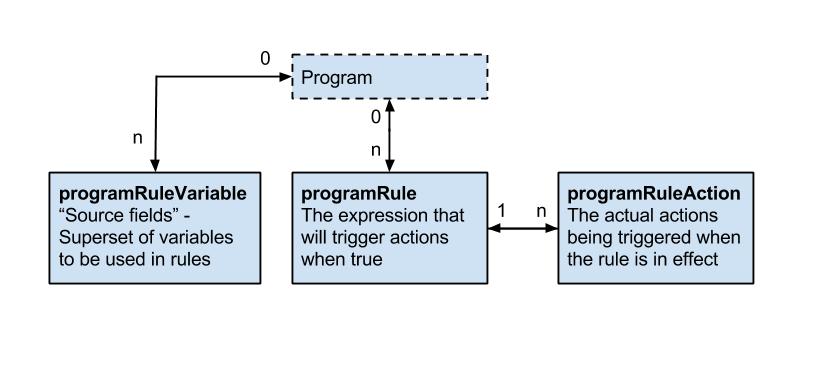
Program rule model details
The following table gives a detailed overview over the programRule model.
| name | description | Compulsory |
|---|---|---|
| program | The program of which the programRule is executed in. | Compulsory |
| name | The name with which the program rule will be displayed to dhis2 configurators. Not visible to the end user of the program. | Compulsory |
| description | The description of the program rule, can be used by configurators to describe the rule. Not visible to the end user of the program. | Compulsory |
| programStage | If a programStage is set for a program rule, the rule will only be evaluated inside the specified program stage. | optional |
| condition | The expression that needs to be evaluated to true in order for the program rule to trigger its child actions. The expression is written using operators, function calls, hard coded values, constants and program rule variables. d2:hasValue('hemoglobin') && #{hemoglobin} <= 7 | Compulsory |
| priority | The priority to run the rule in cases where the order of the rules matters. In most cases the rules does not depend on being run before or after other rules, and in these cases the priority can be omitted. If no priority is set, the rule will be run after any rules that has a priority defined. If a priority(integer) is set, the rule with the lowest priority will be run before rules with higher priority. | optional |
Program rule action model details
The following table gives a detailed overview over the programRuleAction model.
| name | description | Compulsory |
|---|---|---|
| programRule | The programRule that is the parent of this action. | Compulsory |
| programRule- ActionType | The type of action that is to be performed. * DISPLAYTEXT - Displays a text in a given widget.* DISPLAYKEYVALUEPAIR - Displays a key and value pair(like a program indicator) in a given widget.* HIDEFIELD - Hide a specified dataElement or trackedEntityAttribute.- content - if defined, the text in content will be displayed to the end user in the instance where a value is previously entered into a field that is now about to be hidden (and therefore blanked). If content is not defined, a standard message will be shown to the user in this instance. - dataElement - if defined, the HIDEFIELD action will hide this dataElement when the rule is effective. - trackedEntityDataValue - if defined, the HIDEFIELD action will hide this trackedEntityDataValue when the rule is effective. * HIDESECTION - Hide a specified section.- programStageSection - must be defined. This is the programStageSection that will be hidden in case the parent rule is effective. * ASSIGN - Assign a value to either a dataElement or trackedEntityAttribute or a ProgramRuleVariable. Intended to help the user calculate something or fill in an obvious value somewhere.- content - if defined, the value in data is assigned to this variable. If content id defined, and thus a variable is assigned for use in other rules, it is important to also assign a programRule.priority to make sure the rule with an ASSIGN action runs before the rule that will in turn evaluate the assigned variable. - data - must be defined, data forms an expression that is evaluated and assigned to either a variable(#{myVariable}), a dataElement, or both. - dataElement - if defined, the value in data is assigned to this data element. Either the content or dataElement must be defined for the ASSIGN action to be effective. * SHOWWARNING - Show a warning to the user, not blocking the user from completing the event or registration.- content - if defined, content is a static part that is displayed at the end of the error message. - data - if defined, data forms an expression that is evaluated and added to the end of the warning message. - dataElement - if defined, the warning message is displayed next to this data element. - trackedEntityAttribute - if defined, the warning message is displayed next to this tracked entity attribute. Either dataElement or trackedEntityAttribute must be specified. * SHOWERROR - Show an error to the user, blocking the user from completing the event or registration.- content - if defined, content is a static part that is displayed in the start of the error message. - data - if defined, data forms an expression that is evaluated and added to the end of the error message. - dataElement - if defined, the error message is linked to this data element. - trackedEntityAttribute - if defined, the error message is linked to this tracked entity attribute. Either dataElement or trackedEntityAttribute must be specified. * WARNINGONCOMPLETE - Show a warning to the user on the "Complete form" dialog, but allowing the user to complete the event.- content - if defined, content is a static part that is displayed at the end of the error message. - data - if defined, data forms an expression that is evaluated and added to the end of the warning message. - dataElement - if defined, the warning message prefixed with the name/formName of the data element. * ERRORONCOMPLETE - Show an error to the user on in a modal window when the user tries to complete the event. The user is prevented from completing the event.- content - if defined, content is a static part that is displayed in the start of the error message. - data - if defined, data forms an expression that is evaluated and added to the end of the error message. - dataElement - if defined, the error message is linked to this data element. * CREATEEVENT - Create an event within the same enrollment.- content - data - if defined, contains data values to assign the created event. The format is <uid>:<data value>. Where several values is specified, these are separated with comma. AcMrnleqHqc:100,AqK1IHqCkEE:'Polyhydramnios' - programStage - must be defined, and designates the program stage that the rule shall create an event of. * SETMANDATORYFIELD - Set a field to be mandatory.- dataElement - if defined, this data element will be set to be mandatory in the data entry form. - trackedEntityAttribute - if defined, this tracked entity attribute will be set to mandatory in the registration form or profile. * SENDMESSAGE - To send message at completion of event/enrollment or at data value update.- messageTemplate - if defined, this template will be delivered either as SMS or EMAIL depending upon DeliveryChannel value in message template. * SCHEDULEMESSAGE - To schedule message at completion of event/enrollment or at data value update.- messageTemplate - if defined, this template will be delivered either as SMS or EMAIL depending upon DeliveryChannel value in message template. - Date to send message - Expression which is going to be used for evaluation of scheduled date. This expression should result in Date, any other resultant will be discarded and notification will not get scheduled. * HIDEPROGRAMSTAGE - Prevent adding new events to stage. * HIDEOPTION - Hide option (from an optionSet). * HIDEOPTIONGROUP - Hide option group (hide the options that belong to that option group). * SHOWOPTIONGROUP - Show option group (show the options that belong to that option group). | Compulsory |
| location | Used for actionType DISPLAYKEYVALUEPAIR and DISPLAYTEXT to designate which widget to display the text or keyvaluepair in. Compulsory for DISPLAYKEYVALUEPAIR and DISPLAYTEXT. | See description |
| content | Used for user messages in the different actions. See the actionType overview for a detailed explanation for how it is used in each of the action types. Compulsory for SHOWWARNING, SHOWERROR, WARNINGONCOMPLETE, ERRORONCOMPLETE, DISPLAYTEXT and DISPLAYKEYVALUEPAIR. Optional for HIDEFIELD and ASSIGN. | See description |
| data | Used for expressions in the different actions. See the actionType overview for a detailed explanation for how it is used in each of the action types. Compulsory for ASSIGN. Optional for SHOWWARNING, SHOWERROR, WARNINGONCOMPLETE, ERRORONCOMPLETE, DISPLAYTEXT, CREATEEVENT and DISPLAYKEYVALUEPAIR | See description |
| dataElement | Used for linking rule actions to dataElements. See the actionType overview for a detailed explanation for how it is used in each of the action types. Optional for SHOWWARNING, SHOWERROR, WARNINGONCOMPLETE, ERRORONCOMPLETE, ASSIGN and HIDEFIELD | See description |
| trackedEntity- Attribute | Used for linking rule actions to trackedEntityAttributes. See the actionType overview for a detailed explanation for how it is used in each of the action types. Optional for SHOWWARNING, SHOWERROR and HIDEFIELD. | See description |
| option | Used for linking rule actions to options. See the actionType overview for a detailed explanation for how it is used in each of the action types. Optional for HIDEOPTION | See description |
| optionGroup | Used for linking rule actions to optionGroups. See the actionType overview for a detailed explanation for how it is used in each of the action types. Compulsory for SHOWOPTIONGROUP, HIDEOPTIONGROUP. | See description |
| programStage | Only used for CREATEEVENT rule actions. Compulsory for CREATEEEVENT. | See description |
| programStage- Section | Only used for HIDESECTION rule actions. Compulsory for HIDESECTION | See description |
ProgramRuleAction Validation
There are certain validations added to ProgramRuleAction model in 2.37. Main purpose was to keep user from creating erroneous ProgramRules in order to keep the database consistent. These validations depends on program rule action type. Each action type has its own respective validation.
| name | validation check for id existence |
|---|---|
| SENDMESSAGE | Notification template id |
| SCHEDULEMESSAGE | Notification template id |
| HIDESECTION | ProgramStage section id |
| HIDEPROGRAMSTAGE | ProgramStage id |
| HIDEFIELD | DataElement or TrackedEntityAttribute id |
| HIDEOPTION | Option id |
| HIDEOPTIONGROUP | Option group id |
| SHOWOPTIONGROUP | Option group id |
| SETMANDATORYFIELD | DataElement or TrackedEntityAttribute id |
| SHOWERROR | Always valid |
| SHOWWARNING | Always valid |
| DISPLAYTEXT | DataElement or TrackedEntityAttribute id |
| DISPLAYKEYVALUEPAIR | |
| ASSIGN | DataElement or TrackedEntityAttribute id |
| WARNINGONCOMPLETE | DataElement or TrackedEntityAttribute id |
| ERRORONCOMPLETE | DataElement or TrackedEntityAttribute id |
Apart from above validations, data field in program rule action which normally contains expression can also be evaluated using below api endpoint.
POST /api/programRuleActions/data/expression/description?programId=<uid>
{
  "condition": "1 + 1"
}
Program rule variable model details
The following table gives a detailed overview over the programRuleVariable model.
| name | description | Compulsory |
|---|---|---|
| name | the name for the programRuleVariable - this name is used in expressions. #{myVariable} > 5 | Compulsory |
| sourceType | Defines how this variable is populated with data from the enrollment and events. DATAELEMENT_NEWEST_EVENT_PROGRAM_STAGE - This source type works the same way as DATAELEMENT_NEWEST_EVENT_PROGRAM, except that it only evaluates values from one program stage. This source type can be useful in program rules where the same data element is used in several program stages, and a rule needs to evaluate the newest data value from within one specific stage. In order to know what event is the newest, the report date (event date) is used. If you have many events with the same report date, the system choose the one with the latest createdAt property of the event. DATAELEMENT_NEWEST_EVENT_PROGRAM - This source type is used when a program rule variable needs to reflect the newest known value of a data element, regardless of what event the user currently has open. **NB Future dates are "newer" than current or past dates. In order to know what event is the newest, the report date (event date) is used. If you have many events with the same report date, the system choose the one with the latest createdAt property of the event.DATAELEMENT_CURRENT_EVENT - Program rule variables with this source type will contain the data value from the same event that the user currently has open. This is the most commonly used source type, especially for skip logic (hide actions) and warning/error rules. *DATAELEMENT_PREVIOUS_EVENT - Program rule variables with this source type will contain the value from a specified data element from a previous event. Only older events is evaluated, not including the event that the user currently has open. This source type is commonly used when a data element only should be collected once during an enrollment, and should be hidden in subsequent events. Another use case is making rules for validating input where there is an expected progression from one event to the next - a rule can evaluate whether the previous value is higher/lower and give a warning if an unexpected value is entered. *CALCULATED_VALUE - Program rule variable with this source type is not connected directly to any form data - but will be populated as a result of some other program rules **ASSIGN* action. This variable will be used for making preliminary calculations, having a ASSIGN program rule action and assigning a value, this value can be used by other program rules - potentially making the expressions simpler and more maintainable. These variables will not be persisted and will stay in memory only during the execution of the set of program rules. Any program rule that assigns a data value to a preliminary calculated value would normally also have a priority assigned - to make sure that the preliminary caculation is done before the rule that consumes the calculated value. *TEI_ATTRIBUTE - Populates the program rule variable with a specified tracked entity attribute for the current enrollment. Use this is the source type to create program rules that evaluate data values entered during registration. This source type is also useful when you create program rules that compare data in events to data entered during registration. This source type is only used for tracker programs (programs with registration). | Compulsory |
| valueType | valueType parameter defines the type of the value that this ProgramRuleVariable can contain. Its value is dependent on sourceType parameter. If source is DataElement or TrackedEntityAttribute then valueType will be derived from valueType of the source. When the sourceType is CALCULATED_VALUE, then valueType should be provided by the user otherwise it will default to ValueType.TEXT | Compulsory |
| dataElement | Used for linking the programRuleVariable to a dataElement. Compulsory for all sourceTypes that starts with DATAELEMENT_. | See description |
| trackedEntity- Attribute | Used for linking the programRuleVariable to a trackedEntityAttribute. Compulsory for sourceType TEI_ATTRIBUTE. | See description |
| useCodeFor- OptionSet | If checked, the variable will be populated with the code - not the name - from any linked option set. Default is unchecked, meaning that the name of the option is populated. | |
| programStage | Used for specifying a specific program stage to retreive the programRuleVariable value from. Compulsory for DATAELEMENT_NEWEST_EVENT_PROGRAM_STAGE. | See description |
Creating program rules
- To perform crud operations,
programRulesresource is available in API.
To retrieve list of programRules you can do a GET request like this:
/api/programRules
To retrieve single programRule you can do a GET request like this:
/api/programRules/<program_rule_uid>
To save/add single programRule you can do a POST request like this:
/api/programRules/<program_rule_uid>
To update single programRule you can do a PUT request like this:
/api/programRules/<program_rule_uid>
To delete single programRule you can do a DELETE request like this:
/api/programRules/<program_rule_uid>
To retrieve description of programRule condition you can use POST and provide condition string in the POST body.
/api/programRules/condition/description?<program_rule_uid>
Forms
To retrieve information about a form (which corresponds to a data set and its sections) you can interact with the form resource. The form response is accessible as XML and JSON and will provide information about each section (group) in the form as well as each field in the sections, including labels and identifiers. By supplying period and organisation unit identifiers the form response will be populated with data values.
| Parameter | Option | Description |
|---|---|---|
| pe | ISO period | Period for which to populate form data values. |
| ou | UID | Organisation unit for which to populate form data values. |
| metaData | false | true | Whether to include metadata about each data element of form sections. |
To retrieve the form for a data set you can do a GET request like this:
/api/dataSets/<dataset-id>/form.json
To retrieve the form for the data set with identifier "BfMAe6Itzgt" in XML:
/api/dataSets/BfMAe6Itzgt/form
To retrieve the form including metadata in JSON:
/api/dataSets/BfMAe6Itzgt/form.json?metaData=true
To retrieve the form filled with data values for a specific period and organisation unit in XML:
/api/dataSets/BfMAe6Itzgt/form.xml?ou=DiszpKrYNg8&pe=201401
When it comes to custom data entry forms, this resource also allows for creating such forms directly for a data set. This can be done through a POST or PUT request with content type text/html where the payload is the custom form markup such as:
curl -d @form.html "localhost/api/dataSets/BfMAe6Itzgt/form"
  -H "Content-Type:text/html" -u admin:district -X PUT
Documents
References to files can be stored with the document resource.
| Field name | Description |
|---|---|
| name | unique name of document |
| external | flag identifying the location of the document. TRUE for external files, FALSE for internal ones |
| url | the location of the file. URL for external files. File resource id for internal ones (see File resources) |
A GET request to the documents endpoint will return all documents:
/api/documents
A POST request to the documents endpoint will create a new document:
curl -X POST -d @document.json -H "Content-type: application/json"
  "http://dhis.domain/api/documents"
{
  "name": "dhis home",
  "external": true,
  "url": "https://www.dhis2.org"
}
A GET request with the id of a document appended will return information about the document. A PUT request to the same endpoint will update the fields of the document:
/api/documents/<documentId>
Appending /data to the GET request will return the actual file content of the document:
/api/documents/<documentId>/data
CSV metadata import
DHIS2 supports import of metadata in the CSV format, such as data elements, organisation units and validation rules. Properties for the various metadata objects are identified based on the column order/column index (see below for details). You can omit non-required object properties/columns, but since the column order is significant, an empty column must be included. In other words, if you would like to specify properties/columns which appear late in the column order but not specify certain columns which appear early in the order you can include empty/blank columns for them.
The first row of the CSV file is considered to be a header and is ignored during import. The comma character should be used as a text delimiter. Text which contains commas must be enclosed in double quotes.
To upload metadata in CSV format you can make a POST request to the metadata endpoint:
POST /api/metadata?classKey=CLASS-KEY
The following object types are supported. The classKey query parameter is mandatory and can be found next to each object type in the table below.
| Object type | Class key |
|---|---|
| عناصر البيانات | DATA_ELEMENT |
| Data element groups | DATA_ELEMENT_GROUP |
| Category options | CATEGORY_OPTION |
| Category option groups | CATEGORY_OPTION_GROUP |
| الوحدات التنظيمية | ORGANISATION_UNIT |
| Organisation unit groups | ORGANISATION_UNIT_GROUP |
| Validation rules | VALIDATION_RULE |
| Option sets | OPTION_SET |
| Translations | TRANSLATION |
Tip
If using curl, the
--data-binaryoption should be used as it preserves line breaks and newlines, which is essential for CSV data.
As an example, to upload a file of data elements in CSV format with curl you can use the following command:
curl --data-binary @data_elements.csv "http://localhost/api/metadata?classKey=DATA_ELEMENT"
  -H "Content-Type:application/csv" -u admin:district
The formats for the currently supported object types for CSV import are listed in the following sections.
Data elements
| Index | Column | Required | Value (default first) | Description |
|---|---|---|---|---|
| 1 | Name | Yes | Name. Max 230 char. Unique. | |
| 2 | UID | No | UID | Stable identifier. Exactly 11 alpha-numeric characters, beginning with a letter. Will be generated by system if not specified. |
| 3 | Code | No | Stable code. Max 50 char. | |
| 4 | Short name | No | 50 first char of name | Will fall back to first 50 characters of name if unspecified. Max 50 char. Unique. |
| 5 | Description | No | Free text description. | |
| 6 | Form name | No | Max 230 char. | |
| 7 | Domain type | No | AGGREGATE | TRACKER | Domain type for data element, can be aggregate or tracker. Max 16 char. |
| 8 | Value type | No | INTEGER | NUMBER | UNIT_INTERVAL | PERCENTAGE | INTEGER_POSITIVE | INTEGER_NEGATIVE | INTEGER_ZERO_OR_POSITIVE | FILE_RESOURCE | COORDINATE |TEXT | LONG_TEXT | LETTER | PHONE_NUMBER | EMAIL | BOOLEAN | TRUE_ONLY | DATE | DATETIME | Value type. Max 16 char. |
| 9 | نوع التجميع | No | SUM | AVERAGE | AVERAGE_SUM_ORG_UNIT | COUNT | STDDEV | VARIANCE | MIN | MAX | NONE | Aggregation type indicating how to aggregate data in various dimensions. Max 16 char. |
| 10 | Category combination | No | UID | UID of category combination. Will default to default category combination if not specified. |
| 11 | Url | No | URL to data element resource. Max 255 char. | |
| 12 | Zero is significant | No | false | true | Indicates whether zero values will be stored for this data element. |
| 13 | Option set | No | UID | UID of option set to use for data. |
| 14 | Comment option set | No | UID | UID of option set to use for comments. |
An example of a CSV file for data elements can be seen below. The first row will always be ignored. Note how you can skip columns and rely on default values to be used by the system. You can also skip columns which you do not use which appear to the right of the ones
name,uid,code,shortname,description
"Women participated skill development training",,"D0001","Women participated in training"
"Women participated community organizations",,"D0002","Women participated in organizations"
Organisation units
| Index | Column | Required | Value (default first) | Description |
|---|---|---|---|---|
| 1 | Name | Yes | Name. Max 230 characters. Unique. | |
| 2 | UID | No | UID | Stable identifier. Max 11 char. Will be generated by system if not specified. |
| 3 | Code | No | Stable code. Max 50 char. | |
| 4 | Parent | No | UID | UID of parent organisation unit. |
| 5 | Short name | No | 50 first char of name | Will fall back to first 50 characters of name if unspecified. Max 50 characters. Unique. |
| 6 | Description | No | Free text description. | |
| 7 | Opening date | No | 1970-01-01 | Opening date of organisation unit in YYYY-MM-DD format. |
| 8 | Closed date | No | Closed date of organisation unit in YYYY-MM-DD format, skip if currently open. | |
| 9 | Comment | No | Free text comment for organisation unit. | |
| 10 | Feature type | No | NONE | MULTI_POLYGON | POLYGON | POINT | SYMBOL | Geospatial feature type. |
| 11 | Coordinates | No | Coordinates used for geospatial analysis in Geo JSON format. | |
| 12 | URL | No | URL to organisation unit resource. Max 255 char. | |
| 13 | Contact person | No | Contact person for organisation unit. Max 255 char. | |
| 14 | العنوان | No | Address for organisation unit. Max 255 char. | |
| 15 | No | Email for organisation unit. Max 150 char. | ||
| 16 | رقم الهاتف | No | Phone number for organisation unit. Max 150 char. |
A minimal example for importing organisation units with a parent unit looks like this:
name,uid,code,parent
"West province",,"WESTP","ImspTQPwCqd"
"East province",,"EASTP","ImspTQPwCqd"
Validation rules
| Index | Column | Required | Value (default first) | Description |
|---|---|---|---|---|
| 1 | Name | Yes | Name. Max 230 characters. Unique. | |
| 2 | UID | No | UID | Stable identifier. Max 11 char. Will be generated by system if not specified. |
| 3 | Code | No | Stable code. Max 50 | |
| 4 | Description | No | Free text description. | |
| 5 | Instruction | No | Free text instruction. | |
| 6 | Importance | No | MEDIUM | HIGH | LOW | Importance of validation rule. |
| 7 | Rule type (ignored) | No | VALIDATION | SURVEILLANCE | Type of validation rule. |
| 8 | Operator | No | equal_to | not_equal_to | greater_than | greater_than_or_equal_to | less_than | less_than_or_equal_to | compulsory_pair | exclusive_pair | Expression operator. |
| 9 | Period type | No | Monthly | Daily | Weekly | Quarterly | SixMontly | Yearly | Period type. |
| 10 | Left side expression | Yes | Mathematical formula based on data element and option combo UIDs. | |
| 11 | Left side expression description | Yes | Free text. | |
| 12 | Left side missing value strategy | No | SKIP_IF_ANY_VALUE_MISSING | SKIP_IF_ALL_VALUES_MISSING | NEVER_SKIP | Behavior in case of missing values in left side expression. |
| 13 | Right side expression | Yes | Mathematical formula based on data element and option combo UIDs. | |
| 14 | Right side expression description | Yes | Free text. | |
| 15 | Right side missing value strategy | No | SKIP_IF_ANY_VALUE_MISSING | SKIP_IF_ALL_VALUES_MISSING | NEVER_SKIP | Behavior in case of missing values in right side expression. |
Option sets
| Index | Column | Required | Value (default first) | Description |
|---|---|---|---|---|
| 1 | OptionSetName | Yes | Name. Max 230 characters. Unique. Should be repeated for each option. | |
| 2 | OptionSetUID | No | UID | Stable identifier. Max 11 char. Will be generated by system if not specified. Should be repeated for each option. |
| 3 | OptionSetCode | No | Stable code. Max 50 char. Should be repeated for each option. | |
| 4 | OptionName | Yes | Option name. Max 230 characters. | |
| 5 | OptionUID | No | UID | Stable identifier. Max 11 char. Will be generated by system if not specified. |
| 6 | OptionCode | Yes | Stable code. Max 50 char. |
The format for option sets is special. The three first values represent an option set. The three last values represent an option. The first three values representing the option set should be repeated for each option.
optionsetname,optionsetuid,optionsetcode,optionname,optionuid,optioncode
"Color",,"COLOR","Blue",,"BLUE"
"Color",,"COLOR","Green",,"GREEN"
"Color",,"COLOR","Yellow",,"YELLOW"
"Sex",,,"Male",,"MALE"
"Sex",,,"Female",,"FEMALE"
"Sex",,,"Unknown",,"UNKNOWN"
"Result",,,"High",,"HIGH"
"Result",,,"Medium",,"MEDIUM"
"Result",,,"Low",,"LOW"
"Impact","cJ82jd8sd32","IMPACT","Great",,"GREAT"
"Impact","cJ82jd8sd32","IMPACT","Medium",,"MEDIUM"
"Impact","cJ82jd8sd32","IMPACT","Poor",,"POOR"
Option group
| Index | Column | Required | Value (default first) | Description |
|---|---|---|---|---|
| 1 | OptionGroupName | Yes | Name. Max 230 characters. Unique. Should be repeated for each option. | |
| 2 | OptionGroupUid | No | Stable identifier. Max 11 char. Will be generated by system if not specified. Should be repeated for each option. | |
| 3 | OptionGroupCode | No | Stable code. Max 50 char. Should be repeated for each option. | |
| 4 | OptionGroupShortName | Yes | Short Name. Max 50 characters. Unique. Should be repeated for each option. | |
| 5 | OptionSetUid | Yes | Stable identifier. Max 11 char. Should be repeated for each option. | |
| 6 | OptionUid | No | Stable identifier. Max 11 char. | |
| 7 | OptionCode | No | Stable code. Max 50 char. |
Sample OptionGroup CSV payload
optionGroupName,optionGroupUid,optionGroupCode,optionGroupShortName,optionSetUid,optionUid,optionCode
optionGroupA,,,groupA,xmRubJIhmaK,,OptionA
optionGroupA,,,groupA,xmRubJIhmaK,,OptionB
optionGroupB,,,groupB,QYDAByFgTr1,,OptionC
Option Group Set
| Index | Column | Required | Value (default first) | Description |
|---|---|---|---|---|
| 1 | OptionGroupSetName | Yes | Name. Max 230 characters. Unique. Should be repeated for each option. | |
| 2 | OptionGroupSetUid | No | Stable identifier. Max 11 char. Will be generated by system if not specified. Should be repeated for each option. | |
| 3 | OptionGroupSetCode | No | Stable code. Max 50 char. Should be repeated for each option. | |
| 4 | OptionGroupSetDescription | No | Description. Should be repeated for each option. | |
| 5 | DataDimension | No | TRUE, FALSE | |
| 6 | OptionSetUid | No | OptionSet UID. Stable identifier. Max 11 char. |
Sample OptionGroupSet CSV payload
name,uid,code,description,datadimension,optionsetuid
optiongroupsetA,,,,,xmRubJIhmaK
optiongroupsetB,,,,false,QYDAByFgTr1
Indicators
| Index | Column | Required | Value (default first) | Description |
|---|---|---|---|---|
| 1 | Name | Yes | Name. Max 230 char. Unique. | |
| 2 | UID | No | UID | Stable identifier. Exactly 11 alpha-numeric characters, beginning with a letter. Will be generated by system if not specified. |
| 3 | Code | No | Stable code. Max 50 char. | |
| 4 | Short name | Yes | 50 first char of name | Will fall back to first 50 characters of name if unspecified. Max 50 char. Unique. |
| 5 | denominator | Yes | Indicator expression. | |
| 6 | denominatorDescription | No | Max 230 char. | |
| 5 | numerator | Yes | Indicator expression. | |
| 6 | numeratorDescription | No | Max 230 char. | |
| 6 | annualized | Yes | TRUE, FALSE | |
| 6 | decimals | No | Number of decimals to use for indicator value, null implies default. | |
| 6 | Indicator Type | Yes | UID |
An example of a CSV file for Indicators can be seen below. The first row will always be ignored. Note how you can skip columns and rely on default values to be used by the system. You can also skip columns which you do not use which appear to the right of the ones
Name,UID,Code,Description,shortName,denominator,denominatorDescription,numerator,numeratorDescription,annualized,decimals,indicatorType
Indicator A,yiAKjiZVoOU,CodeA,Indicator A description,Indicator A shortname,#{fbfJHSPpUQD},denominatorDescription,#{h0xKKjijTdI},numeratorDescription,false,2,sqGRzCziswD
Indicator B,Uvn6LCg7dVU,CodeB,Indicator B description,Indicator B shortname,#{fbfJHSPpUQD},denominatorDescription,#{h0xKKjijTdI},numeratorDescription,false,2,sqGRzCziswD
Collection membership
In addition to importing objects, you can also choose to only import the group-member relationship between an object and a group. Currently, the following group and object pairs are supported
-
Organisation Unit Group - Organisation Unit
-
Data Element Group - Data Element
-
Indicator Group - Indicator
-
Option Group Set - Option Group
The CSV format for these imports are the same
| Index | Column | Required | Value (default first) | Description |
|---|---|---|---|---|
| 1 | UID | Yes | UID | The UID of the collection to add an object to |
| 2 | UID | Yes | UID | The UID of the object to add to the collection |
Category Option Group
| Index | Column | Required | Value (default first) | Description |
|---|---|---|---|---|
| 1 | Name | Yes | Name. Max 230 characters. Unique. | |
| 2 | UID | No | UID | Stable identifier. Max 11 chars. Will be generated by system if not specified. |
| 3 | Code | No | Stable code. Max 50 char. | |
| 4 | Short name | No | Short name. Max 50 characters. | |
| 5 | Data Dimension Type | Yes | Data Dimension Type, can be either DISAGGREGATION or ATTRIBUTE |
Other objects
| Index | Column | Required | Value (default first) | Description |
|---|---|---|---|---|
| 1 | Name | Yes | Name. Max 230 characters. Unique. | |
| 2 | UID | No | UID | Stable identifier. Max 11 chars. Will be generated by system if not specified. |
| 3 | Code | No | Stable code. Max 50 char. | |
| 4 | Short name | No | Short name. Max 50 characters. |
An example of category options looks like this:
name,uid,code,shortname
"Male",,"MALE"
"Female",,"FEMALE"
Deleted objects
The deleted objects resource provides a log of metadata objects being deleted.
/api/deletedObjects
Whenever an object of type metadata is deleted, a log is being kept of the uid, code, the type and the time of when it was deleted. This API is available at /api/deletedObjects field filtering and object filtering works similarly to other metadata resources.
Get deleted objects of type data elements:
GET /api/deletedObjects.json?klass=DataElement
Get deleted object of type indicator which was deleted in 2015 and forward:
GET /api/deletedObjects.json?klass=Indicator&deletedAt=2015-01-01
Favorites
Certain types of metadata objects can be marked as favorites for the currently logged in user. This applies currently for dashboards.
/api/dashboards/<uid>/favorite
To make a dashboard a favorite you can make a POST request (no content type required) to a URL like this:
/api/dashboards/iMnYyBfSxmM/favorite
To remove a dashboard as a favorite you can make a DELETE request using the same URL as above.
The favorite status will appear as a boolean favorite field on the object (e.g. the dashboard) in the metadata response.
Subscriptions
A logged user can subscribe to certain types of objects. Currently subscribable objects are those of type EventChart, EventReport, Map, Visualization and EventVisualization.
Note
The EventChart and EventReport objects are deprecated. Use EventVisualization instead.
To get the subscribers of an object (return an array of user IDs) you can make a GET request:
/api/<object-type>/<object-id>/subscribers
See example as follows:
/api/visualizations/DkPKc1EUmC2/subscribers
To check whether the current user is subscribed to an object (returns a boolean) you can perform a GET call:
/api/<object-type>/<object-id>/subscribed
See example as follows:
/api/visualizations/DkPKc1EUmC2/subscribed
To subscribe/de-subscribe to an object you perform a POST/DELETE request (no content type required):
/api/<object-type>/<object-id>/subscriber
File resources
File resources are objects used to represent and store binary content. The FileResource object itself contains the file meta-data (name, Content-Type, size, etc.) as well as a key allowing retrieval of the contents from a database-external file store. The FileResource object is stored in the database like any other but the content (file) is stored elsewhere and is retrievable using the contained reference (storageKey).
/api/fileResources
The contents of file resources are not directly accessible but are referenced from other objects (such as data values) to store binary content of virtually unlimited size.
To create a file resource that does not require a corresponding data value, POST to the endpoint /api/fileResources with a multipart upload:
curl "https://server/api/fileResources" -X POST
  -F "file=@/path/to/file/name-of-file.png"
uid of a file resource can be provided when it is created, for example: curl "https://server/api/fileResources?uid=0123456789x" -X POST
-F "file=@/path/to/file/name-of-file.png"
To create both a file resource and a data value that references the file, POST to the /api/dataValues/file endpoint in DHIS 2.36 or later:
curl "https://server/api/dataValues/file?de=xPTAT98T2Jd
  &pe=201301&ou=DiszpKrYNg8&co=Prlt0C1RF0s" -X POST
  -F "file=@/path/to/file/name-of-file.png"
For the api/fileResources endpoint, the only form parameter required is file, which is the file to upload. For the api/dataValues/file endpoint, the parameters required are the same as for a post to api/dataValues, with the addition of file.
The filename and content-type should also be included in the request but will be replaced with defaults when not supplied.
On successfully creating a file resource the returned data will contain a response field which in turn contains the fileResource like this:
{
  "httpStatus": "Accepted",
  "httpStatusCode": 202,
  "status": "OK",
  "response": {
    "responseType": "FileResource",
    "fileResource": {
      "name": "name-of-file.png",
      "created": "2015-10-16T16:34:20.654+0000",
      "lastUpdated": "2015-10-16T16:34:20.667+0000",
      "externalAccess": false,
      "publicAccess": "--------",
      "user": { ... },
      "displayName": "name-of-file.png",
      "contentType": "image/png",
      "contentLength": 512571,
      "contentMd5": "4e1fc1c3f999e5aa3228d531e4adde58",
      "storageStatus": "PENDING",
      "id": "xm4JwRwke0i"
    }
  }
}
Note that the response is a 202 Accepted, indicating that the returned resource has been submitted for background processing (persisting to the external file store in this case). Also, note the storageStatus field which indicates whether the contents have been stored or not. At this point, the persistence to the external store is not yet finished (it is likely being uploaded to a cloud-based store somewhere) as seen by the PENDING status.
Even though the content has not been fully stored yet the file resource can now be used, for example as referenced content in a data value (see Working with file data values). If we need to check the updated storageStatus or otherwise retrieve the metadata of the file, the fileResources endpoint can be queried.
curl "https://server/api/fileResources/xm4JwRwke0i" -H "Accept: application/json"
This request will return the FileResource object as seen in the response of the above example.
File resource constraints
-
File resources must be referenced (assigned) from another object in order to be persisted in the long term. A file resource which is created but not referenced by another object such as a data value is considered to be in staging. Any file resources which are in this state and are older than two hours will be marked for deletion and will eventually be purged from the system.
-
The ID returned by the initial creation of the file resource is not retrievable from any other location unless the file resource has been referenced (in which the ID will be stored as the reference), so losing it will require the POST request to be repeated and a new object to be created. The orphaned file resource will be cleaned up automatically.
-
File resource objects are immutable, meaning modification is not allowed and requires creating a completely new resource instead.
File resource blocklist
Certain types of files are blocked from being uploaded for security reasons.
The following content types are blocked.
| Content type | Content type |
|---|---|
| text/html | application/x-ms-dos-executable |
| text/css | application/vnd.microsoft.portable-executable |
| text/javascript | application/vnd.apple.installer+xml |
| font/otf | application/vnd.mozilla.xul+xml |
| application/x-shockwave-flash | application/x-httpd-php |
| application/vnd.debian.binary-package | application/x-sh |
| application/x-rpm | application/x-csh |
| application/java-archive |
The following file extensions are blocked.
| File extension | File extension | File extension |
|---|---|---|
| html | deb | xul |
| htm | rpm | php |
| css | jar | bin |
| js | jsp | sh |
| mjs | exe | csh |
| otf | msi | bat |
| swf | mpkg |
Metadata versioning
This section explains the metadata versioning APIs.
/api/metadata/version: This endpoint will return the current metadata version of the system on which it is invoked.
| Name | Required | Description |
|---|---|---|
| versionName | false | If this parameter is not specified, it will return the current version of the system or otherwise it will return the details of the versionName passed as parameter. (versionName is of the syntax "Version_<id>" |
Get metadata version examples
Example: Get the current metadata version of this system
Request:
/api/metadata/version
Response:
{
  "name": "Version_4",
  "created": "2016-06-30T06:01:28.684+0000",
  "lastUpdated": "2016-06-30T06:01:28.685+0000",
  "externalAccess": false,
  "displayName": "Version_4",
  "type": "BEST_EFFORT",
  "hashCode": "848bf6edbaf4faeb7d1a1169445357b0",
  "id": "Ayz2AEMB6ry"
}
Example: Get the details of version with name "Version_2"
Request:
/api/metadata/version?versionName=Version_2
Response:
{
  "name": "Version_2",
  "created": "2016-06-30T05:59:33.238+0000",
  "lastUpdated": "2016-06-30T05:59:33.239+0000",
  "externalAccess": false,
  "displayName": "Version_2",
  "type": "BEST_EFFORT",
  "hashCode": "8050fb1a604e29d5566675c86d02d10b",
  "id": "SaNyhusVxBG"
}
/api/metadata/version/history: This endpoint will return the list of all metadata versions of the system on which it is invoked.
| Name | Required | Description |
|---|---|---|
| baseline | false | If this parameter is not specified, it will return list of all metadata versions. Otherwise we need to pass a versionName parameter of the form "Version_<id>". It will then return the list of versions present in the system which were created after the version name supplied as the query parameter. |
Get the list of all metadata versions
Example: Get the list of all versions in this system
Request:
/api/metadata/version/history
Response:
{
  "metadataversions": [{
    "name": "Version_1",
    "type": "BEST_EFFORT",
    "created": "2016-06-30T05:54:41.139+0000",
    "id": "SjnhUp6r4hG",
    "hashCode": "fd1398ff7ec9fcfd5b59d523c8680798"
  }, {
    "name": "Version_2",
    "type": "BEST_EFFORT",
    "created": "2016-06-30T05:59:33.238+0000",
    "id": "SaNyhusVxBG",
    "hashCode": "8050fb1a604e29d5566675c86d02d10b"
  }, {
    "name": "Version_3",
    "type": "BEST_EFFORT",
    "created": "2016-06-30T06:01:23.680+0000",
    "id": "FVkGzSjAAYg",
    "hashCode": "70b779ea448b0da23d8ae0bd59af6333"
  }]
}
Example: Get the list of all versions in this system created after "Version_2"
Request:
/api/metadata/version/history?baseline=Version_2
Response:
{
  "metadataversions": [{
    "name": "Version_3",
    "type": "BEST_EFFORT",
    "created": "2016-06-30T06:01:23.680+0000",
    "id": "FVkGzSjAAYg",
    "hashCode": "70b779ea448b0da23d8ae0bd59af6333"
  }, {
    "name": "Version_4",
    "type": "BEST_EFFORT",
    "created": "2016-06-30T06:01:28.684+0000",
    "id": "Ayz2AEMB6ry",
    "hashCode": "848bf6edbaf4faeb7d1a1169445357b0"
  }]
 }
/api/metadata/version/create: This endpoint will create the metadata version for the version type as specified in the parameter.
| Name | Required | Description |
|---|---|---|
| type | true | The type of metadata version which needs to be created. * BEST_EFFORT * ATOMIC |
Users can select the type of metadata which needs to be created. Metadata Version type governs how the importer should treat the given version. This type will be used while importing the metadata. There are two types of metadata.
-
BEST_EFFORT: This type suggests that missing references can be ignored and the importer can continue importing the metadata (e.g. missing data elements on a data element group import).
-
ATOMIC: This type ensures a strict type checking of the metadata references and the metadata import will fail if any of the references do not exist.
Note
It's recommended to have an ATOMIC type of versions to ensure that all systems (central and local) have the same metadata. Any missing reference is caught in the validation phase itself. Please see the importer details for a full explanation.
Create metadata version
Example: Create metadata version of type BEST_EFFORT
Request:
curl -X POST -u admin:district "https://play.dhis2.org/dev/api/metadata/version/create?type=BEST_EFFORT"
Response:
{
  "name": "Version_1",
  "created": "2016-06-30T05:54:41.139+0000",
  "lastUpdated": "2016-06-30T05:54:41.333+0000",
  "externalAccess": false,
  "publicAccess": "--------",
  "user": {
    "name": "John Traore",
    "created": "2013-04-18T17:15:08.407+0000",
    "lastUpdated": "2016-04-06T00:06:06.571+0000",
    "externalAccess": false,
    "displayName": "John Traore",
    "id": "xE7jOejl9FI"
  },
  "displayName": "Version_1",
  "type": "BEST_EFFORT",
  "hashCode": "fd1398ff7ec9fcfd5b59d523c8680798",
  "id": "SjnhUp6r4hG"
}
-
/api/metadata/version/{versionName}/data: This endpoint will download the actual metadata specific to the version name passed as path parameter. -
/api/metadata/version/{versionName}/data.gz: This endpoint will download the actual metadata specific to the version name passed as path parameter in a compressed format (gzipped).
| Name | Required | Description |
|---|---|---|
| versionName | true | Path parameter of the form "Version_<id>" so that the API downloads the specific version |
Download version metadata
Example: Get the actual metadata for "Version 5"
Request:
curl -u admin:district "https://play.dhis2.org/dev/api/metadata/version/Version_5/data"
Response:
{
  "date": "2016-06-30T06:10:23.120+0000",
  "dataElements": [
    {
      "code": "ANC 5th Visit",
      "created": "2016-06-30T06:10:09.870+0000",
      "lastUpdated": "2016-06-30T06:10:09.870+0000",
      "name": "ANC 5th Visit",
      "id": "sCuZKDsix7Y",
      "shortName": "ANC 5th Visit ",
      "aggregationType": "SUM",
      "domainType": "AGGREGATE",
      "zeroIsSignificant": false,
      "valueType": "NUMBER",
      "categoryCombo": {
        "id": "p0KPaWEg3cf"
      },
      "user": {
        "id": "xE7jOejl9FI"
      }
    }
  ]
}
Metadata synchronization
This section explains the Metadata Synchronization API available starting 2.24
/api/metadata/sync: This endpoint performs metadata sync of the version name passed in the query parameter by downloading and importing the specified version from the remote server as defined in the settings app.
| Name | Required | Description |
|---|---|---|
| versionName | true | versionName query parameter of the form "Version_<id>" . The api downloads this version from the remote server and imports it in the local system. |
-
This API should be used with utmost care. Please note that there is an alternate way to achieve sync in a completely automated manner by leveraging the Metadata Sync Task from the "Data Administration" app. See Chapter 22, Section 22.17 of User Manual for more details regarding Metadata Sync Task.
-
This sync API can alternatively be used to sync metadata for the versions which have failed from the metadata sync scheduler. Due to its dependence on the given metadata version number, care should be taken for the order in which this gets invoked. E.g. If this api is used to sync some higher version from the central instance, then the sync might fail as the metadata dependencies are not present in the local instance.
-
Assume the local instance is at
Version_12and if this endpoint is used to syncVersion_15(of typeBEST_EFFORT) from the central instance, the scheduler will start syncing metadata fromVersion_16. So the local instance will not have the metadata versions betweenVersion_12andVersion_15. You need to manually sync the missing versions using these endpoints only.
Sync metadata version
Example: Sync Version_6 from central system to this system
Request:
curl -u admin:district "https://play.dhis2.org/dev/api/metadata/sync?versionName=Version_6"
Metadata repository
DHIS2 provides a metadata repository containing metadata packages with various content. A metadata package is a DHIS2-compliant JSON document which describes a set of metadata objects.
To retrieve an index over available metadata packages you can issue a GET request to the metadataRepo resource:
GET /api/synchronization/metadataRepo
A metadata package entry contains information about the package and a URL to the relevant package. An index could look like this:
{
  "packages": [
    {
      "id": "sierre-leone-demo",
      "name": "Sierra Leone demo",
      "description": "Sierra Leone demo database",
      "version": "0.1",
      "href": "https://dhis2.org/metadata-repo/221/sierra-leone-demo/metadata.json"
    },
    {
      "id": "trainingland-org-units",
      "name": "Trainingland organisation units",
      "description": "Trainingland organisation units with four levels",
      "version": "0.1",
      "href": "https://dhis2.org/metadata-repo/221/trainingland-org-units/metadata.json"
    }
  ]
}
A client can follow the URLs and install a metadata package through a POST request with content type text/plain with the metadata package URL as the payload to the metadataPull resource:
POST /api/synchronization/metadataPull
An example curl command looks like this:
curl "localhost:8080/api/synchronization/metadataPull" -X POST
  -d "https://dhis2.org/metadata-repo/221/trainingland-org-units/metadata.json"
  -H "Content-Type:text/plain" -u admin:district
Note
The supplied URL will be checked against the config property
metadata.sync.remote_servers_allowedin thedhis.conffile. If the base URL is not one of the configured servers allowed then the operation will not be allowed. See failure example below.
Some examples where the config set ismetadata.sync.remote_servers_allowed=https://server1.org/,https://server2.org/- supplyhttps://server1.org/path/to/resource-> this will be accepted - supplyhttps://server2.org/resource/path-> this will be accepted - supplyhttps://oldserver.org/resource/path-> this will be rejected
Sample failure response in JSON format.
 {
  "httpStatus": "Conflict",
  "httpStatusCode": 409,
  "status": "ERROR",
  "message": "Provided URL is not in the remote servers allowed list",
  "errorCode": "E1004"
}
Reference to created by user
Each object created in DHIS2 will have a property named user which is linked to User who created the object.
From version 2.36 we have changed the name of this property to createdBy to avoid confusion.
However, in order to keep the backwards compability, the legacy user property is still included in the payload and works normally as before.
{
  "createdBy": {
      "displayName": "John Kamara",
      "name": "John Kamara",
      "id": "N3PZBUlN8vq",
      "username": "district"
  },
  "user": {
      "displayName": "John Kamara",
      "name": "John Kamara",
      "id": "N3PZBUlN8vq",
      "username": "district"
  }
}
Metadata proposal workflow
The metadata proposal workflow endpoint allows for a workflow of proposing and accepting changes to metadata.
/api/metadata/proposals
Propose a metadata change
A proposal always targets a single metadata object using:
POST /api/metadata/proposals
Depending on the payload the proposal could:
- Add a new metadata object.
- Update an existing metadata object references by ID.
- Remove an existing metadata object referenced by ID.
To propose adding a new metadata object send a JSON payload like the following:
{
  "type": "ADD",
  "target": "ORGANISATION_UNIT",
  "change": {"name":"My Unit", "shortName":"MyOU", "openingDate": "2020-01-01"}
}
change property contains the same JSON object that could directly be posted to the corresponding endpoint to create the object. To propose updating an existing metadata object send a JSON payload like in the below example:
{
  "type": "UPDATE",
  "target": "ORGANISATION_UNIT",
  "targetId": "<id>",
  "change": [
    {"op": "replace", "path": "/name", "value": "New name"}
  ]
}
targetId refers to the object by its ID which should be updated. The change property here contains a JSON patch payload. This is the same patch payload that could be posted to the corresponding endpoint to directly apply the update. To propose the removal of an existing object send a payload like in the last example:
{
  "type": "REMOVE",
  "target": "ORGANISATION_UNIT",
  "targetId": "<id>"
}
targetId refers to the object by its ID which should be removed. A free text comment can be added to any type of comment. Only target type ORGANISATION_UNIT is supported currently.
Accept a metadata change proposal
To accept an open proposal use POST on the proposal resource
POST /api/metadata/proposals/<uid>
When successful the status of the proposal changes to status ACCEPTED. Once accepted the proposal can no longer be rejected.
Should a proposal fail to apply it changes to status NEEDS_UPDATE. The reason field contains a summary of the failures when this information is available.
Oppose a metadata change proposal
If a proposal isn't quite right and needs adjustment this can be indicated by opposing the proposal by sending a PATCH for the proposal resource
PATCH /api/metadata/proposals/<uid>
Optionally a plain text body can be added to this to give a reason why the proposal got opposed.
A opposed proposal must be in state PROPOSED and will change to state NEEDS_UPDATE.
Adjust a metadata change proposal
A proposal in state NEEDS_UPDATE needs to be adjusted before it can be accepted. To adjust the proposal a PUT request is made for the proposal's resource
PUT /api/metadata/proposals/<uid>
Such an adjustment can either be made without a body or with a JSON body containing an object with the updated change and targetId for the adjustment:
{
  "targetId": "<id>",
  "change": ...
}
change value depends on the proposal type analogous to when a proposal is initially made. Reject a metadata change proposal
To reject an open proposal use DELETE on the proposal resource
DELETE /api/metadata/proposals/<uid>
This changes the status of the proposal conclusively to REJECTED. No further changes can be made to this proposal. It is kept as a documentation of the events.
List metadata change proposals
All proposals can be listed:
GET /api/metadata/proposals/
The result list can be filtered using the filter parameter. For example, to list only accepted proposals use:
GET /api/metadata/proposals?filter=status:eq:ACCEPTED
Similarly to only show open proposals use:
GET /api/metadata/proposals?filter=status:eq:PROPOSED
Filters can also be applied to any field except change. Supported filter operators are those described in the Gist Metadata API. This also includes property transformers described for Gist API.
List of available fields are:
| Field | Description |
|---|---|
| id | unique identifier of the proposal |
| type | ADD a new object, UPDATE an existing object, REMOVE an existing object |
| status | PROPOSED (open proposal), ACCEPTED (successful), NEEDS_UPDATE (accepting caused error or opposed), REJECTED |
| target | type of metadata object to add/update/remove; currently only ORGANISATION_UNIT |
| targetId | UID of the updated or removed object, not defined for ADD |
| createdBy | the user that created the proposal |
| created | the date time when the proposal was created |
| finalisedBy | the user that accepted or rejected the proposal |
| finalised | the date time when the proposal changed to a conclusive state of either accepted or rejected |
| comment | optional plain text comment given for the initial proposal |
| reason | optional plain text given when the proposal was opposed or the errors occurring when accepting a proposal failed |
| change | JSON object for ADD proposal, JSON array for UPDATE proposal, nothing for REMOVE proposal |
Viewing metadata change proposals
Individual change proposals can be viewed using
GET /api/metadata/proposals/<uid>
The fields parameter can be used to narrow the fields included for the shown object. For example:
GET /api/metadata/proposals/<uid>?fields=id,type,status,change
Metadata Attribute Value Type and validations
| Type | التحقق من صحتها |
|---|---|
| TEXT | None |
| LONG_TEXT | None |
| LETTER | Value length = 1 AND is a letter |
| PHONE_NUMBER | Validation is based on this regex ^[0-9+\\(\\)#\\.\\s\\/ext-]{6,50}$. Max length is 50. Examples: +4733987937, (+47) 3398 7937, (47) 3398 7937.123 |
| General email format abc@email.com | |
| BOOLEAN | true or false |
| TRUE_ONLY | Only accept true |
| DATE | Use format yyyy-MM-dd |
| DATETIME | Use format yyyy-MM-dd HH:mm:ssZ or yyyy-MM-dd'T'HH:mm:ss |
| TIME | Use fornat HH:mm |
| NUMBER | Value must be numberic with max length = 250 |
| UNIT_INTERVAL | Value is numeric and inclusive between 0 and 1 |
| PERCENTAGE | Value is a number in the inclusive range of 0 to 100 |
| INTEGER | Value is an integer |
| INTEGER_POSITIVE | Value is a positive integer |
| INTEGER_NEGATIVE | Value is a negative integer |
| INTEGER_ZERO_OR_POSITIVE | Value is an positive or zero integer |
| USERNAME | Value is a username of an existing User |
| COORDINATE | None |
| ORGANISATION_UNIT | Value is a valid UID of an existing OrganisationUnit |
| REFERENCE | None |
| AGE | Value is date of birth. Use format as in DATE type. |
| URL | Value is a valid URL |
| FILE_RESOURCE | Value is a valid UID of existing FileResource |
| IMAGE | Value is a valid UID of existing FileResource |
| GEOJSON | Follow GeoJson Specification |
| MULTI_TEXT | None |
Copy Program
Introduction
A user will often want to create many Programs which share many of the same characteristics, and instead of having to create a new Program from scratch, it is efficient and beneficial to copy an existing Program and make modifications to it.
A template Program could theoretically be setup as a base to copy from, which may help with the consistency of Program setups also.
API info
Endpoint
POST /api/programs/{uid}/copy
Example with a Program with a UID of Program123a
POST /api/programs/Program123a/copy
Successful response will include the new Program UID and will look like this:
{
    "httpStatus": "Created",
    "httpStatusCode": 201,
    "status": "OK",
    "message": "Program created: 'Program456b'"
}
The response will also contain a Location header with a link to the newly-created Program. e.g. when run locally the Location value would be http://localhost:9090/api/programs/Program456b
Copy options
The API does allow the optional supplying of a custom prefix, which will be prefixed to the following properties.
| Object | Property | Info |
|---|---|---|
| Program | name | Help identify the new Program |
| ProgramIndicator | name | Database constraint - needs to be unique |
| ProgramIndicator | shortName | Database constraint - needs to be unique |
In this example when a custom prefix is supplied, an original Program with a name of My Simple Program would be copied to a new Program with the name my prefix My Simple Program
If no copy options are sent in the API call then the default Copy of prefix will be used for the above properties.
To send a custom prefix just add a HTTP request param prefix like so:
POST /api/programs/{uid}/copy?prefix=my prefix
Note
The database does have limits for the number of characters allowed for properties. At the time of writing these limits are noted in the table below. Bear these in mind.
| Property | character limit |
|---|---|
| name | 230 |
| shortName | 50 |
If a property has exceeded its character limit, then an error will be returned like so:
{
    "httpStatus": "Conflict",
    "httpStatusCode": 409,
    "status": "ERROR",
    "message": "ERROR: value too long for type character varying(230)",
    "errorCode": "E1004"
}
If trying to copy a Program that is not found, a response like this will be returned:
{
    "httpStatus": "Not Found",
    "httpStatusCode": 404,
    "status": "ERROR",
    "message": "Program with id {uid} could not be found.",
    "errorCode": "E1005"
}
Authorisation
Authorities
A User will need the following authorities to be able to copy a Program:
- F_PROGRAM_PUBLIC_ADD
- F_PROGRAM_INDICATOR_PUBLIC_ADD
Access
A Program needs one of the following states for it to be able to be copied:
- Public
read&writeaccess - A specific
Userto have sharingread&writeaccess - A
Useris part of aUserGroupthat has sharingread&writeaccess
If a User does not have the correct permissions, a Forbidden response is returned like so:
{
    "httpStatus": "Forbidden",
    "httpStatusCode": 403,
    "status": "ERROR",
    "message": "You don't have write permissions for Program Program123a",
    "errorCode": "E1006"
}
Points to note
Deep and shallow copy
When a Program is copied, certain properties of the Program need different kinds of copying. It is important to be aware of what has been deep-copied and what has been shallow-copied.
First of all let's explain the difference between deep and shallow copying in this context.
Deep copy
A deep copy in this context means that a completely new instance of a Program or Program property has been created with its own unique identifiers. These include amongst others:
- id
- uid
Deep copies of Program properties will all belong to the newly-created Program copy.
Shallow copy
A shallow copy in this context means that an existing Program property will be reused by the newly-created Program or Program property.
Properties that get deep copied
All properties below have been deep copied. Anything not in included in this table means that it has been shallow copied.
| Object | Property of |
|---|---|
| Program | |
| ProgramSection | Program |
| ProgramIndicator | Program |
| ProgramRuleVariable | Program |
| ProgramStage | Program |
| ProgramStageSection | ProgramStage |
| ProgramStageSectionDataElement | ProgramStage |
| Enrollment |
Note
The following properties have been set as empty as an initial approach. This approach should keep things simple to start off with.
| Object | Property |
|---|---|
| ProgramIndicator | groups |
| ProgramStageSection | programIndicators |
| Enrollment | events |